

THE BLOG
Website Tips For Authors and Small Businesses
BLOG CATEGORIES
Setting Up Your Author Website to Sell Books Directly
Design an author website that supports direct sales and reader trust.

Setting up your author website to sell books directly isn’t optional—it’s the move if you’re done handing over control (and cash) to middlemen who didn’t write a damn word of your book. You’re not here to beg for clicks on Amazon or rely on some algorithm to "maybe" show your masterpiece.
This post breaks down how to sell more books straight from your website—fast, fierce, and on-brand—with Squarespace and a done-for-you website template that doesn’t just look pretty, it converts!
👉🏻Before we jump in, if you’re looking for a streamlined, efficient way to get your author website up and running you HAVE TO check out my author website templates! Specifically designed for authors ready to stand out and make an unforgettable first impression from the first click!

Core Features Your Squarespace Author Website Needs
So you’ve got a website—cute. But does it actually sell your book? If it’s missing these four things, the answer is probably nope. Let’s fix that!
1. Book Landing Pages That Sell
A good landing page tells readers what your book is about. A great landing page makes them smash that buy button like their life depends on it. You need clear, punchy website copy for authors that hooks them in, builds curiosity, and shows exactly why your book is worth their time (and money). Think bold headlines, strong calls-to-action, glowing reviews, and no distractions. This isn’t a resume—it’s a sales page.
Related: Grab my Author Website Blueprint (for Free!) here!
2. Email List Building & Lead Magnets
Social media comes and goes. Your email list? That’s money in the bank. Every author website needs a juicy opt-in offer (free chapter, bonus content, behind-the-scenes tea—whatever gets your reader excited). This is how you build a real connection and actually follow up. Because one-time traffic is cute, but long-term buyers are better.
Psst! Grab my FREE email newsletter booster guide here!
3. Easy, Mobile-Friendly Shopping Experience
If your checkout process is clunky or hard to use on a phone, congrats—you just lost a sale. Your site needs to work flawlessly on mobile with a frictionless path from “I want this book” to “Boom. Purchased.” That means secure payments, clear pricing, fast load times, and no 12-step process just to buy a paperback.
4. Blog + SEO for Book Discoverability
You want new readers to find you without having to hustle 24/7? Enter: blogging + SEO for author websites. Create smart, search-optimized content that ranks on Google and leads readers straight to your book. Blog about your genre, writing process, character insights—anything your readers obsess over. Then watch that free traffic roll in.

Why Squarespace Is the Best Website Platform for Authors
Not all website platforms are created equal. Some are clunky. Some are confusing. And some make you want to throw your laptop across the room. Squarespace? It’s the calm in the chaos—especially when paired with a template built to sell your book on autopilot. Here’s why it’s the GOAT for authors:
Built-In Ecommerce Without the Overwhelm
You don’t need a Shopify store or a degree in tech to sell your book. Squarespace gives you everything you need to start making money—secure checkout, product pages, inventory tools—all baked right in. No plugins. No headaches. Just a simple setup that gets your book in readers’ hands, fast.
Mobile-Responsive, Visually Stunning Templates
Let’s be honest: people judge your book by your website. If your site looks like it was built in 2009, it’s not giving bestseller energy. Squarespace templates are sleek, modern, and 100% mobile-friendly—so your site looks amazing on every device. And if you’re using one of my author templates? Chef’s kiss. Instant credibility and conversion-ready design without lifting a finger.
Easy-to-Use Tools for Non-Techy Authors
You’re a writer, not a web developer. Squarespace gets that. Its drag-and-drop builder is simple AF. No coding. No chaos. Just intuitive tools that let you update your site, add a new book, or launch a lead magnet between chapters—without calling your cousin who “kinda knows HTML.”
SEO & Blogging Features You’ll Actually Use
Squarespace has all the SEO essentials built right in, so your site doesn’t just look good—it shows up on Google, too. Plus, blogging is seamless. Want to share behind-the-scenes stories, character deep dives, or book launch updates? You can do it all right here, without needing five different platforms.
How to Set Up a High-Converting Author Website on Squarespace
Alright, let’s talk execution. If you’re serious about turning your author site into a legit book marketing machine, these are the exact steps to follow. The good news? Squarespace makes it simple. The better news? I’ve already done the heavy lifting for you with customizable author website templates that are built to sell books while you write your next chapter.
Step 1 – Choose the Right Squarespace Author Template
✨ AKA: Choose the one that makes you look like the pro you are
Let’s not waste time designing from scratch. Grab a done-for-you template made specifically for authors who want to sell books from their website—not just look cute online. My templates are optimized for conversion, designed with built-in book sales pages, lead magnet spots, and email capture—because your site should do more than sit there. It should sell.
👉 Browse Squarespace Templates for Authors
Step 2 – Customize Your Brand, Fonts, and Color Palette
Make it yours. Add your author brand colors, upload that fire author photo, and swap in your fonts. With Squarespace, it’s all drag-and-drop—zero design experience needed. You’ll go from “default demo” to damn, that looks good in one afternoon.
Step 3 – Add Your Book Pages and Set Up Ecommerce
Here’s where the money magic happens. Use your template’s built-in product pages to feature each book with a clear, compelling landing page for books. Add the blurb, testimonials, formats (paperback, ebook, signed copy—yes, you can!), and a big, bold BUY NOW button. Connect Stripe or PayPal, and boom—you’re in business.
Step 4 – Connect Your Email List and Add a Lead Magnet
Your website should work harder than your Instagram DMs. Add an email signup form, deliver your juicy freebie (first chapter? deleted scene? exclusive bonus content?), and start building a reader base that actually wants to hear from you. This is long-term marketing gold, and Squarespace makes it ridiculously easy to automate.
Step 5 – Optimize for SEO & Add a Blog
Now that your site looks amazing and sells like a pro, it’s time to make sure people can find it. Squarespace gives you the tools to optimize every page for search engines, and your blog? That’s your secret weapon. Write content your readers are already Googling (writing tips, book updates, character inspiration), and use smart keywords to turn your site into a traffic magnet.

Promote Your Books Like a Pro (From Your Website!)
You didn’t build a website just to let it sit there looking pretty. It’s time to use it. When done right, your site becomes the engine behind your entire book marketing strategy—selling books, building hype, and turning browsers into loyal readers. Here’s how to make that magic happen:
Build a Book Sales Funnel That Nurtures Your Readers
If your entire “strategy” is posting and praying… we need to talk. A proper book sales funnel for authors starts with your lead magnet (see: Step 4), builds trust through email, and nudges readers toward buying—without being pushy. Your website should guide people from curious to can’t-click-buy-fast-enough with intentional design, smart copy, and automated email flows.
👉🏻Pro tip: Add a freebie pop-up, an automated welcome sequence, and a low-friction sales page for a funnel that works while you write.
Use Your Blog to Drive Organic Traffic
Your blog isn’t just a journal—it’s a traffic magnet. When you use SEO for author websites strategically, your posts can rank on Google and bring new readers straight to your book pages without lifting a finger (or spending a dime). Write about topics your audience is already searching: genre-specific lists, behind-the-scenes writing process, character inspo, or book launch updates.
👉🏻Keyword goldmine: Think “best fantasy books by indie authors” or “how I wrote my first thriller”—then link back to your own book. Yes, it works.
Integrate Social Media and Paid Ads Strategically
Love it or hate it, social media still sells books. But your posts should always lead somewhere—hint: your website. Link your bio to your book sales page, run Facebook/Instagram ads to a lead magnet, or use Pinterest to drive traffic to your blog. The point? Your website is the hub. Social is just the spark.
👉🏻Bonus points if you embed your Instagram feed on your homepage to keep your site fresh and connected.
Track Book Sales with Analytics
Want to know what’s actually working? You need data. With built-in book sales analytics on Squarespace and tools like Google Analytics or Fathom, you can track what pages convert best, where your traffic is coming from, and how many people are clicking “Buy Now.” No more guessing—just strategy, backed by numbers

Final Tips for Authors Selling Books Directly
Selling your books directly doesn’t have to be complicated—it just needs to be intentional.
Focus on simplicity and real connection: clean design, clear messaging, and a reader experience that makes buying a no-brainer.
Don’t wait for “perfect” because spoiler: perfect doesn’t pay the bills. Start with what you have, use tools that do the heavy lifting (like a killer website template), and refine as you go.
Most importantly? Let your website work for you while you write. It should be building your list, selling your books, and growing your brand around the clock—so you can stay in your creative zone while your site handles the business.
FAQ – Selling Books from Your Own Website
Got questions? Let’s clear them up—fast. Here’s what most authors want to know when they’re ready to sell their books directly (and skip the middleman).
Can I sell ebooks directly from my Squarespace website?
Yes—and you absolutely should. With Squarespace, you can sell digital downloads like ebooks with zero fuss. Just upload your file, set the price, and you’re in business. No third-party platforms taking a cut, no complicated tech—just direct sales and full profit in your pocket.
Do I need a shopping cart to sell my book?
Not necessarily. Squarespace gives you built-in ecommerce features that make it easy to sell both physical and digital books without needing a clunky shopping cart plugin. You can add simple “Buy Now” buttons or product pages with seamless checkout flows that don’t scare readers off.
Can I use Squarespace if I’m not tech-savvy?
100%. Squarespace is built for people who’d rather write novels than mess with code. Everything is drag-and-drop, intuitive, and easy to update—even if you’ve never touched a website before. And if you use one of my pre-built templates for authors? You’ll be set up faster than your character arc in Act Two.
How do I market my book from my author site?
Start with a killer landing page for your book, build your email list with a lead magnet, write blog posts that drive organic traffic, and use social or paid ads to bring people in. Your website becomes the hub of your book launch strategy—no more random posting or hoping people find you.
What’s better: Amazon or direct book sales?
Both have their place—but selling directly gives you more control, more profit, and way more connection with your readers. Amazon is great for discoverability, but your website is where you build a brand, grow your list, and keep 100% of the relationship (and most of the revenue). Ideally? Do both. But make sure your website is your home base.
Before you go…check out my Squarespace Author Templates !
Visit the Author Website Template Shop: TEMPLATE SHOP


SEO for Authors – Get Found Online & Sell More Books!
SEO basics every author should know when designing an author website.
If you want more readers to find your books, Google needs to know you exist. Think about it—when someone searches for a book like yours, wouldn’t it be nice if your name popped up? That’s where SEO comes in!
And no, you don’t need to be some tech genius to make it work. With a few simple tweaks—like using the right keywords, optimizing your website, and making Google love your content—you can get more eyes on your books, grow your audience, and sell more copies!
No complicated jargon, no overwhelm—just straightforward SEO strategies for authors and writers that work!
Before we dive in, download my FREE author website checklist!

What is SEO and Why Do Authors Need It?
Let’s be real—your book can’t change lives if no one knows it exists. That’s where SEO (a.k.a. Search Engine Optimization) comes in. SEO is what helps people find you on Google when they’re searching for books like yours.
How Does Author SEO Work?
Search engines (like Google) scan the internet 24/7, trying to match people’s searches with the best possible content. The better your website and content are optimized, the higher you rank in search results—which means more readers finding you, more books sold, and more fans who love your work (whoop whoop!).
Here’s what Google looks for when deciding where to rank your website:
Relevant keywords – The words and phrases people are actually searching for.
Quality content – Helpful, interesting content that keeps readers engaged.
Fast, mobile-friendly websites – Because nobody has time for slow-loading pages.
Links from other websites – A.k.a. “credibility points” that tell Google you’re legit.
Why SEO Matters for Authors
Writing a book is one thing. Getting people to buy it? That’s another. SEO helps your website, blog, and book pages show up when people search for:
Books in your genre
Topics you write about
Your name (if you don’t rank for your own name, we need to fix that ASAP!)
Without SEO, you’re relying on hope, or word of mouth to get discovered. With SEO? You’re giving your book a fighting chance to be found, read, and loved!
SEO Myths That Hold Writers Back (Let’s Bust Them!)
“SEO is only for big companies.” Nope! Even indie authors can rank on Google.
“I need to be an expert to do SEO.” If you can write a book, you can handle SEO.
“Social media is enough.” Platforms change, but Google searches never stop.
If you want people to find you, SEO needs to be part of your strategy. And don’t worry—I’ll walk you through exactly how to do it.
Don’t have a website yet? No problem! Book a Website in a Day and get a custom author website in ONE DAY!

The Foundation of Author SEO – Optimizing Your Website
1. Choosing the Right Keywords – What Are Readers Searching For?
SEO starts with knowing what your readers are typing into Google. If someone is searching for “best fantasy books with strong female leads” and you’ve written the perfect book for them—but your site doesn’t use those words anywhere—you’re invisible.
Here’s how to find the right keywords:
Think like your ideal reader—what would they type to find a book like yours?
Use Google Autocomplete (start typing in Google and see what it suggests).
Try free tools like Ubersuggest or Answer the Public for keyword ideas.
Look at Amazon categories and book descriptions—what words are authors in your genre using?
Once you’ve found your keywords, use them naturally throughout your site—especially in page titles, blog posts, and book descriptions.
2. Metadata Matters – Optimizing Page Titles, Meta Descriptions & URLs
Metadata is your website’s elevator pitch to search engines. It’s the first thing people see in search results, so it needs to be clear, engaging, and keyword-rich.
Page Titles: Include your main keyword and be descriptive. Example:
“Best Fantasy Books for Teens | Author Jane Doe” (clear and searchable)
“Magical Worlds Await – Read My Novel” (too vague, doesn’t tell Google what the page is about)
Meta Descriptions: This is the preview text under your page title in search results. It should be engaging, informative, and include your keywords. Example:
“Discover the best fantasy books with strong female leads. Explore my latest novel, get writing tips, and join my email list for exclusive content.”
URLs: Keep them short, readable, and keyword-rich. Example:
www.yoursite.com/fantasy-books-for-teens instead of www.yoursite.com/page123
3. Structuring Your Website for SEO – Easy Navigation = Higher Rankings
If your author website is cluttered or difficult to navigate, visitors won’t stay long, and search engines won’t rank it highly. A well-structured author website improves both user experience and your author SEO.
Here’s how to structure your site for better rankings:
Clear navigation: Keep your menu simple with essential pages like About, Books, Blog, and Contact.
Internal linking: Link between pages on your site. If you mention your book in a blog post, link to your book page.
Mobile-friendly design: Most visitors will be on their phones. If your site isn’t mobile-friendly, rankings and engagement will suffer.
Fast-loading pages: Slow websites hurt SEO. Compress images, limit unnecessary plugins, and choose a fast hosting provider.
Related: How to Design an Engaging Author Website on Squarespace
4. The Power of Blogging for SEO – Keep Your Site Active & Rank Higher
Search engines favor websites that are updated regularly. A blog is one of the best ways to keep your site fresh and relevant.
Write content based on what your readers are searching for. Example: “How to Write a Fantasy Novel” or “Best Mystery Books for Fans of Agatha Christie.”
Use keywords naturally—don’t force them in.
Link to your own pages, such as book pages, your about page, or past blog posts, to keep visitors engaged.
Share your posts on social media to drive more traffic, which can help improve rankings.
Even one post a month can make a big difference in keeping your site active and ranking well.
Social Media & SEO – How They Work Together
Social media and SEO aren’t separate strategies—they feed into each other.
While social platforms don’t directly impact search rankings, they increase visibility, drive traffic to your site, and help you get discovered by new readers. The key is knowing how to use them together effectively.
Driving Traffic to Your Author Website
Your website should be the place where all your social media efforts lead. Instead of relying solely on social platforms (where algorithms change constantly), direct followers to your website where they can sign up for your email list, explore your books, and engage with your content on your terms.
Ways to drive social media traffic to your site:
Link to your blog posts, book pages, and newsletter signups in your bio.
Use call-to-actions in posts to encourage visits (“Read the full story on my site!”).
Share new website content across your platforms consistently.
Social Media SEO Best Practices
Social platforms have search functions too. Optimizing your social media content helps you show up when people are searching for books, authors, and writing-related topics.
Hashtags: Use genre-specific and reader-friendly hashtags like #HistoricalFictionReads or #IndieAuthor instead of just #Books.
Keywords in Captions & Profiles: Treat your social bio like an SEO-friendly tagline. Instead of “Author of fantasy books,” try “Fantasy author creating epic worlds & unforgettable characters.”
Links: Regularly update your bio link to direct traffic to relevant book pages, new blog posts, or special offers.
Check out this article all about using social media to drive traffic to your author website!
Repurposing Content for Maximum Visibility
Creating content from scratch every time is exhausting. Instead, repurpose your website content into bite-sized social media posts to reach more people.
Turn blog posts into Twitter threads or LinkedIn articles.
Share key points from your latest post as an Instagram carousel.
Convert book excerpts into short-form videos on TikTok or Reels.
Use Pinterest to pin your blog posts and drive long-term traffic to your site.
By integrating SEO with social media, you’re expanding your reach while making sure the content you’ve already created works harder for you.

SEO Strategies for Self-Published vs. Traditionally Published Authors
Whether you're self-published or working with a traditional publisher, SEO can help you get more visibility, attract readers, and sell more books. The approach, however, looks a little different depending on your publishing path.
SEO for Self-Published Authors
When you self-publish, you're responsible for your book’s marketing, and SEO is a game-changer for getting your book in front of the right readers.
Here’s how to boost your rankings on Amazon, Google, and book directories:
Amazon SEO: Choose keywords and categories wisely so your book appears in relevant searches. Use keyword-rich descriptions and add search-friendly phrases to your book title and subtitle when possible.
Google SEO: Optimize your author website, book landing pages, and blog posts with keywords your audience is searching for.
Book Directories: Get your book listed on Goodreads, BookBub, and genre-specific directories—each listing increases your chances of discovery.
Reviews Matter: The more positive reviews your book gets, the more platforms like Amazon and Goodreads will recommend it to new readers.
SEO for Traditionally Published Authors
Even with a publisher handling some of your marketing, your online presence still matters. Readers, journalists, and event organizers will Google your name, so your website and personal branding should be optimized to rank high in search results.
Here’s how to use SEO for personal branding and book launches:
Optimize your author website with strong metadata, blog posts, and book pages to keep it ranking well.
Create content around your book launch—interviews, guest blogs, and podcast appearances all contribute to SEO by earning backlinks to your site.
Ensure your publisher’s book page links back to your own site, so people searching for your book also find you.
SEO Tools & Resources for Authors
SEO doesn’t have to be overwhelming. These tools make it easier to track rankings, find the right keywords, and improve your visibility:
Google Search Console – Tracks how your site appears in search results and helps you improve performance.
Ubersuggest – A free tool for keyword research and content ideas.
Publisher Rocket – Helps self-published authors find high-ranking Amazon keywords.
Yoast SEO (for WordPress users) – Optimizes blog posts and web pages for search engines.
Answer the Public – Generates content ideas based on what people are searching for.
No matter how you publish, SEO is a long-term investment in your success. The more you optimize, the easier it is for readers to find your work, follow your journey, and become lifelong fans.
If you’d rather outsource to an SEO professional, I’d recommend checking out this SEO Setup service.
How to Get Started with SEO Today
SEO isn’t just about ranking higher on Google—it’s about making it easy for the right readers to find you, follow you, and buy your books. Small tweaks like optimizing your website, using smart keywords, and creating fresh content can have a big impact over time.
The best part? Once set up, SEO keeps working in the background while you focus on writing!
But if you’re ready to go beyond DIY and want a custom, professionally designed author website that’s not only beautiful but also built with SEO in mind, I can help. Let’s create a website that reflects your brand, engages readers, and helps your books get discovered.
Before you go…check out my Squarespace Author Templates !
Visit the Author Website Template Shop: TEMPLATE SHOP
How Do You Get a Book Deal? A Step-by-Step Guide for Writers & Authors
Publishing guidance for writers building a professional author website.

So, you want a book deal—a real, publisher-backed, advance-paying book deal that lands your work on bookshelves? Let’s be honest, getting traditionally published isn’t easy, but it’s absolutely possible with the right strategy. The good news? You don’t need to be a celebrity or have millions of followers to make it happen—you just need to know what publishers are looking for and how to get your manuscript in front of the right people.
Whether you’re wondering how to get a literary agent, what goes into a killer query letter, or how book deals actually work, this guide breaks it all down step by step!
The best time to create your website? Before your book is published! Check out the DIY pre-launch author website template here!
1. Traditional Publishing vs. Self-Publishing – Which One is Right for You?
Before deciding on your publishing path, it’s important to understand the key differences between traditional publishing and self-publishing.
With a traditional book deal, a publisher takes on the costs of editing, cover design, printing, and marketing, giving your book access to bookstores and industry connections. The downside? It’s a long process, highly competitive, and you’ll have less control over your book’s final version, pricing, and royalties.
Self-publishing, on the other hand, allows you to keep full creative and financial control, set your own deadlines, and earn higher royalties—but it also means handling (and funding) everything yourself, from editing to marketing.
If you want the credibility and support of a publisher and don’t mind waiting, pursuing a book deal might be the right choice. If you prefer speed, flexibility, and full ownership of your work, self-publishing could be a better fit.
Ultimately, the best choice depends on your goals, timeline, and how much control you want over your publishing journey.
Related: Before You Self-Publish: Experts Answer Your Top Questions on Editing, Marketing & Design
2. How to Get a Literary Agent (And Why You Need One)
If you're aiming for a traditional book deal, securing a literary agent is one of the most important steps in the process. Most major publishers don’t accept unagented submissions, meaning your manuscript won’t even make it past the slush pile without an agent to pitch it for you.
But an agent does more than just get your foot in the door—they negotiate your contract, sell foreign and film rights, and advocate for your best interests throughout your publishing career.
How to Find the Right Literary Agent
Not all agents represent all genres, so researching agents who specialize in your type of book is key. Start by looking at Manuscript Wish List (MSWL), QueryTracker, and Publishers Marketplace to find agents actively looking for books like yours. Make a list of agents who seem like a good fit, and pay attention to their submission guidelines—each agent has different preferences for queries, sample pages, and proposals.
Query Letters 101: How to Make Yours Stand Out
Your query letter is your first (and sometimes only) chance to impress an agent, so it needs to be strong. A solid query includes:
A compelling hook – One or two sentences that capture the heart of your story.
A short book summary – A brief, engaging description of your plot without giving away everything.
A bio – A quick introduction to who you are and why you’re the right person to write this book.
Personalization – Mention why you’re querying this specific agent (e.g., they represent similar books).
What Happens After Signing With an Agent?
Once you land an agent, they’ll likely ask for revisions to fine-tune your manuscript before submitting it to publishers. Then, they’ll create a submission strategy, pitch your book to editors, and negotiate offers if a publisher bites.
While there are no guarantees, a strong agent increases your chances of getting a book deal, better contract terms, and more opportunities for your career. Having an agent is like having a business partner who believes in your work—and getting the right one can be a game-changer.
3. How to Submit a Book to a Publisher
Once you’ve polished your manuscript and secured a literary agent, the next step is submitting your book to publishers.This process involves pitching your work to acquisitions editors who decide whether your book is a good fit for their publishing house. Most fiction submissions require a completed manuscript, while nonfiction books often sell on a book proposal that outlines the concept, marketability, and your platform as an author.
Follow Submission Guidelines Carefully
Each publisher has specific submission guidelines that must be followed to the letter. These guidelines outline what materials to include, the format required, and where to send them. Some publishers want the full manuscript, while others request just a few sample chapters and a synopsis. Ignoring these guidelines can get your submission rejected before it’s even read.
What Publishers Look for in a Manuscript
Publishers aren’t just looking for great writing—they want books that will sell. Here’s what matters most in a submission:
Marketability – Does your book have a clear audience, strong genre fit, and commercial appeal?
Strong Writing & Unique Voice – Is your manuscript polished and compelling?
Author Platform – For nonfiction, do you have a built-in audience that will help sell the book?
How Long Does It Take to Hear Back?
The waiting game can be one of the hardest parts of the publishing process. Responses from publishers can take anywhere from a few weeks to several months, depending on their schedule and interest. While you wait, the best thing you can do is keep writing, start your next project, or build your author platform so you're ready when your book finally finds the right home.
4. What Publishers Look for in a Book Deal
Landing a book deal isn’t just about writing a great story—it’s about convincing a publisher that your book is worth investing in. Publishers take financial risks with every book they acquire, so they look for projects that have a strong chance of selling well and connecting with readers. Here’s what makes a book stand out to acquisitions editors.
Marketability: Does Your Book Fit a Clear Genre and Audience?
Publishers want books that are easy to categorize and market. If your book fits into a clear genre with a built-in readership, it has a better chance of getting picked up. They consider:
Genre trends – Is your book in a genre that’s currently selling well?
Comparable titles – Can your book be pitched as “perfect for fans of X”?
Audience demand – Is there a clear reader base looking for books like yours?
Platform & Reach: Do You Have an Audience?
For nonfiction especially, publishers expect authors to bring an existing platform—which means having an email list, social media following, or established credibility in your niche. Even fiction authors benefit from an online presence, as it shows publishers you have an audience eager to read your work.
Compelling Story or Concept: What Makes Your Book Different?
Publishers are constantly evaluating what makes a book stand out in a crowded market. They want something fresh—whether it’s a unique premise, a timely topic, or an unforgettable voice. If your book can be pitched in a way that makes people instantly curious, excited, or emotionally invested, you’re on the right track.
Professionalism & Writing Quality: Are You Ready for the Industry?
Even the best ideas won’t get far if the manuscript is messy or the pitch is weak. Publishers expect:
A clean, well-edited manuscript that shows you’ve put in the work.
A strong, concise pitch that clearly communicates what your book is about.
A polished query letter that follows industry standards and makes them want to read more.
At the end of the day, publishers are looking for books that are not just well-written, but well-positioned for success.The stronger your pitch, platform, and positioning, the better your chances of getting that book deal.
Related: 15 Ways Authors Can Use Social Media to Drive Traffic to Their Website & Grow Their Newsletter
5. Understanding Publishing Contracts & Royalties
Getting a book deal is exciting, but before signing anything, it’s crucial to understand the terms of your publishing contract. A book deal isn’t just about getting published—it’s a business agreement that determines how much you’ll get paid, how your book will be distributed, and what rights you keep (or give away). Here’s what every author should know before signing on the dotted line.
What’s Included in a Book Deal Contract?
A traditional publishing contract outlines the financial terms and rights associated with your book. The key components include:
Advance – The upfront payment an author receives, which is paid against future royalties.
Royalties – The percentage of book sales the author earns after the advance is recouped.
Rights – Specifies whether the publisher has exclusive rights to print, digital, audiobook, and foreign editions.
How Much Do Authors Get Paid?
Traditional publishing pays differently than self-publishing. Most authors receive an advance (ranging from $1,000 to six figures), but won’t earn additional money until their book sells enough copies to "earn out" the advance. After that, they receive royalties, which typically range from:
10–15% of hardcover sales
5–10% of paperback sales
25% of ebook sales
Since advances are based on estimated sales, some books never earn out, meaning the author doesn’t receive additional payments beyond the advance.
Key Contract Terms to Look Out For
Publishing contracts are legally binding, so understanding the fine print is essential. Watch for:
Royalty structure – Ensure you understand how royalties are calculated.
Reversion clauses – Defines when rights revert back to the author (important for future republishing).
Deadline requirements – The timeline for manuscript delivery, revisions, and publication.
Subsidiary rights – Determines whether the publisher controls audiobook, film, or international rights.
Why You Need an Agent or Lawyer to Review Your Contract
Publishing contracts can be complex and heavily favor the publisher.
This is where having a literary agent or publishing lawyer makes a huge difference. An agent negotiates better terms, higher advances, and protects your rights—things that could affect your career for years to come. If you don’t have an agent, hiring a lawyer to review the contract before signing could save you from costly mistakes down the road.
Understanding your contract gives you power and control over your writing career. Don’t rush the process—make sure the deal works for you before saying yes.
Tips to Increase Your Chances of Getting a Book Deal
Getting a book deal isn’t just about writing a great manuscript—it’s about making sure agents and publishers see you as a professional, marketable author. While talent is important, taking the right steps to position yourself in the industry can significantly boost your chances of landing a deal. Here’s how to stand out from the competition and increase your chances of getting published.
Build an Author Platform
Even fiction writers need an online presence. Publishers want authors who can help promote their books, and having an author website, blog, or engaged social media following shows that you’re serious about connecting with readers. A simple author website with an about page, book info, and a blog or newsletter signup can go a long way in proving that you’re ready for the industry.
Attend Writing Conferences
One of the best ways to get on an agent’s radar is meeting them in person at a writing conference. Many conferences offer pitch sessions where you can present your book idea directly to agents and publishers. Even if you don’t land an agent immediately, attending these events helps you build relationships and gain insights into the industry. Some top conferences include Writer’s Digest Conference, AWP, ThrillerFest, and regional SCBWI events for children’s writers.
Polish Your Manuscript Before Querying
First impressions matter, and a well-edited manuscript stands out. Before sending your work to agents or publishers, consider hiring a professional editor or joining a critique group to refine your manuscript. Even small mistakes in grammar, pacing, or structure can be enough for an agent to pass on your submission. Investing in edits before querying increases your chances of getting a request for a full manuscript.
Network with Other Writers
Publishing is a small world, and connections matter. Joining a writing group, attending workshops, or engaging with the writing community online can lead to valuable opportunities. Many authors land agents through referrals from other writers who have already gone through the process. The more you engage with the writing world, the more doors you’ll open.
What to Do If You Don’t Get a Book Deal
Rejections are a normal part of the publishing journey—even bestselling authors have faced them. Not landing a book deal doesn’t mean your book isn’t good enough—it just means it hasn’t found the right fit yet. If traditional publishing isn’t working out, here are some next steps to keep your book moving forward.
Revise & Requery – Should You Try Again?
If you’ve sent out multiple queries with no requests for full manuscripts, it may be time to rework your query letter, first pages, or manuscript itself. Consider:
Feedback from agents – If you received personalized rejections, pay attention to any patterns.
Query letter tweaks – Is your pitch clear, compelling, and marketable?
Manuscript revisions – If your book isn’t getting requests, consider working with a developmental editor or critique partner before requerying.
Querying new agents – Maybe you just haven’t found the right match yet. Research and submit to another round of agents.
Explore Small Presses & Indie Publishers
If traditional publishing houses aren’t biting, smaller independent presses may be a great alternative. Many indie publishers accept unagented submissions, meaning you can submit directly without needing a literary agent. Small presses often provide more creative control, higher royalties, and a more personal publishing experience—but may require more marketing effort on your part.
Consider Self-Publishing – Taking Control of Your Book’s Future
Not getting a book deal doesn’t mean your book can’t succeed. Self-publishing puts you in control of everything—editing, cover design, pricing, and marketing. While it requires more work upfront, self-published authors keep higher royalties and have direct access to platforms like Amazon KDP, Draft2Digital, and IngramSpark.
If you choose to self-publish, investing in a professional author website and marketing plan can help your book gain traction, attract readers, and sell successfully. Many authors who start out self-publishing eventually land traditional deals later because of their success.
Is a Book Deal Right for You?
Getting a book deal takes patience, persistence, and a strong understanding of what publishers are looking for.
From crafting the perfect query letter to securing a literary agent and negotiating contracts, traditional publishing is a long game—but one that can pay off with the right strategy. If this path feels right for you, keep writing, revising, and submitting—every "no" gets you closer to the right "yes."
No matter where you are in your publishing journey, having a strong online presence can set you apart.
A professional author website not only establishes credibility but also helps agents, publishers, and readers find you. Ready to build your platform? Let’s create a website that makes you stand out!
Before you go…check out my Squarespace Author Templates !
Visit the Author Website Template Shop: TEMPLATE SHOP
The Best Websites for Writers & Authors – Essential Online Resources for Every Stage of Your Writing Journey
A curated list of writer website examples and essential tools.

Okay, you’ve already got a million things on your mind—plot twists, character arcs, that one villain who won’t cooperate—the last thing you need is to waste hours hunting down the right resources to help you write, publish, or market your book.
The good news? You don’t have to!
Whether you need writing communities for feedback, self-publishing platforms to get your book out into the world, or marketing tools to make sure readers actually find it, this list has you covered.
No more endless searching—just the best websites every writer and author should know about, all in one place!
To get you started, check out all my FREE author resources here!
Best Websites for Writing Inspiration & Idea Generation
Some days, the words flow effortlessly. Other days? You stare at a blank page, willing inspiration to strike. The good news? You don’t have to wait for the muse to show up. These websites are packed with prompts, creative exercises, and expert-led workshops to get your ideas flowing and your stories off the ground.
1. Writing Prompts & Creativity Boosters
Writer’s block? Meet your match. Whether you need a quick writing challenge or a story prompt that sparks an entire novel, these sites deliver fresh ideas to help you break through creative roadblocks.
Reedsy Prompts – Weekly writing challenges with feedback from a thriving writer community.
Squibler– A treasure trove of unique prompts, from quirky one-liners to full-blown story concepts.
The Story Shack – Generates random story ideas, character names, and plot twists at the click of a button.
Sometimes, all it takes is one great prompt to unlock a story you never saw coming.
2. Online Writing Courses & Workshops
If you want to take your writing skills up a notch, learning from the best is a smart move. These platforms offer expert-led courses covering everything from story structure and character development to genre-specific writing techniques and publishing advice.
MasterClass – Learn from bestselling authors like Neil Gaiman, Margaret Atwood, and Dan Brown.
Coursera – Free and paid courses from universities on creative writing, storytelling, and plot development.
Udemy – Affordable, self-paced writing courses on every topic imaginable.
LitReactor – Interactive workshops led by published authors, with real-time feedback from instructors and peers.

Best Writing Communities & Forums
Writing may be a solo journey, but that doesn’t mean you have to do it alone. Whether you’re looking for honest feedback, motivation, or a community that just gets the writer’s struggle, these online spaces are where you’ll find your people.
1. Online Spaces for Writers to Connect & Get Feedback
A good writing community can be the difference between a manuscript collecting dust and a polished book ready for publication. The best forums and critique groups offer constructive feedback, networking opportunities, and a much-needed dose of motivation when imposter syndrome kicks in.
Absolute Write – A massive forum covering everything from writing advice to publishing discussions.
Scribophile – A critique community where you give feedback to earn feedback, ensuring quality engagement.
Critique Circle – A structured feedback exchange for writers serious about improving their craft.
The Writing Cooperative – A Medium-based community offering tips, resources, and writing support.
If you’re feeling stuck, getting feedback from fellow writers who’ve been there can help push your story forward.
2. Social Media Groups for Writers
Social media isn’t just for scrolling—it’s also a goldmine for finding beta readers, accountability partners, and critique swaps. Whether you prefer Facebook, Discord, or Twitter (now X), these platforms have thriving writer communities where you can connect, learn, and grow.
Facebook Groups: “10 Minute Novelists,” “Writers Helping Writers,” and “Beta Readers & Critique Partners” are great places to share work and get support.
Discord Servers: Writing-focused servers like “The Writer’s Block” and “Storyteller’s Tavern” offer live discussions, critique channels, and writing sprints.
Twitter Chats: Hashtags like #AmWriting, #WritersCommunity, and #WritingTips connect you with thousands of writers sharing insights, challenges, and opportunities.
Writing is always better when you have a community cheering you on. Find your people, share your work, and watch your writing thrive.
Best Websites for Self-Publishing & Author Platforms
Gone are the days when traditional publishing was the only path to getting your book out into the world. Self-publishing has opened doors for authors to take full control of their careers, and the right platforms can help you reach readers without gatekeepers standing in your way. But publishing is only half the battle—building your author platform is what turns a one-time book launch into a long-term, successful writing career.
1. Self-Publishing Platforms
If you want your book to reach readers worldwide, choosing the right self-publishing platform is key. Whether you’re launching an ebook, paperback, or hardcover, these platforms make it easy to distribute, sell, and manage your books online.
Amazon Kindle Direct Publishing (KDP) – The go-to platform for self-published authors, offering access to Amazon’s massive marketplace, Kindle Unlimited, and print-on-demand services.
Draft2Digital – A user-friendly alternative to KDP, allowing you to distribute ebooks to multiple retailers (Apple Books, Barnes & Noble, Kobo) with one upload.
IngramSpark – Best for wide distribution, allowing you to print books and get them into libraries, bookstores, and online retailers.
Lulu – A great option for print-on-demand books, workbooks, and special edition releases.
Each platform has its strengths, so choosing the best fit depends on where and how you want to sell your books.
2. Building an Author Platform
Publishing a book is just the first step—building an author platform is what keeps readers coming back for more. Having a dedicated author website makes you look professional, helps you connect with your audience, and gives you full control over your online presence (unlike social media, where algorithms decide who sees your content).
3. Best Website Builders for Authors
Squarespace – A sleek, user-friendly platform with built-in SEO tools, perfect for showcasing books and growing your audience.
WordPress – Highly customizable, great for authors who want more control and advanced blogging capabilities.
Wix – Drag-and-drop simplicity with beautiful templates designed for creatives.
While DIY website builders work for some, a custom author website can take your brand to the next level. A professionally designed site not only makes you stand out but ensures your website is optimized for SEO, book marketing, and reader engagement. If you're serious about growing your audience, investing in a custom-built, high-converting author website is a smart move.
No matter how you publish, your author platform is what turns first-time readers into lifelong fans. The stronger your presence, the easier it is for readers to find, follow, and support your work.
Best Websites for Book Marketing & Promotion
Writing a book is only half the journey—getting it into readers’ hands is the real challenge. With millions of books published each year, standing out requires smart marketing and strategic promotion. The good news? There are powerful book discovery platforms, promotional sites, and SEO strategies that can help you reach the right audience and sell more books.
Book Discovery & Promotional Sites
Whether you’re running a launch campaign or trying to boost ongoing sales, these platforms help connect your book with new readers through targeted promotions, reviews, and email lists.
BookBub – One of the most effective book marketing platforms, offering discounted book promotions to millions of avid readers.
Goodreads – A must for authors, allowing you to list your book, run giveaways, and engage with readers through reviews and recommendations.
StoryGraph – A fast-growing alternative to Goodreads where readers discover new books based on their reading preferences.
Written Word Media – Offers a variety of paid book promotion services that help authors gain visibility across multiple genres.
Getting featured on these sites can drive serious traffic to your book pages and help build a loyal readership.
SEO & Blogging for Authors
Google is one of the most overlooked book marketing tools. A well-optimized blog can help authors rank in search results, attract new readers, and establish credibility in their genre. Instead of relying solely on social media (where posts disappear fast), blog content keeps working for you long-term.
How Blogs Help Authors Get Discovered
Answer reader searches. A post like “Best Historical Fiction Books for Fans of Outlander” can attract your ideal audience.
Drive traffic to your book pages. Every blog post is an opportunity to link to your book, author bio, and newsletter signup.
Boost search rankings. The more useful content you publish, the more likely Google is to send traffic your way.
SEO-Friendly Content Ideas for Author Websites
Behind-the-scenes insights into your writing process
Book recommendations related to your genre
Writing tips and publishing advice
Character deep dives or exclusive bonus content
Personal stories that connect you with readers
A strong SEO strategy paired with smart book promotion makes it easier for readers to discover you—without constantly chasing social media trends. The key is building a long-term presence that keeps working for you, even when you're focused on writing your next book.
Best Websites for Writing Productivity & Tools
Writing takes discipline, focus, and the right tools to help you stay on track, eliminate distractions, and improve your craft. Whether you're working on a novel, editing a manuscript, or looking for freelance gigs, these websites and apps can boost your productivity and make your writing life easier.
1. Writing Software & Distraction-Free Tools
If you find yourself getting lost in endless tabs and notifications, these tools help you focus, organize your work, and refine your writing.
Scrivener – The go-to software for authors, offering powerful organizational features for drafting, structuring, and researching your book.
Hemingway Editor – Highlights complex sentences and passive voice, helping you write with clarity and impact.
Grammarly – A grammar and spell-checking assistant that catches mistakes and enhances readability.
FocusWriter – A minimalist, full-screen writing tool designed to keep you free from distractions.
The right tools can streamline your writing process and help you get words on the page—faster and more efficiently!
2. Freelance Writing & Job Boards
If you're looking to make money with your writing while working on your book, these platforms connect writers with paid opportunities in blogging, content writing, and ghostwriting.
ProBlogger – A top job board for bloggers and content writers looking for freelance gigs.
Upwork – A massive marketplace where writers can find clients in need of articles, ebooks, and web content.
Freelancer – Similar to Upwork, offering freelance jobs across various writing niches.
Contena – A premium platform that curates high-paying writing jobs for professional freelancers.
Freelance writing is a great way to generate income, sharpen your skills, and build your author brand while working on your book.
Final Thoughts – The Best Online Resources for Writers & Authors
Don’t let these tools sit on a list—dive in, explore, and start using them to your advantage! Join a writing community, test out a new productivity tool, or optimize your book marketing strategy.
Every step you take helps build your career as an author.
And if you're serious about establishing your brand and reaching more readers, a professional author website is your most valuable asset. A custom-built site makes you stand out, gives you control over your online presence, and ensures that when readers (or publishers) search for you, they find a site that reflects your work and personality. Ready to take that next step?
Let’s create a website that puts you—and your books—on the map.
Before you go…check out my Squarespace Author Templates !
Visit the Author Website Template Shop: TEMPLATE SHOP
The Perfect Website Template for Authors Without a Book (Yet!)
Choose an author website template that grows with your writing career.

Think you don’t need a website until your book is published? Think again!
Successful authors start marketing their books long before they hit the bookshelves—and that starts with a website or website template for authors designed specifically for writers who don’t have a finished book.
Your website is a great place to start building your audience, growing your email list, and establishing your brand as an author before you even type “The End.”
If you’ve been putting off your website because you’re “not ready,” this is your sign to get started now—and I’ve got the perfect author website template to make it as simple as possible!
Before we get started, take a look at these free resources for authors!
1. The Power of Pre-Launch Book Marketing
Your book isn’t the only thing that needs a solid foundation—your author brand does too.
The sooner you start showing up as a writer, the easier it is to attract readers who’ll be waiting for your book when it’s finally published. A website lets you own your space online, grow your audience, and build connections before your book even exists.
Just look at Colleen Hoover—she didn’t wait for a publishing deal to start sharing her work. She built a loyal fanbase online, and when her books hit the shelves, they flew off. Andy Weir did the same with The Martian, posting chapters online and turning engaged readers into a built-in audience before the book ever became a bestseller.
The takeaway? You don’t need a finished book to start marketing. You just need a place to show up, share your journey, and start turning casual visitors into future readers. And the easiest way to do that? With a website template that positions you as an impactful author from day one!
Related: 10 Creative Newsletter Incentives to Grow Your Author Email List
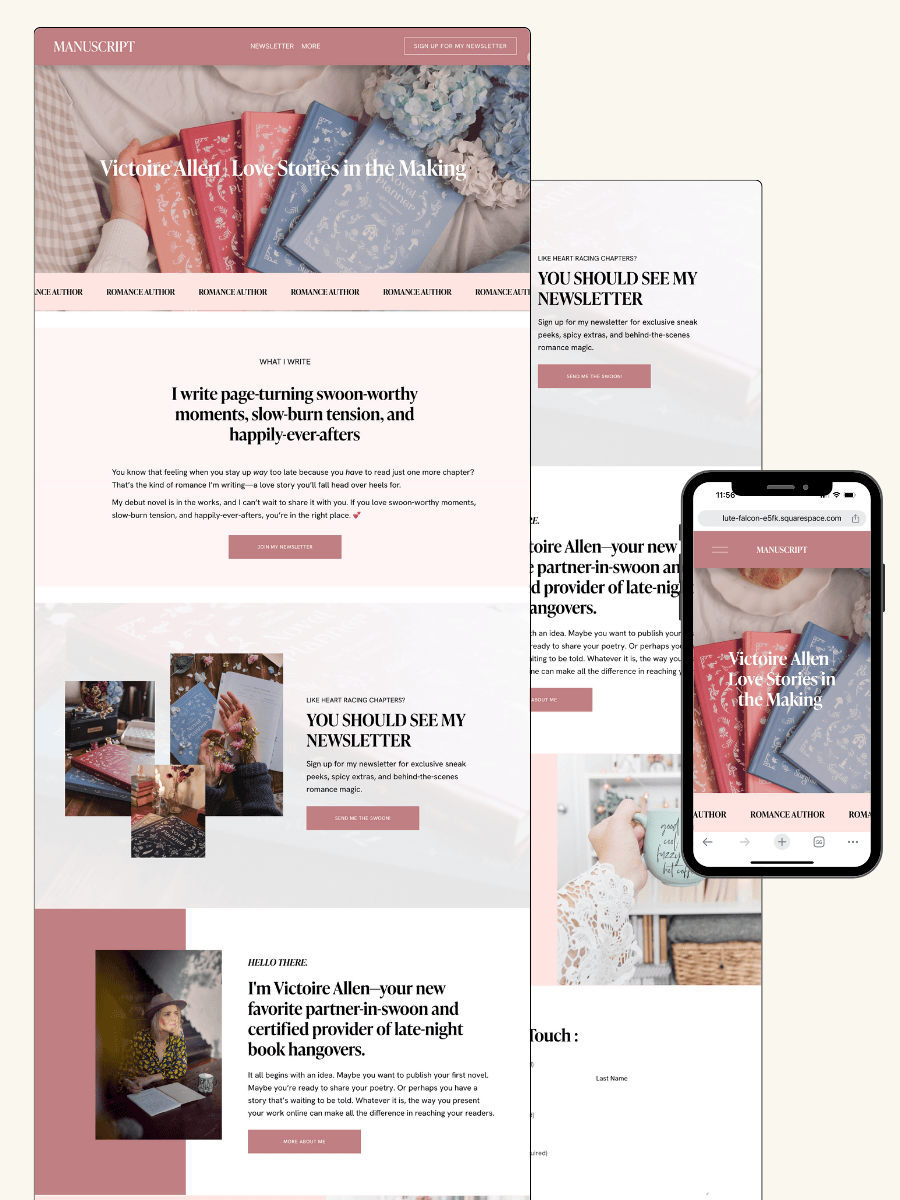
Introducing ‘The Manuscript" Website Template for Authors Without a Book

Your website should actively work for you, helping you build your audience and establish your brand while your book is still in the works. That’s why this template is built around two key pages designed to make the biggest impact:
✨ A Homepage That Captures Attention – No book cover? No problem. Your homepage is strategically designed to introduce you as the author, spark interest in your upcoming book, and encourage visitors to stick around—whether that means following your journey, signing up for updates, or joining your email list.
✨ A High-Converting Newsletter Page – Ask any bestselling author, and they’ll tell you: their email list is their most valuable marketing tool. This page makes it effortless to collect emails and grow a reader community—whether you’re sharing updates on your writing process, teasing future releases, or preparing for launch day.
The best part? This author website template is built to grow with you, including essential pages that make marketing easier now and in the future:
✔️ About Page – Tell your story and connect with readers.
✔️ Book Page – Ready when your book is, so you can start promoting as soon as you’re ready.
✔️ Contact Page – A direct line for readers, media, and publishers to reach you.
✔️ Shop Page – Perfect for selling signed books, merch, or future releases.
✔️ Link in Bio Page – An easy way to direct traffic from Instagram, TikTok, and other platforms.
Not using all these pages yet? No worries—you can hide them from your site’s navigation until you're ready to go live!
This template takes the stress out of launching an author website, giving you everything you need to start marketing now—without wasting time on complicated tech or expensive custom design!
How to Get Started with the Template in Minutes
Getting your author website up and running doesn’t have to be overwhelming—this template is designed to make the process quick, easy, and completely customizable to fit your unique brand. Follow these simple steps, and you’ll have a professional author website ready to go in no time.
Step 1: Access Your Template
Once you’ve purchased the template, it will be transferred to you within two business days. You’ll receive an email with everything you need to log in and start editing. No complicated setup—just instant access to your new website template.
Step 2: Customize It to Fit Your Brand
Your website should feel uniquely you. Here’s how to make it stand out:
Update your homepage with your name, writing niche, and a compelling bio that draws readers in.
Choose your colors and fonts to match your aesthetic (or stick with the beautifully pre-designed setup).
Swap in your own images or use the included ones to create a polished, professional look.
Tweak the copy—even if you don’t have a book yet, you can add a tagline or a short “coming soon” message to build excitement.
Step 3: Add Your Key Marketing Tools
To make sure your website template works for you, integrate these must-have features:
✅ Email Signup Form – Add your newsletter opt-in to the homepage and dedicated newsletter page so visitors can join your list.
✅ Social Media Links – Make it easy for readers to follow you by linking your Instagram, Twitter, TikTok, or Facebook.
✅ Blog or Writing Portfolio – If you plan to share updates, short stories, or behind-the-scenes content, this is where you can start posting.
✅ Future Book Page – Even if your book isn’t finished, set up a “Coming Soon” page to start generating interest now.
Step 4: Preview, Test & Launch
Before making your site live, do a quick check-through:
Click through all your pages to make sure everything looks and functions perfectly.
Test your email signup to ensure it’s capturing leads properly.
View your site on desktop and mobile to make sure it looks great everywhere.
Once you're happy with everything, hit publish and start sharing your new website with your audience!
Other Pre-Launch Book Marketing Strategies
Your website is the foundation of your author brand, but it’s just one piece of the puzzle. To build real momentum before your book is even finished, you need to start getting visible, building relationships with future readers, and creating excitement around your work. Here’s how to make that happen:
1. Social Media Marketing: Show Up and Share the Journey
You don’t need a finished book to start talking about it. Social media is your chance to bring readers along for the ride—share your writing process, inspiration, behind-the-scenes moments, and even those frustrating editing days.
What to Post:
Snippets of your work-in-progress
Writing struggles and wins (because people love the real stuff!)
Book mood boards or aesthetic reels
“Ask Me Anything” sessions about your book
Polls and Q&As to involve your audience in decisions (cover concepts, character names, etc.)
Pro Tip: Start using a hashtag or phrase related to your book early on—so when it launches, people already associate it with you.
2. Email Marketing: Build a List of Future Book Buyers
Your email list is your most valuable marketing asset. Unlike social media (where posts get lost in the algorithm abyss), emails land directly in your readers’ inboxes—making it the best way to keep them engaged and ready to buy when the time comes.
How to Grow Your List:
Offer a freebie (like a short story, bonus chapter, or exclusive writing tips).
Add a signup form to your website, especially on your homepage and blog posts.
Promote your list on social media with sneak peeks or exclusive content for subscribers.
What to Send:
Personal updates about your writing progress
Exclusive first looks at book covers, character art, or blurbs
Behind-the-scenes content that makes readers feel like insiders
Early access to preorder links or special launch bonuses
Pro Tip: Your email list doesn’t need to be huge—it just needs to be full of the right people. A small, engaged list of readers who love your work is better than a big list of people who don’t care.
Get my free guide: How to Get More Newsletter Signups on Your Author Website
3. Collaborations & Networking: Get in Front of New Readers
You don’t have to market your book alone. The book world is full of communities, fellow authors, and industry pros who can help amplify your reach.
Ways to Collaborate:
Guest blog or podcast appearances – Share writing tips or talk about your book journey.
Cross-promotions with other authors – Team up for giveaways or social media shoutouts.
Engage in writing communities – Join Facebook groups, Twitter chats, or Discord servers where your ideal readers hang out.
Partner with bookstagrammers & booktokers – Start building relationships with influencers who might help promote your book later.
Pro Tip: Marketing is about relationships. The more you genuinely connect with other writers, readers, and influencers, the more doors will open for your book.
4. Beta Readers & ARC Teams: Build a Buzz Before Your Book Drops
Even before your book is published, you can start gathering beta readers (who give feedback) and Advanced Reader Copy (ARC) teams (who help spread the word).
How to Find Beta & ARC Readers:
Post a call for signups on your website and social media.
Ask engaged email subscribers if they’d like early access.
Connect with writing groups or author communities where readers love discovering new books.
Why This Works:
Beta readers help you fine-tune your book before it’s published.
ARC readers leave early reviews and build excitement leading up to launch
Get Started with Your Author Website Today
There’s no better time to start your author website than… well, right now! If you want readers ready and waiting when your book drops, you need to start showing up before it’s finished.
This plug-and-play pre-book launch website template for authors makes it ridiculously easy to create a polished, professional site in minutes—no tech stress, no second-guessing. Just a simple way to grow your audience, build anticipation, and set yourself up for success.
Before you go…check out my Squarespace Author Templates !
Visit the Author Website Template Shop: TEMPLATE SHOP
What’s the Point of an Author Website If No One Visits? (And How to Fix It!)
Improve traffic using smart author website design and SEO fundamentals.

6 Reasons Your Author Website Isn’t Getting Traffic
1. You’re Not Actively Driving Traffic to Your Website
Your website won’t magically attract visitors just because it exists—you need a strategy to bring people in. If you’re not consistently directing readers to your website, it’s no surprise they aren’t showing up.
👉🏻 Fix it: Start sharing your website everywhere—on social media, in your email list, inside your books, and even on your Amazon author page. The more you remind people about your website, the more likely they are to visit.
2. Your Website Isn’t Optimized for SEO
If readers can’t find you on Google, you’re missing out on organic traffic—people actively searching for books like yours. SEO (Search Engine Optimization) helps your site appear in search results, driving consistent, long-term traffic.
👉🏻 Fix it: Use SEO best practices like adding relevant keywords, writing blog content, and optimizing your metadata(titles, descriptions, and alt text) to make it easier for readers to discover you.
3. There’s No Clear Reason for Readers to Visit
If your website is just a static “About Me” page and a list of books, why would readers come back? There’s no incentive to keep them engaged.
👉🏻Fix it: Offer something exclusive—a free short story, a behind-the-scenes look at your writing process, or bonus book content like a character Q&A or deleted scenes. Give readers a reason to visit your website and return.
4. Your Social Media Isn’t Driving Traffic
If you’re constantly posting about your books on social media but never linking back to your website, your followers won’t think to visit. Your social media should act as a traffic funnel, guiding readers toward your site where they can explore your work, sign up for your newsletter, and buy your books.
👉🏻 Fix it: Regularly post content that directs followers to your website—whether it’s a blog post, a freebie, or an event announcement. Use strong CTAs (Calls to Action) like “Read the full excerpt on my website!” or “Join my newsletter for an exclusive chapter!”
5. Your Website Loads Too Slowly or Isn’t Mobile-Friendly
Most readers will visit your website from their phone, and if it’s slow or hard to navigate, they’ll leave immediately. A cluttered, slow-loading site can hurt your credibility and SEO rankings—Google won’t even show your site in search results if it loads too slowly.
👉🏻Fix it: Use a clean, mobile-friendly design, compress large images, and test your website speed using tools like Google PageSpeed Insights. If your site takes longer than 3 seconds to load, it’s time for a refresh.
6. You’re Not Capturing Visitors with a Strong Call-to-Action (CTA)
Getting visitors to your website is only half the battle—once they’re there, you need to guide them toward action. If there’s no clear next step, they’ll leave without engaging.
👉🏻Fix it: Add strong, visible CTAs like “Download a free chapter,”“Join my newsletter for exclusive content,” or “Pre-order my next book now!” Make it easy for readers to engage, subscribe, and take the next step in your author journey.
5 Proven Strategies to Get More Readers to Your Website
1. Create Blog Content That Attracts Readers
Blogging isn’t just for writers sharing their journey—it’s a powerful tool to attract new readers through search engines. Blog posts that are SEO-optimized can bring fresh traffic to your site month after month. Think beyond personal updates—write content readers are actively searching for. Example: “Best Books Like [Your Book Title]” or “How I Created My Fantasy World.” These types of posts show up in search results, attract book lovers, and introduce new readers to your work.
2. Offer a Freebie That Requires a Website Visit
Readers need a compelling reason to visit your website, and nothing works better than exclusive content they can’t get anywhere else. Offer a free prequel, deleted scene, or book-related bonus that requires an email sign-up to access. Example: “Download my free prequel novella—only available on my website!” This not only drives website traffic but also grows your email list, giving you a way to stay connected with your audience.
3. Leverage Pinterest for Long-Term Traffic
Unlike Instagram or Twitter, Pinterest is a search engine, meaning posts continue driving traffic for months or even years. If you write blog posts, have a lead magnet, or offer book extras, create Pinterest-friendly graphics to promote them. Use eye-catching images with text overlays linking to your website, and pin consistently to drive steady, organic traffic.
4. Optimize Your Book Listings with Website Links
Readers discover your books on Amazon, Goodreads, and other platforms, but they might not know you have a website packed with extras. Add your website link to your author bio, book descriptions, and even inside your books. Example: “Want a bonus scene? Visit [YourWebsite.com] to read more!” This simple tweak funnels curious readers straight to your website where they can explore more of your work.
5. Collaborate with Other Authors for More Exposure
Other authors aren’t your competition—they’re potential partners in reaching more readers. Guest blogging, social media shoutouts, or newsletter swaps introduce your books to an entirely new audience. Team up with authors in similar genres to cross-promote—for example, offering a "Book Bundle Giveaway" where readers must visit both websites to enter. The more exposure, the more traffic!
Your Author Website Deserves an Audience—Here’s How to Make It Happen!
Your author website shouldn’t be a lonely corner of the internet—it should be an active, engaging space where readers discover your books, sign up for your newsletter, and get excited about your work.
If no one’s visiting, the good news is you have the power to change that. By implementing SEO, strategic social media promotion, and enticing content that draws readers in, you can turn your website into a go-to destination for fans and new visitors alike.
Now’s the time to make your website work for you. Start with one strategy today—whether it’s creating an exclusive freebie, optimizing your book listings, or pinning your first blog post to Pinterest. Small actions lead to big results!
Want an author website that’s built to attract readers and grow your fanbase? Let’s create an author website for you that drives traffic and turns visitors into loyal book buyers. Click below to get started!
Before you go…check out my Squarespace Author Templates !
Visit the Author Website Template Shop: TEMPLATE SHOP

THE ATWOOD - Squarespace Author Website Template

THE HEMINGWAY - Squarespace Author Website Template
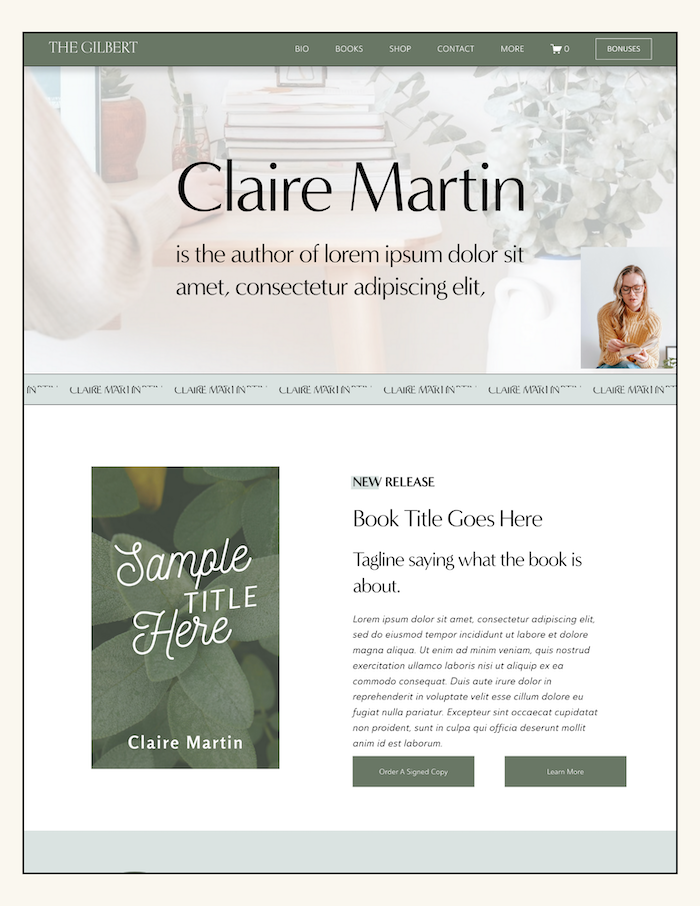
THE GILBERT - Squarespace Author Website Template
15 Ways Authors Can Use Social Media to Drive Traffic to Their Website & Grow Their Newsletter
Drive traffic to your author website using social media strategies.
How authors can use social media to drive website traffic isn’t just about posting book updates and hoping for the best—it’s about strategically leading readers off social platforms and onto your author website and email list, where you have full control of the conversation.
The truth? Social media algorithms change, visibility fluctuates, and followers come and go, but your website and newsletter are your direct, reliable connection to readers who actually want to hear from you.
In this guide, you’ll learn author-specific strategies to turn casual social media scrollers into engaged website visitors and loyal email subscribers—so you can sell more books, build your readership, and grow your career without relying on an algorithm!
Before we start, check out my FREE newsletter sign-up booster to help grow your list!
Why Social Media Should Lead Readers to Your Website & Email List
Relying solely on social media to connect with readers is like building your house on rented land—platforms change, algorithms shift, and your reach is never guaranteed. But your author website and email list?
Those are yours forever. Readers who visit your website or subscribe to your newsletter are far more engaged than passive social media followers, meaning they’re more likely to buy your books, leave reviews, and become lifelong fans.
Plus, social media visibility is unpredictable, but once a reader is on your website, you control the experience, guiding them to explore your books, sign up for exclusive content, and deepen their connection with you as an author.
If you’re serious about growing your audience and selling more books, your goal should always be to lead readers off social media and onto platforms you own.
Optimizing Your Social Media to Drive Website & Newsletter Sign-Ups
1. Add a Clear Call-to-Action (CTA) to Every Post
Every time you post on social media, tell readers exactly what to do next—whether it’s visiting your website, signing up for your newsletter, or grabbing a freebie. Instead of just talking about your book, guide readers toward an action that strengthens your connection.
Example: “Want a free prequel to my book? Download it now on my website!”
A strong CTA ensures that your social media engagement leads to real results—like growing your email list and increasing book sales.
2. Turn Your Social Media Bio into a Traffic Magnet
Your bio is prime real estate—don’t waste it on generic text like “Author of [Book Title].”
Instead, use it to drive traffic to your website or newsletter with a compelling hook. Example: “Get a free bonus chapter—subscribe now!”And since most platforms only allow one link, use a link-in-bio tool (like Linktree, Milkshake, or Beacons) to create a mini landing page with multiple website links—directing readers exactly where you want them to go.
3. Pin a High-Performing Post That Promotes Your Newsletter
A pinned post is the first thing visitors see when they land on your profile—so make it count!
Pin a tweet, Instagram post, or Facebook update that explains why readers should sign up for your newsletter and how it benefits them.
Example: “Love my books? Get exclusive behind-the-scenes content & a free short story—subscribe now!” This ensures that even new visitors to your profile immediately see a clear path to your website and email list.
4. Use Instagram & Facebook Story Highlights to Promote Your Freebie
Instagram and Facebook Stories disappear after 24 hours, but you can save them as Highlights to keep them visible forever. Create a dedicated Highlight for your freebie that includes a step-by-step guide on how readers can claim it.
Example: "Swipe up to get my free novella!" Use engaging visuals, short video clips, and a clear call-to-action to make it easy for readers to take the next step toward your website.
5. Share Exclusive Content That Requires a Website Visit
Give your followers a reason to leave social media and visit your website by teasing exclusive book content they can’t get anywhere else. Post snippets of deleted scenes, alternate endings, or character backstories, and direct them to your website for the full experience. Example: “What happens after the epilogue? Read the bonus scene here: [YourWebsite.com]” This not only drives traffic but also keeps readers engaged between book releases.
6. Host a “Website-Only” Book Giveaway
Instead of a standard “comment to win” giveaway on social media, require readers to visit your website or sign up for your newsletter to enter. This strategy increases website traffic, grows your email list, and attracts highly engaged readers. Example: “Win a signed copy of my latest book—enter now on my website!” Use a giveaway tool like KingSumo or Rafflecopter to streamline entries and maximize engagement.
7. Offer a Social Media-Exclusive Discount on Your Website
Create urgency and exclusivity by offering a limited-time book discount that followers can only access by visiting your website. This works especially well for pre-orders, signed copies, or bundle deals. Example: “For the next 48 hours, get my signed book for 20% off—only on my website!” Promote it with a countdown timer, Stories, and pinned posts to drive immediate action.
8. Instagram – Use Reels & Stories to Tease Content on Your Website
Instagram is perfect for short, engaging content that hooks readers and directs them to your website for more. Use Reels, Stories, and Carousels to tease behind-the-scenes book content, deleted scenes, or writing updates. Example: “5 secrets about my book only newsletter subscribers know—sign up now!” Add “Link in bio” prompts or Story swipe-up links to make it easy for followers to click through.
9. Facebook – Use Groups & Pages to Engage Readers
Your Facebook author page and reader groups are great places to build community and drive traffic to your website. Share exclusive content, first-look reveals, and special announcements that require readers to visit your site. Example: “Join my email list for first dibs on my next book’s title reveal!” You can also host Facebook Live Q&As and include a website call-to-action at the end.
10. Twitter/X – Start Engaging Threads That End with a Website CTA
Twitter/X thrives on conversational, storytelling-style posts that build curiosity. Start a Twitter thread breaking down an interesting aspect of your book, writing process, or publishing journey, then end with a link to your website for the full story. Example: “Here’s how I built my fantasy world from scratch (THREAD) 👇 Read the full breakdown here: [YourWebsite.com]” This format keeps readers engaged while seamlessly leading them to your site.
11. TikTok – Create “Hidden Content” Strategies to Drive Traffic
TikTok is gold for authors who want to generate curiosity and drive followers to their website for exclusive content. Create videos teasing “hidden” book details, character secrets, or alternate endings and tell viewers to find them only on your website. Example: “The plot twist that almost happened in my book? Read it on my website!” Pair this with a strong call-to-action in your caption to increase clicks.
12. Pinterest – Turn Blog Posts & Freebies into Traffic Machines
Unlike other social media platforms, Pinterest is a long-term traffic driver that can keep bringing visitors to your site months after posting. Create Pinterest-friendly graphics for blog posts, book bonuses, or newsletter freebies and optimize them with keywords related to your genre and audience. Example: “Download my free fantasy world-building guide—perfect for readers and writers!” Pinterest acts as a visual search engine, making it a powerful way to attract new readers to your site.
13. Offer an Irresistible Reader Magnet
The fastest way to grow your email list? Give readers something they actually want. A high-value freebie like a bonus chapter, exclusive novella, or behind-the-scenes character Q&A makes signing up a no-brainer. Think about what would excite your readers—something they can’t get anywhere else. Whether it’s an alternate ending, a deleted scene, or an in-depth world-building guide, the key is making your newsletter feel exclusive and rewarding.
14. Use Strategic Pop-ups & Sign-up Forms
Make sure your newsletter sign-up is impossible to miss by placing eye-catching forms on your homepage, blog, and book pages. Readers shouldn’t have to search for it—it should be front and center. Example: “Love my books? Get exclusive extras by joining my newsletter!” Use exit-intent pop-ups (ones that appear when visitors are about to leave your site) to capture their attention at the right moment.
15. Make Your Newsletter a VIP Experience
Nobody signs up for a newsletter just to get generic updates. Instead of sending boring “Here’s what I’m up to” emails, turn your newsletter into a VIP experience that makes readers feel special. Offer first looks at cover reveals, exclusive sneak peeks, and early access to book releases before anyone else gets them. When readers know they’re getting something valuable, they’ll not only subscribe—but stay engaged for the long haul.
Let’s Turn Your Social Media Followers into Website Visitors & Subscribers!
Social media should be more than just a place to post about your books—it should be a traffic machine that helps you grow your email list and sell more books. By using clear calls-to-action, teaser content, exclusive website offers, and platform-specific strategies, you can turn followers into engaged website visitors and loyal newsletter subscribers.
Want an author website that’s optimized for traffic and email growth? I design high-converting author websites that make it easy to capture leads and boost engagement.
Click below to check out my done-for-you author website design services and let’s turn your site into your ultimate book-selling, audience-building machine.
Before you go…check out my Squarespace Author Templates !
Visit the Author Website Template Shop: TEMPLATE SHOP
THE ATWOOD - Squarespace Author Website Template
THE HEMINGWAY - Squarespace Author Website Template
THE GILBERT - Squarespace Author Website Template
10 Creative Newsletter Incentives to Grow Your Author Email List
Lead magnet ideas that support author website templates and list growth.
One of the most underutilized marketing tools in your toolkit? Your email list.
Unlike social media, where algorithms decide who sees your posts, your email list is a direct, guaranteed way to reach your readers—the ones most likely to buy your books, leave reviews, and become lifelong fans. But here’s the catch: no one’s signing up just because you say “Get my updates!” (yawn).
Readers need a juicy, can’t-miss reason to hand over their email, and that’s where creative, high-value incentives come in. Forget the boring stuff—this post is packed with unique, irresistible ideas that will have readers excited to join your list and stay engaged for the long haul!
Before we start, check out my FREE newsletter sign-up booster to help grow your list!
10 Creative Newsletter Incentives to Get More Subscribers
1. A “Write Your Own Adventure” Challenge
Give your readers the power to shape part of your next book by letting them name a character, choose a setting, or influence a minor plot twist. Make this an exclusive subscriber event, where they vote through an email poll, ensuring only your most engaged readers get a say. This not only builds excitement around your book but also creates a personal investment for readers who will be eager to see their choices reflected in the final story.
2. A Digital Annotated Chapter
Offer an exclusive annotated version of a chapter from your book, complete with your behind-the-scenes notes, inspirations, and alternate plot ideas. This gives fans an intimate look at your creative process, making them feel like insiders. Example: “See my original notes and thoughts behind the first chapter of [Book Title]!” This is an excellent incentive for craft-conscious readers who love diving deeper into storytelling techniques.
3. Personalized Book Recommendations from You
Readers love discovering new books, so why not create a custom reading guide based on your genre, writing influences, or personal favorites? This could be a “10 Books to Read If You Loved [Your Book Title]” list or a personalized recommendation guide based on a short reader quiz. Not only does this provide valuable content, but it also establishes your credibility as a trusted voice in your genre.
4. An Interactive “Solve the Mystery” or Riddle Challenge
If you write mystery, thriller, or fantasy, send readers an exclusive puzzle, coded message, or riddle that they must solve to unlock a hidden reward—like a sneak peek at your next book or an exclusive scene. Example: “Solve this riddle to access a secret page on my website with a never-before-seen excerpt!” This taps into readers’ curiosity, making them more engaged with your emails and excited to participate.
5. A Printable “Reading Journal” or Book Tracker
Give your subscribers a beautifully designed reading log or book tracker that lets them keep track of their reading habits. Customize it to fit your genre—like a “Magical Realms Reading Log” for fantasy readers or a “Love Story Tracker” for romance fans. This isn’t just a freebie—it’s a useful, evergreen tool that will keep your name in front of your audience every time they use it.
6. A Monthly “Ask Me Anything” (AMA) Session
Build a deeper connection with your audience by hosting an exclusive monthly AMA session just for your subscribers. Readers can submit questions about your books, writing process, or even fun personal topics, and you can respond via a blog post, email Q&A, or a live video session. Readers love personal interaction with authors, and this helps turn casual readers into loyal superfans.
7. A Custom “Book Soundtrack” Playlist
Bring your book to life through music by curating a Spotify or YouTube playlist inspired by your characters, setting, or themes. This could be a “Soundtrack for [Your Book Title]” featuring songs that fueled your writing process or reflect your characters’ emotions. Fans will love experiencing your story in a new way, making them more immersed in your world.
8. “Write With Me” – A Mini Writing Workshop or Prompt Challenge
For authors with a crossover audience of aspiring writers, offering a mini writing challenge can be an engaging way to build your community. Example: “Join my 3-day writing challenge inspired by my novel’s world-building techniques!”This could be a series of emails with prompts, video lessons, or downloadable PDFs that offer interactive value beyond just promoting your books.
9. A Personalized "Reader Horoscope" or Character Match Quiz
Give your subscribers a fun and interactive experience by creating a custom “Reader Horoscope” based on your book’s themes or a “Which Character Are You?” quiz. Example: “Find out which of my characters matches your personality—take the quiz and get a custom description in your inbox!” Use a tool like Typeform or Interact to make it easy to engage, and require an email sign-up to receive the results. This kind of incentive is highly shareable, meaning your current subscribers may even forward it to their friends, helping you grow your list organically!
10. A Fun “Book Club Guide” for Your Novel
Help readers deepen their experience with your book by offering a book club discussion guide filled with thought-provoking questions, behind-the-scenes insights, and bonus content. Example: “Download my exclusive book club guide for [Your Book Title]—discussion questions, fun facts, and secret details you won’t find anywhere else!” This is perfect for fans who love analyzing stories and discussing them in groups.
How to Effectively Deliver Your Newsletter Incentive
A killer newsletter incentive is only valuable if readers actually receive it and stay engaged. The goal isn’t just to get people to sign up—it’s to turn them into long-term, loyal subscribers who open your emails and stay excited about your books. Here’s how to make sure your incentive does its job.
📩 Set Up an Automated Welcome Email
Nothing kills excitement like signing up for an awesome freebie… and then waiting days to receive it. Set up an automated welcome email that delivers your incentive instantly—whether it’s a download link, an exclusive excerpt, or a subscriber-only video. This not only keeps new subscribers engaged right away but also makes a strong first impression, setting the tone for future emails.
📢 Promote It Everywhere
Your incentive only works if people know about it! Promote your newsletter sign-up across multiple touchpoints—add pop-ups or banners on your website, plug it into your social media bios and posts, and even include a call-to-action in the back of your book. Example: “Enjoyed this story? Get a bonus scene by subscribing to my newsletter at [YourWebsite.com]!” The more places you promote it, the more sign-ups you’ll get.
💡 Keep Engaging Subscribers
Your newsletter incentive is just the beginning of your relationship with readers—now you need to keep them engaged. Follow up with exclusive content, sneak peeks, and personalized emails that make your subscribers feel like VIPsrather than just another name on a list. Show them that signing up was worth it, and they’ll keep opening (and loving) your emails.
Let’s Grow Your Author Email List the Smart Way!
Your email list isn’t just another marketing tool—it’s your most valuable direct connection to readers. By offering unique, irresistible incentives, you’ll attract more engaged subscribers, increase email open rates, and turn casual readers into lifelong fans.
Want an author website that makes growing your email list effortless? I design high-converting, reader-focused author websites that help you get more signups and sell more books! Check out my custom website design services or if you're more of a “DIYer”- browse my templates!
Before you go…check out my Squarespace Author Templates !
Visit the Author Website Template Shop: TEMPLATE SHOP
THE ATWOOD - Squarespace Author Website Template
THE HEMINGWAY - Squarespace Author Website Template
THE GILBERT - Squarespace Author Website Template
Legal Pages Your Author Website Needs: Privacy Policy & Terms and Conditions
Essential legal pages every author website needs when launching.
Alright, authors—let’s get real for a sec. You’ve spent months (or let’s be honest, years) pouring your heart into writing your book. You’ve got an author website set up, and you’re ready to connect with readers, grow your email list, and maybe even sell books directly from your site. But before you hit publish and send your site out into the world, there’s one not-so-glamorous but totally essential thing you need to take care of: legal pages.
Yep, we’re talking about that Privacy Policy and Terms and Conditions page.
I know, I know—this stuff isn’t nearly as fun as designing a stunning homepage or writing your ‘About’ page. But these legal pages aren’t just some boring formality. They protect both you and your website visitors, and in some cases, they’re legally required. So let’s break it down in a way that actually makes sense.
If you’re looking for templates that you can purchase for your Privacy Policy & Terms and Conditions click here: Website Legal Document Templates
*I signed up for to be an affiliate for this template because it’s so awesome that I even used it myself. I will get a small affiliate bonus if you move forward with purchasing this template
ALSO ON THE BLOG: How to Get Your Followers to Actually Visit Your Author Website
What Is a Privacy Policy and Why Do You Need One?
A Privacy Policy is a document that tells your website visitors what personal data you collect, how you use it, and who you share it with.
If you have any kind of form on your site—whether it’s an email sign-up, a contact form, or a shop checkout—you’re collecting personal data. That means you need a Privacy Policy.
But wait, there’s more! Even if you don’t collect personal info yourself, your website might be using cookies, tracking tools (like Google Analytics), or embedded content (like YouTube videos). These can still gather visitor data, and privacy laws require you to disclose this information.
Laws That Require a Privacy Policy
Depending on where you and your website visitors live, different laws might apply to your site. Here are a few major ones:
General Data Protection Regulation (GDPR) – If you have website visitors from the EU, you must disclose what data you collect and how it’s used.
California Consumer Privacy Act (CCPA) – If you get visitors from California, you need to let them know what data you collect and give them an option to opt out.
Personal Information Protection and Electronic Documents Act (PIPEDA) – If you're in Canada, this law applies to you.
Even if you think, “Well, I’m just an author, I don’t need to worry about this,” you probably do because your website is accessible to a global audience. Better safe than sorry, right?
What to Include in Your Privacy Policy
Your Privacy Policy should cover:
What personal data you collect (names, email addresses, payment details, etc.)
How you collect it (contact forms, email sign-ups, cookies, etc.)
Why you collect it (to send newsletters, process payments, analyze traffic, etc.)
Who you share it with (third-party services like email providers or payment processors)
How users can request to see or delete their data
Not sure how to write one? You can find free Privacy Policy generators online, but for full legal protection, consider using a professional template or hiring a lawyer.
ALSO ON THE BLOG: Before You Self-Publish: Expert Answers to your top questions
What Are Terms and Conditions (T&C), and Do You Need Them?
Terms and Conditions (sometimes called Terms of Service) outline the rules for using your website. While they’re not legally required, they can help protect your business by setting clear guidelines for visitors and customers.
Why Authors Need Terms and Conditions
If your website has any of the following, a Terms and Conditions page is a very good idea:
A blog (you’ll want to set copyright rules for your content)
A shop (you need to outline refund policies, payment terms, etc.)
Affiliate links (you should disclose your relationships with brands)
User-generated content (like blog comments or forums)
Your T&C page can help prevent misunderstandings, limit liability, and protect your intellectual property. In other words, it’s a legal safety net for your website.
What to Include in Your Terms and Conditions
Here’s what your T&C page should cover:
Ownership of Content – Let visitors know that your words, images, and branding belong to you (and shouldn’t be copied without permission).
User Responsibilities – Explain what visitors can and can’t do on your site.
Payment & Refund Policies – If you sell anything on your site, make sure your refund and payment policies are crystal clear.
Affiliate Disclosure – If you use affiliate links (like Amazon Associates), you’re legally required to disclose this.
Disclaimers & Liability Limitations – Protect yourself by stating that you’re not responsible for how people use your content.
If you’re not sure where to start, you can find T&C templates online, but again, a legally sound template from a lawyer is best.
Where to Put These Pages on Your Website
Once you’ve created your Privacy Policy and Terms and Conditions, you need to make sure they’re easy to find. Best practice? Put links to them in your website footer. That way, they’re always accessible, but they don’t clutter your main navigation.
If you’re collecting email addresses, include a quick note in your sign-up form like “By signing up, you agree to our Privacy Policy.” This adds an extra layer of transparency and compliance.
Interested in Seeing examples of where I placedthe Privacy Policy & Terms & Conditions? Check out my author website templates
Final Thoughts: Make Your Author Website Legally Legit
I get it—this isn’t the most exciting part of building your author website. But having these legal pages in place gives you peace of mind, protects your business, and keeps you in compliance with global privacy laws.
So, do yourself (and your readers) a favor—add a Privacy Policy and Terms and Conditions page to your site today. Your future self will thank you.
And if you’re feeling overwhelmed? Don’t stress. There are plenty of tools and templates out there to help you get this done quickly and easily.
Now, go forth and build that author empire—with legally legit foundations!
Before you go…check out my Squarespace Author Templates !
Visit the Author Website Template Shop: TEMPLATE SHOP
THE ATWOOD - Squarespace Author Website Template
THE HEMINGWAY - Squarespace Author Website Template
THE GILBERT - Squarespace Author Website Template
How to Get Your Followers to Actually Visit Your Author Website
Turn followers into visitors using author website design and CTAs.

You’ve built a following on social media, but let’s be real—likes and comments don’t sell books.
The real magic happens when readers visit your author website, sign up for your email list, and actually buy your books.
The problem? Most authors struggle to get their followers off Instagram, TikTok, and Facebook and onto their website. But don’t worry—this isn’t another list of generic tips like “share your link in your bio.”
Instead, we’re diving into unique, creative strategies to make your website irresistible—so readers want to click, explore, and stay.
Before we start, check out my FREE newsletter sign-up booster to help grow your list!
10 Unique Ways to Get Your Followers to Your Author Website
1. The “Hidden Chapter” Strategy
Want to make readers need to visit your website? Offer something they can’t resist—like a bonus chapter, deleted scene, or exclusive epilogue that’s only available on your website. Tease it on social media and in your emails, then send them to a password-protected page that only subscribers can access. This not only drives traffic but also grows your email list—win-win!
2. Turn Your Website into an Interactive Experience
Readers love to engage with the worlds you create, so give them a reason to visit your site with fun quizzes, character polls, or writing challenges. Try something like “Which Character From My Novel Are You?” and require website visits to participate. Use tools like Typeform or Interact to create an immersive experience that keeps readers coming back for more.
3. Leverage Your Email List with “Exclusive Access”
Don’t just link to your book sales page—make your email list feel like an exclusive VIP club by offering early access, insider content, or members-only discounts that require a visit to your website. Example: “Get a sneak peek of my next novel—only available to website visitors!” This creates urgency while reinforcing your website as a hub for valuable content.
Related: Email Marketing for Authors: How to Grow, Engage, and Convert Your Readers
4. Host a “Website-Only” Giveaway
Want to grow your website traffic and email list at the same time? Run a giveaway that’s only accessible on your website. Instead of a generic “comment to win” social media contest, require entries through your website. Offer prizes like signed books, exclusive swag, or character-inspired art, and use tools like KingSumo or Rafflecopter to keep it simple.
5. Make Your Blog a Must-Read Destination
Instead of writing just another blog post, make your website the go-to place for behind-the-scenes content, book inspirations, and personal updates readers won’t find anywhere else. Try juicy topics like “The Real-Life Inspiration Behind My Novel’s Villain” or “5 Secrets About My Book That Only True Fans Will Notice”. Tease them on social media but require a website visit to read the full story.
6. Embed Exclusive Audiobook Snippets or Read-Alouds
Turn your website into a listening experience by recording a short audiobook snippet or read-aloud of your book—but make it only available on your site. Fans love hearing the author’s voice, and this adds a personal, VIP touch. Example: “Listen to me read Chapter 1 before anyone else—only on my website!” It’s a simple but powerful way to drive traffic.
7. Use QR Codes in Physical Books & Merch
Get creative by adding QR codes inside your book, on bookmarks, or book swag that link directly to bonus content, a secret message, or an exclusive reader area. Readers can scan the code at signings or after finishing your book to access special content they can’t find anywhere else. Example: “Scan this to unlock a secret letter from the main character!”
8. Create an Exclusive Reader Community
Build a members-only space on your website where fans can interact, get exclusive content, and be part of your inner circle. This could be a private blog, a secret forum, or a special “fan club” section with behind-the-scenes access. Use MemberSpace or Patreon-style gated content to make it feel exclusive and exciting—something readers want to be part of!
Related: How to Strategically Add Book Reviews to Your Website!
9. Turn Social Media Posts Into Website Traffic Magnets
Instead of dropping book quotes without context, turn your social media posts into teasers that drive website traffic. Example: “This moment between my characters? It changes everything. Read the full scene here: [YourWebsite.com]” If using Instagram, put the link in bio and add urgency: “Only available this week!” The more intrigue, the more clicks!
10. Optimize Your Website for Search (So Readers Can Find You!)
Your website isn’t just for existing fans—it should help new readers discover you! Most readers Google authors and books, so make sure your site is optimized with SEO-friendly keywords like “[Your Name] books,” “[Your Book Title] summary,” or “Best books like [Your Genre]”. Optimize your blog, book pages, and about page to attract organic traffic and expand your readership beyond social media.
Why Getting Readers to Your Website Matters
Getting readers to your website isn’t just a vanity metric—it’s the difference between having a thriving, independent author brand and being at the mercy of social media algorithms. Here’s why your website should be the go-to destination for your audience:
Your Website is Yours
Social media is great for engagement, but let’s face it—algorithms change, accounts get suspended, and posts disappear into the void. Your website? You own it. It’s a stable, evergreen space where readers can always find you, no matter what happens on Instagram, Facebook, or TikTok.
Direct Connections = More Book Sales
When readers visit your website, they’re already one step closer to buying your book than a random social media follower. A well-designed author website guides visitors toward your books, email list, and special offers, turning casual browsers into loyal fans—and paying customers.
Build a Lasting Audience (That You Actually Control!)
Relying solely on social media to reach readers is risky—you don’t own those platforms, and you’re only as visible as the algorithm allows. But when readers visit your website and sign up for your email list, you now have a direct line to them, no middleman required. Growing your email list through your website ensures that you can stay connected with your audience for years to come.
Let’s Get More Readers to Your Website!
Your author website should be the heart of your book marketing strategy, not an afterthought. By offering exclusive content, interactive experiences, and incentives that readers can’t resist, you’ll turn casual followers into website visitors—and website visitors into loyal fans.
Need an author website that actually works? I design high-converting, reader-focused author websites that not only look amazing but drive real engagement and book sales. Whether you need a custom-built author website or a DIY-friendly template, I’ve got you covered.
Click below to get started and create an author website that keeps readers coming back!
Text here
Before you go…check out my Squarespace Author Templates !
Visit the Author Website Template Shop: TEMPLATE SHOP
THE ATWOOD - Squarespace Author Website Template
THE HEMINGWAY - Squarespace Author Website Template
THE GILBERT - Squarespace Author Website Template
Comparing Website Builders: Why Squarespace is Ideal for Writers and Authors
Why Squarespace for authors offers flexibility and control.
Last night, you finally decided—it’s time to build an author website for your book.
So, like any determined writer, you hit Google… and instantly got slammed with options. Website builders, designers, templates, DIY tutorials—you name it.
Suddenly, you’re knee-deep in Squarespace vs. WordPress vs. Wix vs. Shopify vs. platforms-you’ve-never-heard-of, and your simple plan to create a website turns into an existential crisis. (Maybe that’s even how you landed here—good call!)
So, which platform is actually the best for writers? Don’t worry—I’ve done the heavy lifting for you.
Let’s break down the top website builders and find the one that works best for your author career without the headache.
Before we get into it, feel free to grab my free author website blueprint here!
What Writers & Authors Need in a Website Builder
The best website builder for writers should be easy to use, customizable to match your brand, and built to help you sell books, attract readers, and grow your audience—without the tech headache.
You need a platform that makes blogging effortless (so you can boost SEO and connect with readers), has built-in e-commerce tools (so you can sell books directly), and includes SEO features to help you rank on Google.
Plus, since most visitors browse on their phones, your site must be mobile-friendly. The goal? A website that works for you, not one that adds to your to-do list.
Now, let’s break down the best website builders and see which one actually delivers!
Related: Before You Self-Publish: Experts Answer Your Top Questions on Editing, Design & Marketing

Website Builder Comparison – Which One is Best for Writers?
There are plenty of website builders out there, but which one is the best for writers? Let’s compare Squarespace to other popular platforms and see which one makes the most sense for your author website.
1. Squarespace vs. WordPress – Simplicity vs. Full Control
WordPress is powerful and highly customizable, but it comes with a steep learning curve and requires ongoing maintenance. If you want full control over every aspect of your site and don’t mind dealing with plugins, hosting, and security updates, WordPress is a solid option.
Squarespace, on the other hand, is an all-in-one solution—it takes care of hosting, security, and updates for you. If you want a website that’s easy to manage without worrying about the tech, Squarespace is the better choice for most writers.
Related: Squarespace for Authors: A Quickstart Guide to Building Your Perfect Author Website
2. Squarespace vs. Wix – Structured Elegance vs. Unlimited Customization
Wix gives you total creative freedom with its drag-and-drop builder, but that flexibility can quickly lead to a cluttered, unstructured site if you’re not careful. Squarespace offers a more structured, high-quality drag and drop design experience, ensuring your site looks polished and professional right out of the box.
Even though both these platforms offer drag-and-drop design freedom, Squarespace guides you with carefully curated templates and design guardrails that maintain aesthetic harmony, making it a great choice for those who want a sleek, professional look without needing extensive design skills.
If you love playing around with design and want total creative control, Wix might work for you. But if you prefer a sleek, professional site with less hassle, Squarespace is the better fit!
3. Squarespace vs. Showit – Professionalism vs. Simplicity
Showit is a drag-and-drop website builder known for its design flexibility, making it a great option for creatives who want a highly visual, fully customized site. However, its simplicity comes at a cost—while it allows for beautiful layouts, it lacks built-in blogging features (you’ll need WordPress integration), structured SEO tools, and seamless e-commerce options.
Squarespace, on the other hand, provides an all-in-one platform with integrated blogging, SEO optimization, and an easy-to-use online store, making it the better choice for authors who want to grow their audience, sell books, and rank on Google without managing multiple platforms. If you’re looking for a website that’s not just visually appealing but also strategic and functional, Squarespace wins.
4. Squarespace vs. Shopify – Author Platform vs. E-Commerce Powerhouse
Shopify is hands-down the best platform for e-commerce, but it’s designed primarily for selling products—not for author branding, blogging, or content-focused websites. If your main goal is to sell books and merch at scale, Shopify is a powerful choice with robust sales features, advanced inventory management, and seamless integrations with payment processors. However, that power comes at a cost—Shopify’s pricing is higher than Squarespace’s, especially when you factor in transaction fees, app costs, and premium themes.
If you want a well-rounded author website that includes a blog, a book showcase, and an integrated store without the higher price tag, Squarespace gives you the best of both worlds. It offers elegant design, built-in e-commerce capabilities, and a seamless user experience—all at a more affordable monthly rate. While Shopify excels in advanced selling features, Squarespace is the better choice for authors who want a professional, polished site with an integrated shop without the added complexity and expense.
Why Squarespace is the Best Website Builder for Writers & Authors
When it comes to creating a professional, easy-to-manage author website, Squarespace stands out as the best option for writers. It’s not just about looking good—it’s about having a website that helps you sell books, grow your audience, and build your brand without dealing with tech headaches. Here’s why Squarespace is the top choice for authors.
📖 Professional, Author-Friendly Templates
Squarespace offers sleek, modern templates that are specifically designed for creatives, making it easy to build a site that showcases your books, blog, and brand. Whether you write fiction, non-fiction, poetry, or self-help, there’s a beautifully structured template that makes your work shine. No need to mess with complicated design layouts—just plug in your content, and you’re set.
📝 Built-in Blogging & SEO Features
A blog is one of the best ways to attract readers and boost your website’s visibility on Google. With Squarespace’s built-in blogging platform, you can share book updates, writing tips, and behind-the-scenes content—all while improving your SEO. Unlike other website builders that require extra plugins for SEO, Squarespace has built-in tools that help you optimize your site effortlessly.
🛒 E-commerce Ready – Sell Books, Merch, or Services Seamlessly
Want to sell signed books, digital downloads, or even writing workshops? Squarespace makes it easy to set up an online store—no third-party integrations required. You can sell physical books and digital products directly from your site, create pre-orders, and even offer discount codes to your most loyal readers.
📩 Integrated Email & Marketing Tools
Email marketing is crucial for authors, and Squarespace helps you grow your list without needing extra software. With built-in email marketing, lead magnets, and newsletter sign-ups, you can easily connect with your audience, send book launch updates, and build a loyal reader base—all from one platform.
⚡ No Plugins or Maintenance Hassles
Unlike WordPress, which requires constant updates, plugin management, and security fixes, Squarespace handles everything for you. There’s no need to install extra tools for SEO, e-commerce, or design features—it’s all built-in. That means less stress, less troubleshooting, and more time to focus on your writing.
📱 Mobile Optimization & Fast Performance
Most readers will visit your website from their phones, so your site needs to look good on any device. Every Squarespace template is automatically mobile-responsive, ensuring a smooth, fast-loading experience whether someone visits from a desktop, tablet, or smartphone. No need to manually adjust settings—Squarespace does it for you.
🚀 The Bottom Line: Why Writers Choose Squarespace
If you want a beautiful, easy-to-use website that helps you blog, sell books, and grow your audience, Squarespace is the best choice for writers. It takes care of the tech side so you can focus on your craft—and that’s exactly what an author website should do. Ready to build your author brand online? Let’s make it happen
Let’s Get Your Author Website Built!
As a professional website designer specializing in author websites, you could say I know a thing or two about what makes an author website successful—and more importantly, what holds authors back from having a site that actually works for them. Whether you’re looking for a simple, stylish DIY solution or want a completely custom, done-for-you website, I’ve got you covered.
🚀 Want to DIY? Grab one of my author website templates—designed specifically for writers—to create a polished, professional site without the stress. Just plug in your content, tweak the design, and launch!
🔥 Prefer a fully custom site? Let me take care of the design, setup, and strategy so you can focus on your writing while I build a high-converting, professional author website that grows with your career.
Have a question? Simply fill out my contact form here. I can’t wait to hear from you!
Before you go…check out my Squarespace Author Templates !
Visit the Author Website Template Shop: TEMPLATE SHOP
THE ATWOOD - Squarespace Author Website Template
THE HEMINGWAY - Squarespace Author Website Template
THE GILBERT - Squarespace Author Website Template
How to Design an Engaging Author Website on Squarespace
Author website design tips that improve usability and reader experience.
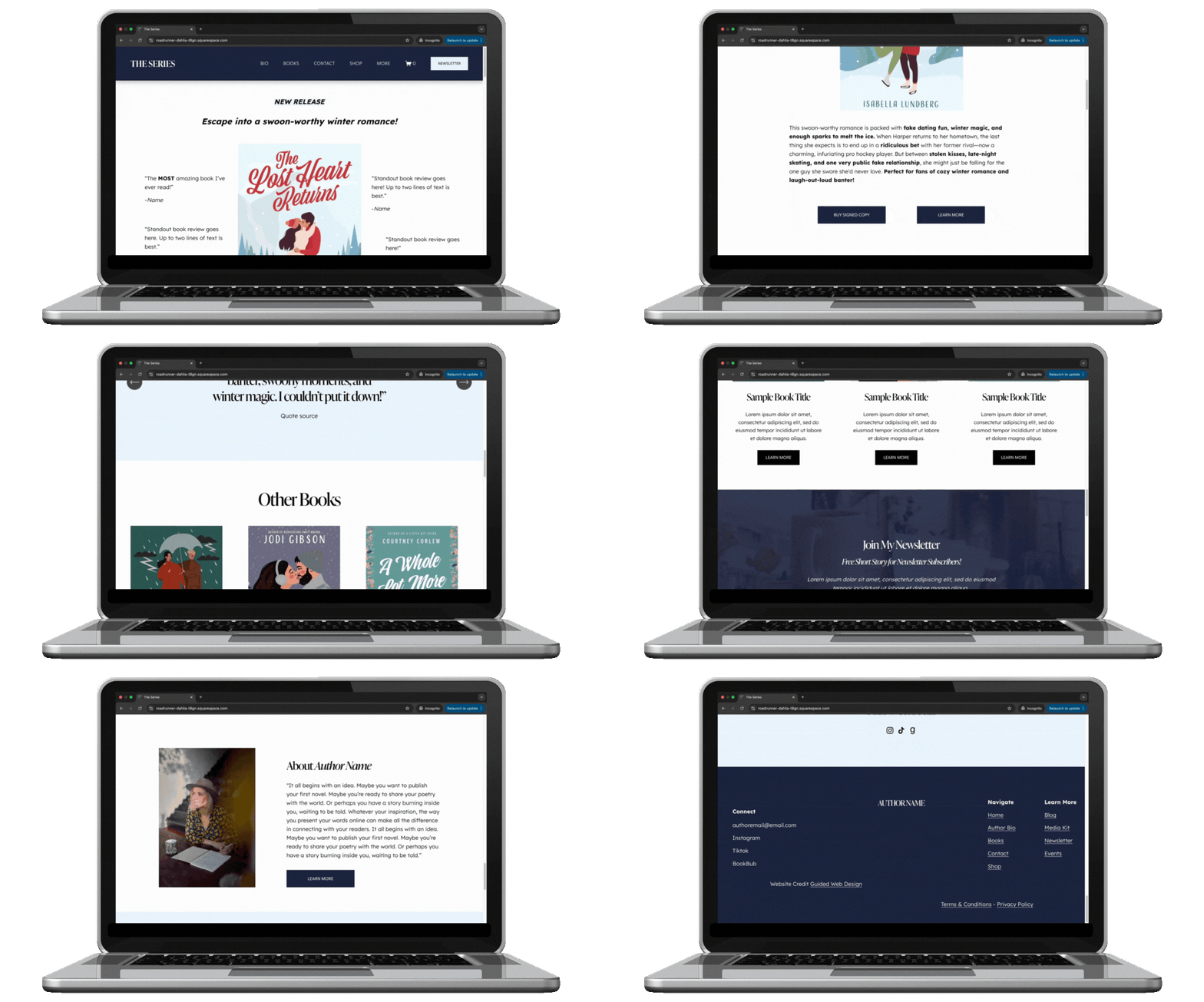
Okay, author—you’ve got the book, maybe even a loyal fanbase, but your website? It should be working just as hard as you do, pulling in new readers, growing your email list, and making it effortless for people to buy your book!
A standout author website on Squarespace is about building your brand, creating a space where readers connect with you, and turning casual visitors into lifelong fans.
If you want to design a website that does all of that (and more!) then this post is for you!
I’ve put all my squarespace website design tips into this guide so you can transform your website from a static afterthought into a dynamic, reader-magnet that works around the clock to grow your audience, sell your books, and showcase your brand!
Before we get into it, make sure to Click here to get my FREE author website blueprint!
Why Authors Need a Professional Website
If social media is the cocktail party where you mingle with readers, your website is your home base—the place where they come to truly connect, learn more about you, and, most importantly, buy your books.
Unlike social platforms that change their algorithms on a whim, your website is yours—a space you control, free from disappearing posts and fleeting trends.
Let’s go beyond the basics and talk about specific, often-overlooked design details that make a huge difference.
Related: Before You Self-Publish: Experts Answer Your Top Questions on Editing, Design & Marketing
Design Tips for a Standout Author Website
1. Ditch the Never-Ending Homepage Scroll
Ever been on a website where you keep scrolling… and scrolling… and still don’t know where to click? Don’t do that. Your homepage should be short, punchy, and to the point—think of it as the front cover of a book. Include:
✅ A strong headline that tells people who you are and what you write
✅ A book feature section (latest release, series, or most popular book)
✅ A clear call to action (Buy Now, Join My Email List, Read an Excerpt)
Tip: Put the most important stuff above the fold (aka before someone has to scroll). If visitors have to hunt for your book, you've already lost them.
Related: Get my FREE author homepage template here!
2. Choose Fonts Like Your Readability Depends On It (Because It Does)
Yes, your website should have personality, but that doesn’t mean sacrificing readability. Avoid these common font mistakes:
Super thin fonts – They look elegant but are impossible to read, especially on mobile.
All-caps body text – It feels like you’re yelling at your readers (and it’s harder to scan).
Tiny text sizes – If visitors have to squint, they won’t stick around.
What to do instead:
Use a legible serif or sans-serif font for body text (think Garamond, Lora, Montserrat, or Open Sans).
Keep paragraph text at least 16px for desktop and 18px+ for mobile so it's easy to read.
Use a decorative font sparingly (like for your name or book titles, not full paragraphs).
Related: Author Website Design and Branding Tips
3. Don’t Just Slap a Book Cover on Your Site—Make It Interactive
Your book covers are your best marketing tool, but don’t just throw them on the page and hope for the best. Make them clickable and give readers something to do:
✅ Hover effects – Use Squarespace’s image blocks to make covers zoom in or slightly tilt when hovered over.
✅ Clickable mockups – Link book covers directly to their purchase page instead of just displaying them statically.
✅ Bonus content – Add a "Look Inside" feature or an excerpt link to tease potential readers.
Related: Creating a Book Cover That Sells
4. Stop Using Oversized Images That Slow Your Site Down
We get it—you want big, beautiful images. But if your site takes longer than 3 seconds to load, half your visitors will bounce. The most common culprit? Gigantic, uncompressed images.
How to fix it:
Before uploading, resize images to no more than 2500px wide (anything bigger is overkill).
Use JPEGs for large photos and PNGs only when necessary (logos, graphics with transparency).
Use Squarespace’s built-in image optimization (but also try tools like TinyPNG before uploading).
5. Your Call-to-Action (CTA) Buttons Need to Be OBVIOUS
If your "Buy My Book" button blends into the page, you’ve already lost sales. Your CTA buttons should:
✅ Be a different color than the rest of your site (contrast is key!)
✅ Say something specific (not just “Click Here” but “Get the First Chapter Free” or “Start Reading Now”)
✅ Be above the fold (so readers don’t have to scroll to take action)
Make those buttons pop so it draws in your reader and gets them clicking!
6. Mobile View Isn’t Just a Shrunk-Down Desktop Version
Just because your site technically works on mobile doesn’t mean it’s optimized. Things to check on your phone:
Is text getting cut off?
Do buttons feel too small to tap?
Does the page load in under 3 seconds?
Fix it by:
Making sure text blocks don’t shrink too much on mobile (resize as needed).
Ensuring buttons are at least 44px tall so fingers can easily tap them.
Testing every page on your own phone—not just the preview mode.
7. Your Email Signup Needs to Feel Exclusive (Not Like Homework)
Readers don’t want another boring “Sign up for my newsletter” form. Instead, make it feel like a VIP club by offering something valuable:
✅ A free short story, deleted chapter, or exclusive sneak peek
✅ A behind-the-scenes look at your writing process
✅ Early access to book releases
Tip: Add a pop-up or sticky bar that reminds visitors to sign up, but don’t be obnoxious—one well-timed pop-up (like when someone finishes reading) is enough.
Don’t miss this → Email Marketing for Authors: How to Grow, Engage, and Convert Your Readers
DIY with a Squarespace Template for Your Author Website
The right Squarespace template sets the foundation for this, giving you a stylish, functional starting point that aligns with your brand and goals. But with so many options, how do you choose the best one? Let’s break it down.
What Makes a Great Author Website Template?
Not all website templates are created equal—especially for authors. A great author website template should:
✅ Be clean and easy to navigate (so readers can instantly find your books and sign up for your email list)
✅ Have built-in blog capabilities (for sharing updates, behind-the-scenes insights, or book extras)
✅ Include prominent call-to-action sections (to direct visitors to buy your books or join your newsletter)
✅ Be mobile-friendly (because let’s be real—most people will visit your site from their phones)
✅ Allow for custom branding (so you can infuse your personality into the design)
Best Squarespace Templates for Authors
As a website designer for authors, I created templates that are built specifically with writers in mind—designed to showcase your books beautifully, grow your email list effortlessly, and make it easy for readers to connect with you.
Each template is strategically crafted with clean navigation, built-in SEO features, and customizable branding options so you can have a professional, high-converting author website without the frustration of starting from scratch.

The Quick Start Template: Clean & simple, The Quick Start website template is the fastest template to launch. Beautifully simple & yet designed with book marketing in mind. Ideal for authors looking to launch their website fast. This website is built on Squarespace, making updating & editing a breeze.

The Hemingway — Squarespace Author Website Template: Bold & chic, The Hemingway website template is built on Squarespace to make updating and editing a breeze. It's designed with book marketing & Search Engine Optimization in mind and is ideal for authors who want to add blogging and email newsletters to their book marketing game plan.

The Gilbert Squarespace Template: Serene & clean, The Gilbert website template is designed for the author who also offers services. Ideal for authors looking to add an evergreen marketing strategy via blogging and email marketing to their book marketing game-plan. This website is built on Squarespace, making updating & editing a breeze.

The Austin Squarespace Website Template: Clean & dreamy, The Austen website template is designed with book marketing & Search Engine Optimization in mind. Ideal for authors looking to add an evergreen marketing strategy via blogging and email marketing to their book marketing game-plan. This website is built on Squarespace, making updating & editing a breeze.

The Atwood Website Squarespace Template: Bold & chic, The Atwood website template is designed with book marketing & Search Engine Optimization in mind. Ideal for authors looking to add an evergreen marketing strategy via blogging and email marketing to their book marketing game-plan. This website is built on Squarespace, making updating & editing a breeze.

The Children’s Author Template: Fun & quirky, The Children's Author website template is designed with book marketing & Search Engine Optimization in mind. Ideal for children's book authors looking to add an evergreen marketing strategy via blogging and email marketing to their book marketing game-plan. This website is built on Squarespace, making updating & editing a breeze.
Let’s Be Real—Do You Really Want to DIY This?
You’ve got books to write, readers to connect with, and a brand to build—do you really want to spend hours wrestling with fonts, layouts, and SEO settings? Designing an engaging, high-converting author website takes more than just picking a pretty template. It’s about creating a site that actually works for you—selling your books, growing your audience, and making you look like the pro you are.
That’s where I come in. I design strategic, done-for-you author websites that take all the guesswork (and frustration) off your plate. Whether you need a sleek site from scratch or a major refresh that finally does your books justice, I’ll build a Squarespace website that’s as powerful as your words—without you having to touch a single line of code.
So, what’s next? Let’s get your dream author website up and running!
Click below to check out my done-for-you author website design services and let’s turn your site into your ultimate book-selling, audience-building machine.
Before you go…check out my Squarespace Author Templates !
Visit the Author Website Template Shop: TEMPLATE SHOP
THE ATWOOD - Squarespace Author Website Template
THE HEMINGWAY - Squarespace Author Website Template
THE GILBERT - Squarespace Author Website Template
Before You Self-Publish: Experts Answer Your Top Questions on Editing, Marketing & Design
Expert insights to help authors plan professional author websites before publishing their first book.

So you’ve started writing your book and you want to self-publish…now what?
Let me guess—you’ve been struck with inspiration and have eagerly started writing your book. You already know waiting years for traditional publishing isn’t for you, so self-publishing feels like the perfect fit. While there are many steps to self-publishing (including finishing that first draft you’re working so hard on), this post breaks down four key steps to help you get your book out into the world with pride:
Working with an Editor
Using Social Media to Market your Book
Designing Book Covers that Sell
Author Website Design & Strategy
Ready to learn from the experts who’ve been there and done it? Let’s dive in and get your book one step closer to success!
Working with an Editor with Mandi Andrejka of Inky Pen Editorial Services

Meet Mandi Andrejka, a full-time freelance editor with a background in English lit, creative writing, and years of experience in the book world. Whether working with independent authors or traditional publishers, she brings a unique blend of creativity and strategy to every manuscript she edits.
-
A good sign that you’re ready to bring on a professional editor is when you’ve incorporated all the feedback you can from friends and family to revise your manuscript and are starting to feel like you’re stuck or don’t know what to do next. If there are still things you’re tweaking or playing around with, then keep at it! The time to work with an editor will come when you’re ready.
Another sign that you’re ready to work with a professional editor is that you’ve taken care of some technical cleanup: Is your manuscript within its genre’s suggested word-count range? Have you fixed any typos or minor errors in the document? Those are easy elements for you to tackle yourself before bringing in a professional for editorial work.
-
Let’s say you’ve completed those early steps in your own self-editing work. Woo-hoo! You’re ready to work with an editor! …What does that mean exactly?
The editorial process can vary among editors, publishers, freelancers, and others in the industry, however in general there are four main stages:
Developmental Edit
Line Edit
Copyedit
Proofread
Want to learn more about each of these steps?
Check out Mandi’s guest blog post: Making Your Manuscript Shine
-
There are lots of resources available to help you do just that!
Many freelance/independent editors (myself included) are members of associations, such as theEditorial Freelancers Association or Professional Editors Network, and you can search for editorsin those groups via their directory or place your own job posting to have editors apply to you.
You can also look to social media! You can follow editorial hashtags or search for editor profiles and check out their posts to see if they seem like a good fit for you.
Lastly, don’t forget to check the books of your favorite indie authors!
Many self-published authors include credits and/or acknowledgments for their publishing team in the front or back of their books. It doesn’t hurt to check your favorite authors’ books to see if their editor(s) may be right for you as well!
-
Once you’ve identified a few editors you’re interested in working with, do some research!
Make sure they work in your book’s genre and age category. Many editors list their full offering of services and rates on their website, so you can take a look in advance to see if they’re in your financial range. If not listed, you can certainly reach out to ask for an estimate!
Other things to look for in an editor? Experience—do they have professional training or background in publishing? Have they taken classes or received a degree related to publishing/editing? Have they worked with authors or publishers that put out the quality of work you’re looking for?
-
At the end of the day, an editor’s goal is for you to come away from working with them feeling like your book has gotten to the place you want it to be and that you’ve become a stronger writer for it.
Want to dive into the topic of working with an editor more? Read Mandi’s full article here: Making Your Manuscript Shine with Mandi Andrejka
Marketing Your Book on social media with Jenn Depaula of Mixtus Media

Meet Jenn Depaula, a marketing and social media expert with over 24 years of experience helping authors and creatives shine online. From working with New York Times bestselling authors to self-published newcomers, Jenn has guided countless clients to success.
-
Social media is really an awareness building tool - it’s how people can connect with you and become aware that you and your book exist. It’s really an introductory tool.
Think of it like you’re walking down the street and you see someone holding a book that you loved. You would stop and say, “I loved this book! Are you enjoying it?” And you start a conversation - you see what they are interested in (or they see what YOU are interested in) and a connection is made.
When we connect with readers as a fellow reader (and as a fellow human being) FIRST, they like who you are as a person and consider you a friend.
Friends want to support their friends - so when they find out that you are a writer and you’re working on a book (or have a book) they are excited to read and share it with their friends.
-
The first thing I would focus on sounds kind of crazy but it’s true: dumb it down and repeat.
We sometimes approach our content like it needs to fit every single answer or bit of information inside a single post. Nope - focus on ONE point - whether that’s one unique character trait, one situation, one location, one tip, one question answered - and repeat.
Repetition is the key to marketing. It takes a minimum of 8 impressions in order for people to take action. Not everyone is going to see your post when you post it. So repeating your content (maybe changing up the presentation, like turning a Reel into a Carousel post, or changing up the background image, etc.) is going to help you save time but it’s also going to get branded in your readers mind.
Next, I would suggest cycling through three types of posts: connection posts, promotional posts, and nurturing posts.
Connection posts do just that - they connect us with our readers. Share what you're currently reading, discuss your favorite genres, or reveal the stories that inspired your writing journey, offer tips or insights. For example, you might share a photo of your current read with a quick thought about what drew you to it, or post about a reading habit that others might relate to.
For Promotional Posts, it’s not an author saying, “Buy my book!” It’s more about focusing on the experience readers will have with your book. You can highlight the emotional journey they will experience, you can share specific insights or lessons from your book, or you can feature compelling quotes or scenes that caption the feelings and emotions your story holds. If your book isn’t ready yet, offer a free incentive to get readers on your newsletter list (like a collection of your favorite books in your genre, a short story, a prequel to your current book, etc.) to begin to build your newsletter list and nurture those connections.
And finally Nurturing Posts help you build community. By starting discussions about topics related to your genre, creating interactive content like polls and asking for feedback, asking questions about books or reading habits is a great way to build a solid and growing community.
But what really rounds all of these post types out is to have a call-to-action (CTA) for every single post. We never want to assume that readers will know what you want them to do next. We need to be intentional with every single post. So I like to cycle through three types of CTAs:
1 - driving them to your website to read a blog post, to your sales page, etc. , 2 - to your newsletter incentive. I have found that readers take action if they are offered a free download (to get them on your newsletter list) rather than being prompted to purchase your book in your CTA. We always want to drive social media connections off of social and into or newsletter list to stay in touch with them. And the 3rd CTA is for engagement: as a question, tell them to “save for later” or share it with a friend. These three CTAs help us accomplish our goals on social media and drive traffic where we want it to go.
-
We have multiple resources, but the two that I would highlight are our membership -The Author Circle- and our digital product Stand Out Social Media for Authors.
I love The Author Circle because it’s a library of resources that help you find readers on and off of social media, and it’s an incredible community of authors that you can engage, connect with, and learn from. Authors are your greatest allies in publishing! :)
And our Stand Out Social Media for Authors provides you with the content strategy that will work specifically for you and your book as well as a system to simplify creating content. It’s a fantastic tool to help authors get started growing their author platform.
We also have book marketing tools as well as newsletter building tools to help authors with their overall marketing strategy. Everything can be found at JenndePaula.com :)
Loving learning about book marketing? Visit Jenn Depaula’s website to learn more!
Working with a Book Cover Designer with Ashton Smith of Ashton Smith Designs

Meet Ashton Smith, a book cover designer who’s been obsessed with beautiful books since her middle school library days. From running a book blog to selling books and designing for a publishing house, Ashton now brings her creative talents to indie authors online.
-
While DIY book covers are great options for an author looking to cross "publishing a book" off their bucket list, if you want to market your book to a broader audience, a DIY design isn't going to set you up for success.As much as we would all like to recite the age-old adage to "not judge a book by its cover," we must face that it's probably something we follow for everything except books.
The good news is that the continuing rise of self-publishing in the book world means that access to professional book cover designers is no longer limited to traditional publishing. When you invest in a professional designer, not only are you investing in their technical graphic design skills, but you're also able to tap into their wealth of knowledge about the publishing market and design trends.
-
Before working with a book cover designer you'll need to prepare the following:
Finalized Cover Copy: This will include the main pieces of copy that will go on your cover, such as a synopsis and author bio. Some authors may also include a quote from the book and/or advanced reader reviews. Research other books in your genre to see what is standard.
ISBNs: These affect the final barcode printed on your cover, which your cover designer will get when they create your final files with your chosen self-publishing service.
Printing Specs: Decide what formats you'd like to publish your book in (ebook, paperback, hardcover, and or/audiobook) and the final size of your book. Sizing standards can vary based on country and genre, so you can research what will be best for your story or consult your cover designer during your project intake process.
These are just a few of the main things you'll need when working with your designer. Download my free guide, The Complete Cover Prep Checklist, for the full list. It walks you through gathering all the necessary information before the design phase.
-
When working with a cover designer, you'll want to reach out to them ahead of your ideal start date for the design process. Timeline length varies by designer, but you can expect the actual design process to take around 6-8 weeks. Be aware that your dream designer may book out way ahead in the year, so it's better to communicate early to ensure your project stays on track to release on your chosen publishing date.
Want to dive into the topic of book cover design more? Check out Ashton’s full article here: Creating a Book Cover That Sells with Ashton Smith

Example of Ashton Smith’s Book Covers
Building a Website Readers can’t resist with Kate Cross of Guided Web Design

Meet Kate Cross, a web designer who helps authors create stunning websites that connect them with their ideal readers. Now, Kate specializes in building websites that aren’t just beautiful but work hard behind the scenes to grow your audience while you focus on writing your next masterpiece
-
For self-published authors, your website is the heart of your marketing efforts. Not only does your website allow you to create a space where you can create long-term relationships with your readers, but you can even sell your books directly from your website.
-
I highly suggest at a bare minimum that indie authors include a home page, about page, book sales page and contact page. Though, if you want to have a website that works as hard as you do, you’re going to want to add a separate newsletter signup page, and a shop page with your books listed in that shop. This allows you to have a website that can market and sell your books as you sleep!
For a more in-depth explanation of the exact pages and content your author website should have, download my free guide: Author Website Blueprint!
-
This is the top question I’m asked when I discuss websites with indie authors and here are my top aesthetic tips.
Less is more when it comes to your website copy (even book reviews should be brief and to the point). People skim websites…looking for information that pops off the screen.
Stock Images: If you choose to use stock images on your website (these can create a cool vibe around your books) be sure to use images by the same photographer. My favorite stock image website is Unsplash because it allows you to find images grouped into collections by the photographer. Why does this matter? Images in the same collection will naturally have a similar look & aesthetic meaning they will create a cohesive look across your website.
Headshots: Yes… you need to put at least one picture of yourself on your website! Your readers want to see you and I highly suggest investing in professional headshots for this purpose, or watching some youtube tutorials on how to take awesome headshot pictures with your cell phone.
Applying Branding: Your brand designer will give you fonts, colors and a logo for your website. But how do you actually apply these to your website? Honestly…this depends on YOU and what kind of vibe you want.
Want lots of color on your website, then go for it! Want your website to be more simple and just have splashes of color? Then use the bright colors for buttons and keep the rest white and black. It’s really up to you.Just make sure that your website is easy to read and feels right for your brand.
PRO TIP: Fancy script fonts should only ever be used sparingly for one or two words.
Mobile Optimize your website: Don’t forget to check how your website looks on mobile before publishing. You’ll likely have to design the mobile separately from the desktop view.
Need help with designing your author website? Check out my author website templates or website design services.
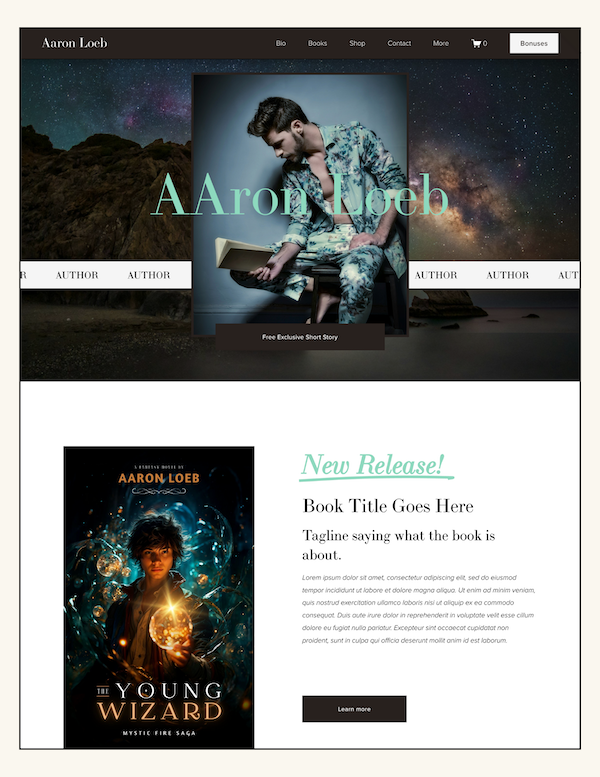
Author Website Design by Kate Cross of Guided Web Design
Actually Publishing your Book:
Once you’ve set yourself up for success with a book that’s been beautifully edited, a book cover that wows and a website & marketing plan that will allow eager readers to follow your publishing journey, it is now time to actually publish your book. There are so many options for this step but the three most popular these days seem to be:
Visit the above websites to learn more about what you can expect! You can pick your format (print or ebook) and other ful options like how you’ll actually get paid (woo woo!) You’ll have to do a little research and decide which self-publishing platform works best for you.
You can do it!
Self-publishing a book is an exciting journey, but it can feel overwhelming without a roadmap. The good news? You don’t have to do it alone. By connecting with industry experts, like Mandi Andrejka, Ashton Smith, and Jenn Depaula, (or myself) you gain valuable insights that will help you navigate each stage of the process with confidence.
Remember, self-publishing is not just about completing tasks—it’s about creating an experience for your readers and establishing your presence as an author. With the right tools, team, and strategies, your book can shine in the marketplace. So take a deep breath, embrace the learning process, and know that each step brings you closer to sharing your story with the world.
RESOURCES MENTIONED IN THIS ARTICLE:
EDITING SERVICES
BOOK & BRAND DESIGN
The Complete Cover Prep Checklist
BOOK MARKETING
Stand Out Social Media for Authors.
AUTHOR WEBSITE DESIGN
Author Website Design Services
YOU’LL ALSO LOVE:
Email Marketing For Authors: How to Grow your readership
Before you go…check out my Squarespace Author Templates !
Visit the Author Website Template Shop: TEMPLATE SHOP
THE ATWOOD - Squarespace Author Website Template
THE HEMINGWAY - Squarespace Author Website Template
THE GILBERT - Squarespace Author Website Template
Making Your Manuscript Shine with Mandi Andrejka
Guidance for authors refining their manuscripts and preparing for professional author website launches.

GUEST CONTRIBUTOR: Freelance Editor Mandi Andrejka of Inky Pen Editorial Services
WEBSITE: https://www.inkypenediting.com/
Getting ready to work with an editor
So you’ve finished your novel! Congratulations! You may be hoping that the hard work is over and it’s all smooth sailing from here, but the truth is there’s still plenty to be done. The good news is that you’re not alone in this part of your publishing journey!
Once you’ve written your first draft, ideally the next steps are that you’ll begin revising the manuscript through your own rounds of self-edits and get additional feedback from outside readers, even at an informal level—this could be from friends or family members or from writing groups and critique partners. A good sign that you’re ready to bring on a professional editor is when you’ve incorporated all the feedback you can to revise your manuscript and are starting to feel like you’re stuck or don’t know what to do next. If there are still things you’re tweaking or playing around with, then keep at it! The time to work with an editor will come when you’re ready.
Another sign that you’re ready to work with a professional editor is that you’ve taken care of some technical cleanup: Is your manuscript within its genre’s suggested word-count range? Have you fixed any typos or minor errors in the document? Those are easy elements for you to tackle yourself before bringing in a professional for editorial work.
Let’s say you’ve completed those early steps in your own self-editing work. Woo-hoo! You’re ready to work with an editor! …What does that mean exactly?
The editorial process can vary among editors, publishers, freelancers, and others in the industry, however in general there are four main stages. They may go by different names or have some overlap depending on how an individual editor or publishing house operates, but I’m going to break this down the way I’ve come to define it through my experiences as formerly an in-house editor and now a full-time freelance editor. At the very least, this will give you the basic overview and language used when referring to editorial work.
Developmental Edit: This first/broadest stage of editing is sometimes called a content edit and focuses on the big-picture stuff. Developmental edits aim to strengthen the book’s foundation, making sure the key elements are working: plot, characterization, structure, pacing, etc. While the editing needs of every book are different, don’t be surprised if a lot of heavy revising gets done during this stage—the further along you work into the editorial process, the more things should become solidified and the less heavy lifting will be needed.
Line Edit: Sometimes referred to as substantive edits, line edits still focus on content work but at a narrower scope. Rather than looking at overall character arcs or storylines, line edits focus more on the beats and pacing of a specific scene, chapter, or even sequence. Dialogue is also often honed during line editing. Because the nature of line edits focuses on detail work, this sort of edit is typically held off until the developmental editing has been finished. You don’t want to edit the dialogue for a scene if that scene ends up getting cut! Line edits are another stage of editing that involve significant revisions.
Copyedit: By the time we reach a copyedit, it’s assumed that the manuscript is in relatively solid shape. There should not be major changes happening during or after a copyedit, however one goal of a copyedit is to review for consistency and continuity issues, so there may be the occasional minor tweaking done. A copyedit also includes reviewing for repetitive phrasing or sentence structure, ensuring timeline and timing components are all aligned, and fixing minor grammar/punctuation issues.
Proofread: The last stage of the editing process! By the time you’ve reached a proofread, the draft is considered pretty much nailed down and content should not be changing unless there’s a true or significant error that needs fixing. A proofread is the manuscript’s final polish and includes reviewing for remaining grammar, spelling, punctuation, or formatting issues as well as any lingering typos.
Not sure where to find an editor? There are lots of resources available to help you do just that!
Many freelance/independent editors (myself included) are members of associations, such as the Editorial Freelancers Association or Professional Editors Network, and you can search for editors in those groups via their directory or place your own job posting to have editors apply to you. You can also look to social media! You can follow editorial hashtags or search for editor profiles and check out their posts to see if they seem like a good fit for you. Lastly, don’t forget to check the books of your favorite indie authors! Many self-published authors include credits and/or acknowledgments for their publishing team in the front or back of their books. It doesn’t hurt to check your favorite authors’ books to see if their editor(s) may be right for you as well!
Once you’ve identified a few editors you’re interested in working with, do some research!
Make sure they work in your book’s genre and age category. Many editors list their full offering of services and rates on their website, so you can take a look in advance to see if they’re in your financial range. If not listed, you can certainly reach out to ask for an estimate!
Other things to look for in an editor?
Experience—Do they have professional training or background in publishing? Have they taken classes or received a degree related to publishing/editing? Have they worked with authors or publishers that put out the quality of work you’re looking for? Don’t be afraid to ask for a sample edit! This is typically a couple pages (or a chapter) that the editor will edit to give you a taste of their style and approach. It also gives them a chance to see your writing, allowing you both to determine if you’ll be a good fit to work together. (A sample edit should be provided for free—if an editor requires payment for a sample edit, I recommend looking elsewhere!)
After that, you can work with your editor to identify where you’re looking for help on your manuscript, and they’ll provide their own info on what you can expect to receive from them. Ultimately, you should be choosing an editor you feel a connection to, someone you can collaborate with and feel comfortable working with. My philosophy is that editors are here to help you make your book the best it can be. We’re not here to “fix” your book or change it into something you don’t want it to be. At the end of the day, an editor’s goal is for you to come away from working with them feeling like your book has gotten to the place you want it to be and that you’ve become a stronger writer for it.
Before you go…check out my Squarespace Author Templates !
Visit the Author Website Template Shop: TEMPLATE SHOP
THE ATWOOD - Squarespace Author Website Template
THE HEMINGWAY - Squarespace Author Website Template
THE GILBERT - Squarespace Author Website Template
Creating a Book Cover That Sells with Ashton Smith
Learn how strong book covers complement author website design and improve reader trust.

GUEST CONTRIBUTOR: Book & Brand Designer Ashton Smith
WEBSITE: https://www.ashtonmsmith.com/
In recent years, self-publishing popularity has skyrocketed in the author community. Andrew Albanese and Jim Milliot noted in an article for Publisher's Weekly that "in both 2022 and 2023, self-published titles outpaced traditionally published books by more than two million titles." Even though it is more likely in the last couple of years that the book you picked up is self-published, there is a lingering stigma surrounding these books of being lower quality, unprofessional, and overall, just bad reads because of one thing: bad book covers.
While DIY book covers are great options for an author looking to cross "publishing a book" off their bucket list, if you want to market your book to a broader audience, a DIY design isn't going to set you up for success. As much as we would all like to recite the age-old adage to "not judge a book by its cover," we must face that it's probably something we follow for everything except books.
The good news is that the continuing rise of self-publishing in the book world means that access to professional book cover designers is no longer limited to traditional publishing. When you invest in a professional designer, not only are you investing in their technical graphic design skills, but you're also able to tap into their wealth of knowledge about the publishing market and design trends.
You may be asking yourself, "But, Ashton, won't I lose out on some creative control when I bring another person onto the project?" The answer is, "Nope!" Self-published authors are the creative directors of their books, which means you get all the benefits of a graphic designer's talent while retaining as much creative control as possible. Cover designers (including myself) got into this line of work because we are just as passionate about books as authors! Working with a freelance designer ensures a super collaborative process from start to end, and you can weigh in on the direction and any necessary changes. Let's take a look at a project I recently finished with an author:
Kylie came to me after a nine-book stint with an Australian division of a Big Five publisher because she had never received covers that accurately represented her young adult fantasy book based on Chinese mythology. With the extensive information she gave me on the world and her characters, we developed a cover that utilized story-accurate imagery and gave small nods to the main character throughout the design. She also had the freedom to take the first draft I created and give me notes on the edits she wanted to make to represent her story best.
Now, all of this may sound great, but you may be asking what you'll need in preparation for working with a cover designer. That information will include:
Finalized Cover Copy: This will include the main pieces of copy that will go on your cover, such as a synopsis and author bio. Some authors may also include a quote from the book and/or advanced reader reviews. Research other books in your genre to see what is standard.
ISBNs: These affect the final barcode printed on your cover, which your cover designer will get when they create your final files with your chosen self-publishing service.
Printing Specs: Decide what formats you'd like to publish your book in (ebook, paperback, hardcover, and or/audiobook) and the final size of your book. Sizing standards can vary based on country and genre, so you can research what will be best for your story or consult your cover designer during your project intake process.
These are just a few of the main things you'll need when working with your designer. Download my free guide, The Complete Cover Prep Checklist, for the full list. It walks you through gathering all the necessary information before the design phase.
When working with a cover designer, you'll want to reach out to them ahead of your ideal start date for the design process. Timeline length varies by designer, but you can expect the actual design process to take around 6-8 weeks. Be aware that your dream designer may book out way ahead in the year, so it's better to communicate early to ensure your project stays on track to release on your chosen publishing date.
Ready to take the next step toward your dream book cover? Visit my website to view some of my previous work and submit a project-inquiry.
Before you go…check out my Squarespace Author Templates !
Visit the Author Website Template Shop: TEMPLATE SHOP
THE ATWOOD - Squarespace Author Website Template
THE HEMINGWAY - Squarespace Author Website Template
THE GILBERT - Squarespace Author Website Template
Best Author Websites and Why They Work!
Explore author website examples that convert readers and learn what makes these designs successful.
Let’s get straight to it—having an amazing and strategic author website is no longer optional. It’s a must-have if you want to grow your audience, sell more books, and create a professional online home for your books.
Here’s why your author website matters:
It builds an online presence and helps you connect with readers.
It boosts your book sales and highlights your personal brand as an author.
It gives you a professional hub where everything about your work lives.
In this post, I’m going to showcase three stunning author websites from across the internet and break down exactly why they work so well. These websites aren’t just pretty—they’re designed to engage readers, drive action, and help authors succeed.
Oh, and before you go any further, don’t forget to grab my free Author Website Blueprint. It’s your go-to guide that breaks down the all the content AND every page your author website needs to captivate and connect with readers.
What Makes an Author Website “The Best”?
Not all author websites are created equal. The best ones check a few key boxes:
User-Friendly Design: Readers should feel at home navigating your site. A clutter-free, intuitive design is key.
Mobile Responsiveness: With so many readers accessing websites on their phones, your site needs to look great and function seamlessly on all devices.
SEO Optimization:Your site should rank well on search engines so readers can find you when they Google your name or books.
Strong Calls-to-Action (CTAs):Whether it’s to buy your books, join your newsletter, or book an event, clear CTAs guide visitors to take the next step.
Thoughtful Branding:Your site’s design should reflect your unique voice and style as an author.
Easy Navigation:Readers shouldn’t have to hunt for what they need—whether that’s your books, blog, or events.
Now, let’s take a closer look at three standout author websites that nail all these elements and more.
Related: 12 Must-Have Features for an Unforgettable Author Website on Squarespace
3 Examples of Stunning Author Websites
Example 1: Joy Harjo
What Makes It Great:
Eye-catching homepage that instantly introduces Joy and her work.
Dedicated book pages with summaries, reviews, and easy-to-find purchase links.
Strong CTAs to explore her poetry, music, and books.
Key Features to Highlight:
Personal and relatable author bio page.
Mobile-responsive design for a seamless experience on any device.
SEO-optimized pages that rank for keywords like "Joy Harjo books" and "poet laureate."
Why It Works: Joy’s website is an amazing mix of engaging design, user-friendly navigation, and strategic CTAs. It’s everything a reader could want from an author’s website and more.
Example 2: Alyssa Cole
What Makes It Great:
Clean, modern layout that’s super easy to navigate.
Blog section for sharing updates and connecting with readers.
A media page perfect for press inquiries, interviews, and events.
Key Features to Highlight:
Prominent CTAs for book promotions.
Professional branding that reflects the author’s voice.
Separate book pages optimized for search engines and detailed book descriptions.
Why It Works: This site combines sleek design with powerful functionality. It’s designed to be both visually stunning and incredibly useful for readers and fans.
Example 3: Rupi Kaur
What Makes It Great:
Interactive features like book previews, downloadable recordings of her poetry, and event calendars.
A portfolio showcasing other works, like articles or speaking engagements.
Personal storytelling that gives readers a behind-the-scenes look at the author’s journey.
Key Features to Highlight:
Highly optimized for mobile devices.
Strong visuals and branding that set the author apart.
Well-placed CTAs for pre-orders, newsletter signups, and contact forms.
Why It Works: This website is a masterclass in creating an immersive reader experience. It’s all about connection, and it delivers in spades.
Key Takeaways from the Best Author Websites
Looking at these examples, it’s clear what makes a truly standout author website:
1. A Clear, Engaging Homepage
First impressions matter, so make your homepage count. Introduce yourself, your books, and your unique brand as an author.
2. Dedicated Book and Blog Pages
Separate pages for your books and blog not only improve SEO but also make it easy for readers to find exactly what they’re looking for.
3. Strong Branding
Your website should visually reflect who you are as an author. Whether it’s bold and contemporary or soft and poetic, your design should feel like you.
4. Mobile Responsiveness
With so many readers browsing on mobile, a responsive design isn’t just a nice-to-have—it’s essential.
5. Effective CTAs
Guide visitors to take the next step: buy your book, sign up for your newsletter, or reach out for an event.
Related: Author Website Design Deep Dive: Answering the 14 Most-Asked Questions
Tips for Building Your Own Best Author Website
If you’re ready to create your own website that wows readers, here’s how to get started:
Use a Clean, Professional Design
Choose a layout that prioritizes user experience. Avoid clutter and focus on highlighting your work.
Focus on Essential Pages
At a minimum, include:
Homepage: Introduce yourself and your work.
About Page: Share your story and connect with readers.
Books Page: Showcase your work with summaries, reviews, and purchase links.
Blog Page: Share updates, insights, and behind-the-scenes content.
Contact Page: Make it easy for readers and media to get in touch.
Optimize for SEO
Use keywords your readers might search for, like "author website design" or "[Your Name] books." Meta descriptions, alt tags for images, and clean URLs are your best friends here.
Include Features That Boost Engagement
Newsletter Sign-Up Forms: Offer a freebie (like a short story or chapter) to encourage sign-ups.
Media Kits or Press Pages: Make it easy for journalists and bloggers to feature you.
Testimonials and Reviews: Build credibility with social proof.
Invest in Professional Design Services
If you’re feeling overwhelmed, don’t worry. A professional website designer can help you create a site that’s not only beautiful but also highly functional and strategic.
Conclusion
A well-designed author website is your ultimate tool for growing your audience, increasing book sales, and showcasing your unique author brand. The best part? It’s all doable with a little strategy and the right tools.
Ready to create a site that works as hard as you do? Check out my author website design services and let’s make your dream author website a reality!
Before you go…check out my Squarespace Author Templates !
Visit the Author Website Template Shop: TEMPLATE SHOP
THE ATWOOD - Squarespace Author Website Template
THE HEMINGWAY - Squarespace Author Website Template
THE GILBERT - Squarespace Author Website Template
Email Marketing for Authors: How to Grow, Engage, and Convert Your Readers
Email strategies that work seamlessly with author website templates and long-term audience growth.

If you’re an author, email marketing is one of the most powerful tools in your arsenal. Why? Because it:
Builds lasting relationships with your readers.
Drives book sales and makes launches more successful.
Creates a direct communication channel that’s completely yours (no algorithms to worry about!).
But here’s the thing: a successful email marketing strategy starts with a professional author website. Your website is the foundation that helps you grow your list, connect with readers, and convert them into loyal fans.
Want to boost your email marketing efforts?
Grab my free Newsletter Sign-Up Booster and start turning your website visitors into subscribers today!
Why Email Marketing Is Essential for Authors
You Own the List
Unlike social media, your email list belongs to you. You’re not at the mercy of changing algorithms or platform rules. When you build your list, you’re investing in a marketing tool that’s entirely in your control.
Direct Access to Readers
Your emails land directly in your readers’ inboxes—no middleman. This allows you to share your updates, news, and launches without competing against endless distractions on social media.
Promote Books and Build Relationships
Emails are perfect for sharing updates, giving readers a peek behind the curtain, and launching new books. Use your list to connect on a personal level and turn casual readers into lifelong fans.
Higher ROI
Email marketing consistently outperforms other channels in engagement and conversions. It’s a proven way to grow your author career while maximizing the impact of your marketing budget.
Related: How Author S.C. Muir Sells Books Through Email Marketing
Building an Email List: The First Step
Start with a Professional Author Website
Your author website is the hub where email list growth begins. Here’s what you need:
Strategic Sign-Up Forms: Place CTAs in high-traffic areas like your homepage, blog, and book pages.
Lead Magnets: Offer readers something valuable in exchange for their email, such as:
Free chapters or short stories.
Exclusive content or bonus materials.
Reader guides or checklists.
Dedicated Landing Pages: Use custom pages designed to maximize conversions.
Custom Design: A professional, well-designed site builds trust and encourages sign-ups.
Related: View Website Design Services for Authors
Choose the Right Email Platform
Selecting the right email marketing software is key to managing your email marketing effectively. Popular options for authors include:
MailerLite: Affordable and easy to use, with excellent automation features.
ConvertKit: Built for creators, offering powerful segmentation and automation.
MailChimp: A classic social media software with a free tier for beginners.
Flodesk: Known for its beautiful templates and simplicity.
Look for features like automation, segmentation, and user-friendly templates to make your email marketing a breeze.
How to Engage Readers Through Email Marketing
Create Compelling Content for Your Newsletter
Wondering what to share with your subscribers? Here are a few ideas:
Book Updates: Announce launches, cover reveals, or pre-order details.
Behind-the-Scenes Stories: Share insights into your writing process.
Exclusive Content: Offer sneak peeks, deleted scenes, or bonus chapters.
Personal Insights: Write about your journey as an author to build connections.
Recommendations: Share books or resources your readers might love.
Related: 6 Things Your Author Media Kit Should Have
Use Segmentation to Tailor Your Emails
Segmentation helps you send the right messages to the right readers. Here’s how to divide your list:
New Subscribers vs. Long-Time Fans: Send a welcome sequence to newcomers while offering exclusive content to loyal readers.
Genre or Series Interest: Tailor content to readers based on their preferences.
Buyers vs. Non-Buyers: Share special promotions or updates with those who haven’t purchased your books yet.
How to Turn Email Subscribers into Loyal Fans and Buyers
Add Strong Calls-to-Action (CTAs)
Encourage readers to take action with clear, compelling CTAs.
For example:
“Pre-order my new book here!”
“Download your free story now!”
“Join my VIP reader list for exclusive updates.”
Automate Your Email Sequences
Automation makes it easier to nurture your subscribers and keep them engaged. Let’s break down key email sequences:
Welcome Sequence: Introduce yourself, share your story, and highlight your books. This is the first impression you’ll make, so keep it warm and engaging.
Launch Sequence: Build excitement for new books by sharing teasers, reviews, and pre-order links. Create urgency with countdowns and limited-time offers.
Nurture Sequence: Keep readers engaged by sending regular updates, behind-the-scenes content, and recommendations. Consistency is key to staying top of mind.
How a Professional Author Website Boosts Your Email Marketing Success
A well-designed website supports your email marketing strategy by:
Creating a Strong First Impression: A polished site builds trust and credibility.
Strategically Placing Sign-Up Forms: Pop-ups, embedded forms, and landing pages maximize conversions.
Providing a Seamless User Experience: Make it easy for readers to find what they need and join your list.
Reflecting Your Unique Branding: Your site should feel authentic and tailored to your voice.
Improving SEO: A well-optimized site attracts new readers who can join your list.
Tips for Authors to Optimize Email Marketing
Use Catchy Subject Lines: Increase open rates with curiosity-inducing headlines.
Keep Emails Short and Engaging: Focus on content that resonates with your readers.
Be Consistent: Choose a sending schedule that works for you (weekly, bi-weekly, or monthly).
Track Metrics: Monitor open rates, click-through rates, and subscriber growth to measure success.
Test and Tweak: Experiment with content, CTAs, and subject lines to find what works best.
Conclusion
Email marketing is a game-changer for authors. It helps you:
Build meaningful relationships with your readers.
Drive book sales and grow your author career.
Create a loyal fan base that sticks with you for the long haul.
And remember, it all starts with a professional author website. A beautifully-designed site sets the stage for successful email marketing by capturing leads, building trust, and showcasing your unique brand.
Ready to grow your email list and connect with your readers? Start with a stunning, custom-designed author website. Explore my author website template shop and take the first step toward building your author website today!
Before you go…check out my Squarespace Author Templates !
Visit the Author Website Template Shop: TEMPLATE SHOP
THE ATWOOD - Squarespace Author Website Template
THE HEMINGWAY - Squarespace Author Website Template
THE GILBERT - Squarespace Author Website Template
The Author’s Guide to Website Design & Branding (with 5 examples)
A breakdown of author website examples showing effective branding and layout choices.
A great website and branding is no longer just a “good-to-have” for authors—it’s the most important part of an author’s book marketing efforts. Simply said, your author website is a vital tool for connecting with readers, establishing your brand, and cultivating a dedicated community.
Author Branding goes far deeper than aesthetics…
Branding for me, goes deeper than aesthetics. It captures the essence of who you are as a storyteller and how you present your narratives to the world.
I see an author’s website as a world that you are creating for your readers—a place for readers to explore your work, discover your latest projects, and connect with you on a deeper level. It’s the perfect space for you to allow readers to hear your unique voice and vision, free from the constraints of fleeting social media trends.
Author Branding and Website Design
Understanding the relationship between branding and website design is crucial for you as you strive to make an impact. Branding comprises elements such as your logo, color scheme, typography, and overall aesthetic.
Your author branding should resonate with your target audience and reflect the themes present in your work. This visual identity must be consistently carried throughout your website, reinforcing your brand and creating a cohesive experience for visitors.
A great way to get started with defining your author branding is to take a look at successful authors who have merged their branding with their website design. Analyze how their colors evoke specific emotions, how their fonts convey personality, and how their layouts facilitate exploration. This attention to detail significantly enhances the reader’s experience, making them more likely to return and engage with your content.
Website Design Strategy for Authors
When I think about designing an author website, I prioritize strategy while keeping the reader experience at the forefront. A well-structured website should seamlessly integrate essential elements that enhance engagement. Here are some key features I recommend including:
Showcasing Books: Dedicated sections for each of your titles, complete with stunning visuals and compelling descriptions that draw readers in.
Newsletter Integration: Encouraging readers to subscribe allows you to communicate directly with them, keeping them informed about new releases, events, and exclusive content.
Event Pages: Promoting upcoming book signings, virtual readings, or speaking engagements invites readers to join you in real life.
Shop: Opening a shop on your website allows you to do more than simply sell signed copies of your book directly to your readers. You can also create book boxes that include merchandise and other various items that create an entire experience around your book.
By focusing on these design elements, you’ll not just present your books but also foster a sense of belonging among your readers, inviting them into your world.
Examples of Author Branding & Web Design
Rupi Kaur: https://rupikaur.com
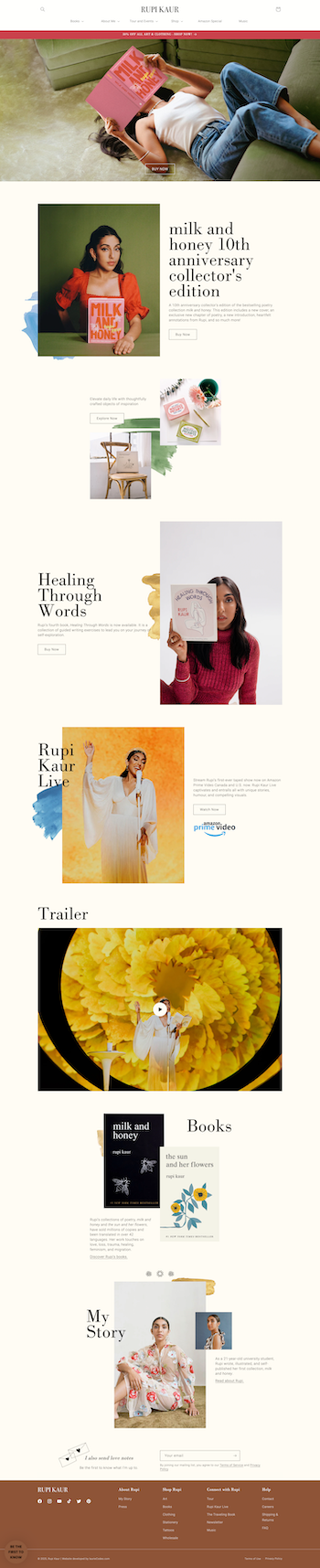
WHY I LIKE IT:
Rupi Kaur’s website greets visitors with an immediate bang! I love her hero image (you know the image at the top of the page?) I like how the title of her new book is front and center, highlighted in such a creative way. I also love how her announcement bar color calls further attention to the book cover of her newest book. Her fonts and font sizing is perfection and the background elements behind each photo makes this homepage feel like a canvas, not a website.
Alyssa Cole: https://alyssacole.com/

WHY I LIKE IT:
Upon landing on Alyssa Cole’s website I immediately want to know more about this author and what she writes. Why? Well mostly it’s the bold and creative choice of using the floral elements across the page. These branding graphics SAY something about her as a person and what I should likely expect from her vibe as a writer. I’m surprised to see her newest release is a mystery thriller, BUT turns out she also writes in various romance dramas (this makes a little more sense with the floral elements)
Freida Mcfadden: https://www.freidamcfadden.com/
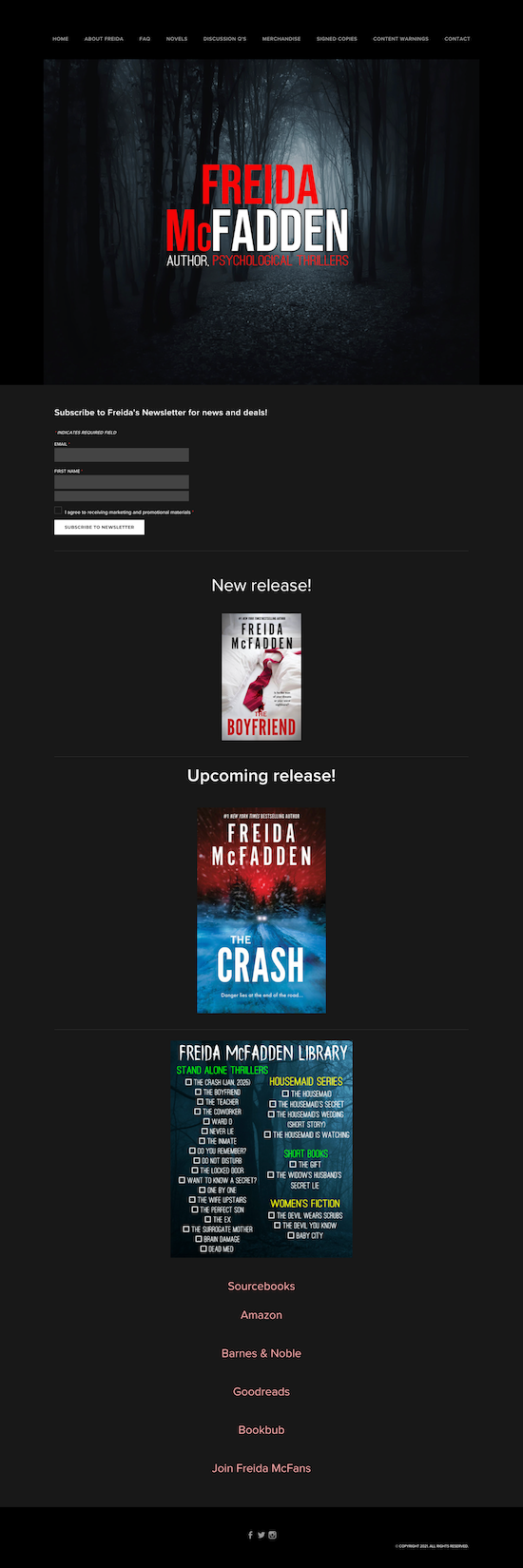
WHY I LIKE IT:
I literally said out loud: Yes, immediately yes, when I landed on Freida Mcfadden’s author website. The cover image immediately tells me what kind of world I should expect to be entering when reading Freida’s books. The dark color palette, with pops of red scream mystery psychological thriller! Notice how she uses sans serif font? This brings an intriguing heaviness to the words across her website.
Alicia Thompson: https://www.aliciathompsonbooks.com/

WHY I LIKE IT:
I’m obsessed with Alicia’s graphic novel aesthetic. This is the perfect combination of bold branding with easy to read fonts. I love her navigation. The navigation links are larger than what we typically see these days but that feels like a good thing! Her pink & red footer across the website is perfectly bold.
Rebecca Serle: https://www.rebeccaserle.com/

WHY I LIKE IT:
I LOVE Rebecca Serle’s hero section. This is a great way to showcase yourself as an author, don’t be afraid to use your header to show yourself off. I know, I know…but should it ALWAYS be the book first? No.. not necessarily. I think Rebecca's layout makes it really clear what you’ll get here. I can even see the top of her book at the bottom of the page which I like, because this invites curiosity, getting the website visitor to want to scroll down the page. Her fonts are small but VERY legible…and she has stuck with a very neutral palette which works great.
PRO TIP: *A neutral simple palette & fonts make your books stand out more.
How I help authors build websites that succeed beyond social media
I specialize in understanding the unique needs of authors and the challenges they face in building an engaging online presence. My One-Week Website Design Service offers a streamlined approach to creating a professional author website that reflects each client’s unique brand.
More into DIY? Check out my DIY Author Website Templates. Each website template allows authors to take control of their online presence and design a website that suits their individual styles and needs.
My commitment to supporting authors extends beyond just done-for-you design. Even with my DIY offerings, I provide valuable resources such as:
30 Days of Post-Purchase Email Support: I’m here to offer guidance and answer questions as they navigate their new website.
FREE Monthly Live Lesson: “Introduction to Squarespace for Authors”: I invite authors to join my community coaching calls for insights and tips on optimizing their websites.
Exclusive Access to Template Power Hour: For template customers, I offer personalized, one-on-one support to ensure their websites reflect their visions.
Thoughtfully Created Reusable Book Section Templates: Authors can easily showcase new releases across their sites, maintaining consistency and ease of use.
Website Launch Checklist and Squarespace’s Official Video Tutorials Organized into an easy to digest lesson plan: I provide all the resources needed to launch a site with confidence.
By shifting the focus from social media fame to building a community through your author website, you have the opportunity to create deeper connections with your readers. Your stories deserve more than fleeting likes; they deserve a space where they can thrive and resonate with an engaged audience for years to come.
The Future of Author Branding and Website Design
The importance of an author website becomes even more apparent with each passing year, especially as more and more authors choose to self-publish. Your author website offers a stable foundation for building relationships with readers, fostering engagement, and showcasing your work in a way that social media simply cannot match.
If you’re ready to take control of your online presence and build a genuine connection with your audience, I invite you to explore how I can help you craft a tailored author website that reflects your brand and nurtures a community you can’t wait to connect with. Let’s prioritize what truly matters: your stories and the readers who are eager to hear them.
Check Out the Squarespace Author Templates
Visit the Author Website Template Shop: TEMPLATE SHOP
THE ATWOOD - Squarespace Author Website Template
THE HEMINGWAY - Squarespace Author Website Template
THE GILBERT - Squarespace Author Website Template
The Art of Website Design for Authors
Author website design principles that balance aesthetics, usability, and reader engagement.
Did you know that your website can narrate a story just as powerfully as your books? Every element of your website from the color palette to the layout, plays a pivotal role in conveying the essence of your work and drawing readers into your literary universe!
This isn’t just about “creating a website”—it’s about designing a cohesive narrative that captivates visitors and turns them into loyal fans of your writing.
Ready to see how your website can reflect the stories you tell? Let’s dive into the art of weaving compelling tales through sophisticated website author design.
1. Website Design Elements That Speak Volumes
Creating a website for an author is much like setting the stage for a captivating play. Each visual element—color, typography, layout—doesn't just fill space– it serves a specific purpose in telling your story and reflecting your unique style and genre. Let’s unpack how these website elements blend to not only capture the essence of your writing but also enhance the narrative feel of your website.
Telling Your Story with Colors: Colors evoke emotions and set the mood. Choose a palette that mirrors the tones of your writing, whether it's the dark hues of a mystery novel or the vibrant shades of a children's book.
Typography That Talks: The fonts you select speak volumes about your genre and voice. A Gothic typeface might whisk readers away to a Victorian horror, while a clean, minimalistic font could suit non-fiction or contemporary stories.
Layouts That Lead the Reader: Your website's layout guides visitors through your literary landscape. Think of it as the plot structure that can highlight your latest release or draw attention to critical reviews and testimonials.
Using story-driven website design and visual storytelling for authors isn't just about aesthetics; it's about making a connection that resonates with visitors and leaves a lasting impression!
By thoughtfully combining these visual elements, your website becomes more than just a portfolio—it transforms into an immersive experience that extends the narratives of your books into the online world.
2. Consistency Across All Platforms
Keeping your brand consistent across your website and social media is more than just looking sharp—it’s about building a brand identity that sticks with your readers! Imagine a reader hopping from your tweet to your blog, or from your Instagram post to your website. The vibe should be unmistakably yours, seamless and smooth.
Here’s how to keep it all cohesive:
Unified Visual Identity: Stick to the same color palette, fonts, and design elements everywhere. This visual consistency reinforces your brand every time someone sees your content, boosting recognition and making you unforgettable.
Consistent Voice and Tone: Whether you’re being witty on Twitter or insightful on Facebook, keep your communication style consistent. This helps forge a reliable persona that your readers will come to know and love.
Strategic Content Alignment: Keep your messaging in sync across all channels. Launching a new book? Make sure it’s front and center across all your platforms, presenting a united front to your audience.
Smart Branding Moves:
Cross-Platform Planning: A content calendar can be your best friend here, helping you plan out and align your posts across different platforms to maintain a continuous narrative.
Brand Guidelines: Set up a clear set of brand rules covering everything from your logo use to your writing tone. Consistency is king, and these guidelines are your crown.
By dialing in your brand consistency, you not only polish up your professional image but also strengthen your bond with your audience, making your brand a memorable force in a busy online world.
3. Interactive Elements to Engage Readers
Interactive features such as quizzes, polls, and embedded social feeds can turn your website from a static portfolio into a dynamic experience. These tools invite readers to participate rather than just spectate, increasing the time they spend engaged with your content.
Widgets That Work Wonders:
Social Media Feeds: Integrate live social media updates onto your site. This keeps your website fresh and makes it a one-stop hub for all your online activity.
Comment Sections: Enable comments on your blog posts to encourage discussions and build a community around your writing.
Interactive Maps: If your books feature real or fictional locales, interactive maps can allow fans to explore these worlds, enhancing the immersive experience.
Examples to Try:
Quiz on Book Themes: Imagine a quiz that lets visitors discover which character from your book they are based on their answers. It’s fun, engaging, and deeply personal!
Polls for Upcoming Book Covers: Let your readers vote on potential cover designs for your next book. It gives them a voice in your creative process and builds anticipation for the release.
By integrating these interactive elements, your author website can captivate and engage visitors, making them feel connected to your literary world. Remember, the more your readers interact with your site, the more invested they become in your work.
Learn why hiring a website designer for your author website is the best thing you can do!
4. Membership Areas and Exclusive Content
In the world of author websites, offering exclusive content through membership areas can be a game-changer for enhancing reader engagement and building loyalty.
A few things to consider:
Setting Up Membership Areas: Utilizing website platforms that support membership functionality, such as Squarespace, can simplify the process. Squarespace offers tools to create gated areas that are accessible only to members who have either paid a subscription fee or signed up to join.
Benefits of Exclusive Content: Offering unique content that can’t be found anywhere else on your site not only adds value but also makes your membership more enticing.
Encouraging Reader Loyalty: Membership areas create a sense of exclusivity and belonging among your readers. They’re more likely to remain loyal when they invest in your content and can interact with you and other readers in a closed environment.
By incorporating membership areas and offering exclusive content, you not only diversify your website’s appeal but also build a sustainable model of reader engagement. These areas serve as a valuable incentive for fans to stay connected and invested in your literary world.
Wrapping It Up: Elevate Your Authorial Impact with Strategic Website Design
Strategic, narrative-driven design isn't just a facet of modern author websites– it's a cornerstone of your online success!
By thoughtfully integrating storytelling elements into every aspect of your website—from the colors and fonts to the interactive features and membership areas—you craft a digital haven that resonates deeply with readers.
This kind of website design invites visitors into your world, encourages engagement, and builds a community around your books, amplifying your impact as an author.
Are you ready to transform your author website into a captivating story of its own? Whether you're looking to refresh your existing author website or create a new one from scratch, my bespoke website design services are tailored to elevate your online presence.
Contact me today to start the conversation, or explore our website design services to see how we can bring your literary vision to life!
Before you go…check out my Squarespace Author Templates !
Visit the Author Website Template Shop: TEMPLATE SHOP
THE ATWOOD - Squarespace Author Website Template
THE HEMINGWAY - Squarespace Author Website Template
THE GILBERT - Squarespace Author Website Template
7 Advantages of Using Squarespace for Authors
Why Squarespace for authors makes it easy to build polished author websites without custom development.
Think Squarespace is just another website builder for authors? Think again! It’s your all-access pass to effortlessly showcasing your books, crafting a home for your stories that truly reflects your voice and vision!
With Squarespace (in my biased opinion), you're not just getting a website platform–you're getting a homebase that supports your creative journey with sleek designs, an easy-to-navigate user interface, and templates so inviting your readers won't just visit—they'll linger.
Whether you're launching your debut novel or looking to expand your fanbase, Squarespace enables you to have a website that's as compelling as your storytelling. Here are 8 reasons why you should run (not walk) to Squarespace for your author website!
Pssst!: Click here to get my FREE author website blueprint!
#1. Squarespace Has a User-Friendly Design & Interface
Ever felt like setting up your website was as tough as figuring out the ending of your book when you're stuck with writer's block? Well, with Squarespace, you can toss that notion right out the window!
The platform’s intuitive interface means you—yes, YOU—can set up and manage your website with the same ease as brewing your morning coffee. Squarespace website design is all about making it easy for authors to create and manage their sites without a fuss.
Here’s some more great Squarespace features that deserve to be highlighted:
Drag-and-Drop Website Builder
Imagine rearranging your website as easily as you rearrange your desk—without breaking a sweat. That’s what the drag-and-drop functionality of Squarespace offers. It's an easy website setup for authors who’d rather focus on crafting stories than on technical tinkering.
Pre-designed Squarespace Templates
Step into the wardrobe of Squarespace templates and pick out something that truly speaks to your book’s spirit. Whether it’s romance, mystery, or non-fiction, there’s a Squarespace template for writers that’s as perfect as the ideal book cover. These book author website templates are not just about looks– they’re about making connections and drawing readers in.
#2. Squarespace Includes Integrated SEO Tools
Navigating the world of SEO might seem like deciphering a secret code, but not with Squarespace. With its Squarespace SEO capabilities, you can boost your author website's visibility without becoming an SEO expert. Understanding the importance of SEO for author visibility online is crucial, and Squarespace makes it easy to improve your site’s rankings and draw more readers to your books.
SEO-Friendly Page Structure
One of the standout features of Squarespace is its SEO-friendly page structure. Each page is built with search engines in mind, helping you ensure that your content not only looks good but is also easy to find. This built-in optimization means your author website can gain more traction in search engine results, making it easier for readers to discover your work.
Customizable URLs and Meta Descriptions
Control over your URLs and meta descriptions puts the power of SEO in your hands. With Squarespace, you can tailor your URL slugs and meta descriptions to match your content, enhancing your site’s SEO performance. These customizable elements are vital for fine-tuning how search engines and potential readers perceive your website, helping to improve your author website’s SEO in a targeted way!
#3. Squarespace Has Responsive Design Across Devices
A mobile-responsive website is crucial for authors like you who want to reach your readers on any device.
Squarespace ensures that your author website looks great on phones, tablets, or desktops with its responsive author websites. Thanks to Squarespace mobile-friendly designs, your site automatically adjusts to fit different screen sizes, providing a seamless experience for your readers.
Having a mobile-responsive website is vital for accessibility and maintaining reader engagement across various devices. Squarespace’s advanced technology takes care of all the adjustments, freeing you from the hassle of dealing with complex coding or multiple site versions.
You get one beautifully crafted website that performs excellently everywhere—simple, efficient, and effective.
#4. E-commerce Capabilities for Authors
Selling your books directly from your website can transform your author career, and Squarespace’s e-commerce capabilities make it a breeze! With robust features like secure payment gateways and efficient inventory management, Squarespace stands out as a prime author e-commerce platform.
Whether you're shipping hard copies or selling digital downloads, Squarespace for selling books ensures a smooth transaction for you and your readers.
Enjoy Integrated Book Sales Features
Squarespace offers a variety of specific tools designed to cater to authors. From creating beautiful product pages that showcase your books to adding book reviews that build trust and connection with your readers, Squarespace gives you everything you need. Manage your sales with ease, thanks to detailed analytics and integration capabilities that let you connect with other platforms and services.
Membership and Subscription Models
For authors looking to offer more than just books, Squarespace provides powerful options for setting up subscriptions and memberships. This functionality allows you to offer exclusive content, such as behind-the-scenes articles, videos, or monthly newsletters, directly through your website. It’s an excellent way to build a loyal reader base and provide extra value to your fans.
Need help with website design? Check out my custom web design services for authors here!
#5. Comprehensive Analytics and Reporting
Understanding your audience is key to a successful author career, and Squarespace provides the tools to make it happen. With Squarespace website analytics, you can dive deep into your website traffic and user engagement, getting clear insights into what works and what doesn’t. These analytics tools are perfect for authors looking to fine-tune their marketing strategies and truly connect with their readers.
By tracking reader engagement, you'll know which parts of your website draw the most attention and which areas might need a little more love. This data helps you make informed decisions about content updates, promotional strategies, and even the best times to launch new books.
#6. Squarespace Reliability and Security
When it comes to hosting your author website, reliability and security are non-negotiable. Squarespace prides itself on offering a platform where security concerns are taken seriously and handled with the utmost care. Whether it's protecting your site from unwanted intrusions or ensuring it remains online and accessible around the clock, Squarespace’s robust security measures give you peace of mind.
This commitment to reliability means that your site will be up and running when it matters most—during book launches, promotional campaigns, and high traffic events. Trust Squarespace to keep your digital presence safe and sound, so you can focus on what you do best: writing.
#7. Squarespace Customer Support

Navigating a website shouldn’t feel like solving a complex puzzle, especially not when you have writing to do! That’s where Squarespace support comes in. Squarespace offers a range of support options designed to make life easier for authors. From 24/7 customer service to detailed help guides and active community forums, help is always just a click away.
Whether you're tweaking your website's design or need technical assistance with your site’s features, Squarespace’s dedicated support team is ready to assist. This robust website support for authors ensures that you can focus more on engaging your readers and less on backend issues.
Plus, with specialized resources aimed at helping authors maximize their sites, you can easily navigate through any technical challenges and get back to what truly matters—your writing.
Ready for a Professional Author Website of Your Very Own?
By now, you’ve seen just how much Squarespace has to offer for authors like you—from intuitive design and robust e-commerce capabilities to comprehensive analytics and unbeatable customer support.
Squarespace isn't just about building websites– it's about creating a dynamic platform where your books can shine and your readers can easily connect with your work!
Why settle for less when you can have a website that grows with your career and makes managing your online presence a breeze? Consider Squarespace for your website needs and see the difference a professional, tailored site can make for your author brand.
Ready to take the next step? Explore my custom Squarespace website design services or contact me for a personalized consultation today.
Let’s build you a stunning website that’s as captivating as your stories!
Before you go…check out my Squarespace Author Templates !
Visit the Author Website Template Shop: TEMPLATE SHOP
THE ATWOOD - Squarespace Author Website Template
THE HEMINGWAY - Squarespace Author Website Template
THE GILBERT - Squarespace Author Website Template