

THE BLOG
Author Book Marketing & Website Design Tips
Legal Pages Your Author Website Needs: Privacy Policy & Terms and Conditions
Essential legal pages every author website needs when launching.

Alright, authors—let’s get real for a sec. You’ve spent months (or let’s be honest, years) pouring your heart into writing your book. You’ve got an author website set up, and you’re ready to connect with readers, grow your email list, and maybe even sell books directly from your site. But before you hit publish and send your site out into the world, there’s one not-so-glamorous but totally essential thing you need to take care of: legal pages. Before you publish your website on Squarespace, it's important to make sure essential pages like your privacy policy and terms are in place.
Yep, we’re talking about that Privacy Policy and Terms and Conditions page.
I know, I know—this stuff isn’t nearly as fun as designing a stunning homepage or writing your ‘About’ page. But these legal pages aren’t just some boring formality. They protect both you and your website visitors, and in some cases, they’re legally required. So let’s break it down in a way that actually makes sense.
If you’re looking for templates that you can purchase for your Privacy Policy & Terms and Conditions click here: Website Legal Document Templates
*I signed up for to be an affiliate for this template because it’s so awesome that I even used it myself. I will get a small affiliate bonus if you move forward with purchasing this template
ALSO ON THE BLOG: How to Get Your Followers to Actually Visit Your Author Website
What Is a Privacy Policy and Why Do You Need One?
A Privacy Policy is a document that tells your website visitors what personal data you collect, how you use it, and who you share it with.
If you have any kind of form on your site—whether it’s an email sign-up, a contact form, or a shop checkout—you’re collecting personal data. That means you need a Privacy Policy.
But wait, there’s more! Even if you don’t collect personal info yourself, your website might be using cookies, tracking tools (like Google Analytics), or embedded content (like YouTube videos). These can still gather visitor data, and privacy laws require you to disclose this information.
Laws That Require a Privacy Policy
Depending on where you and your website visitors live, different laws might apply to your site. Here are a few major ones:
General Data Protection Regulation (GDPR) – If you have website visitors from the EU, you must disclose what data you collect and how it’s used.
California Consumer Privacy Act (CCPA) – If you get visitors from California, you need to let them know what data you collect and give them an option to opt out.
Personal Information Protection and Electronic Documents Act (PIPEDA) – If you're in Canada, this law applies to you.
Even if you think, “Well, I’m just an author, I don’t need to worry about this,” you probably do because your website is accessible to a global audience. Better safe than sorry, right?
What to Include in Your Privacy Policy
Your Privacy Policy should cover:
What personal data you collect (names, email addresses, payment details, etc.)
How you collect it (contact forms, email sign-ups, cookies, etc.)
Why you collect it (to send newsletters, process payments, analyze traffic, etc.)
Who you share it with (third-party services like email providers or payment processors)
How users can request to see or delete their data
Not sure how to write one? You can find free Privacy Policy generators online, but for full legal protection, consider using a professional template or hiring a lawyer.
ALSO ON THE BLOG: Before You Self-Publish: Expert Answers to your top questions
What Are Terms and Conditions (T&C), and Do You Need Them?
Terms and Conditions (sometimes called Terms of Service) outline the rules for using your website. While they’re not legally required, they can help protect your business by setting clear guidelines for visitors and customers.
Why Authors Need Terms and Conditions
If your website has any of the following, a Terms and Conditions page is a very good idea:
A blog (you’ll want to set copyright rules for your content) Many authors also include a blog on their author website to share updates and connect with readers.
A shop (you need to outline refund policies, payment terms, etc.)
Affiliate links (you should disclose your relationships with brands)
User-generated content (like blog comments or forums)
Your T&C page can help prevent misunderstandings, limit liability, and protect your intellectual property. In other words, it’s a legal safety net for your website.
What to Include in Your Terms and Conditions
Here’s what your T&C page should cover:
Ownership of Content – Let visitors know that your words, images, and branding belong to you (and shouldn’t be copied without permission).
User Responsibilities – Explain what visitors can and can’t do on your site.
Payment & Refund Policies – If you sell anything on your site, make sure your refund and payment policies are crystal clear.
Affiliate Disclosure – If you use affiliate links (like Amazon Associates), you’re legally required to disclose this.
Disclaimers & Liability Limitations – Protect yourself by stating that you’re not responsible for how people use your content.
If you’re not sure where to start, you can find T&C templates online, but again, a legally sound template from a lawyer is best.
Where to Put These Pages on Your Website
Once you’ve created your Privacy Policy and Terms and Conditions, you need to make sure they’re easy to find. Best practice? Put links to them in your website footer. That way, they’re always accessible, but they don’t clutter your main navigation.
If you’re collecting email addresses, include a quick note in your sign-up form like “By signing up, you agree to our Privacy Policy.” This adds an extra layer of transparency and compliance.
Interested in Seeing examples of where I placedthe Privacy Policy & Terms & Conditions? Check out my author website templates
Final Thoughts: Make Your Author Website Legally Legit
I get it—this isn’t the most exciting part of building your author website. But having these legal pages in place gives you peace of mind, protects your business, and keeps you in compliance with global privacy laws.
So, do yourself (and your readers) a favor—add a Privacy Policy and Terms and Conditions page to your site today. Your future self will thank you.
And if you’re feeling overwhelmed? Don’t stress. There are plenty of tools and templates out there to help you get this done quickly and easily.
Now, go forth and build that author empire—with legally legit foundations!

Before you go…check out my Squarespace Author Templates !
Visit the Author Website Template Shop: TEMPLATE SHOP

THE ATWOOD - Squarespace Author Website Template

THE HEMINGWAY - Squarespace Author Website Template
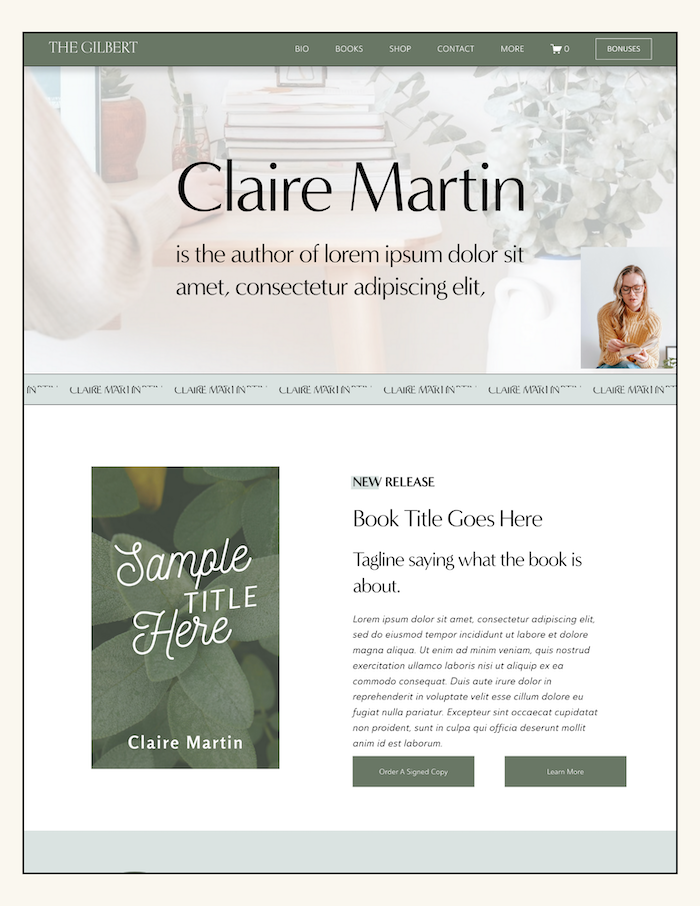
THE GILBERT - Squarespace Author Website Template
How to Design an Engaging Author Website on Squarespace
Author website design tips that improve usability and reader experience.
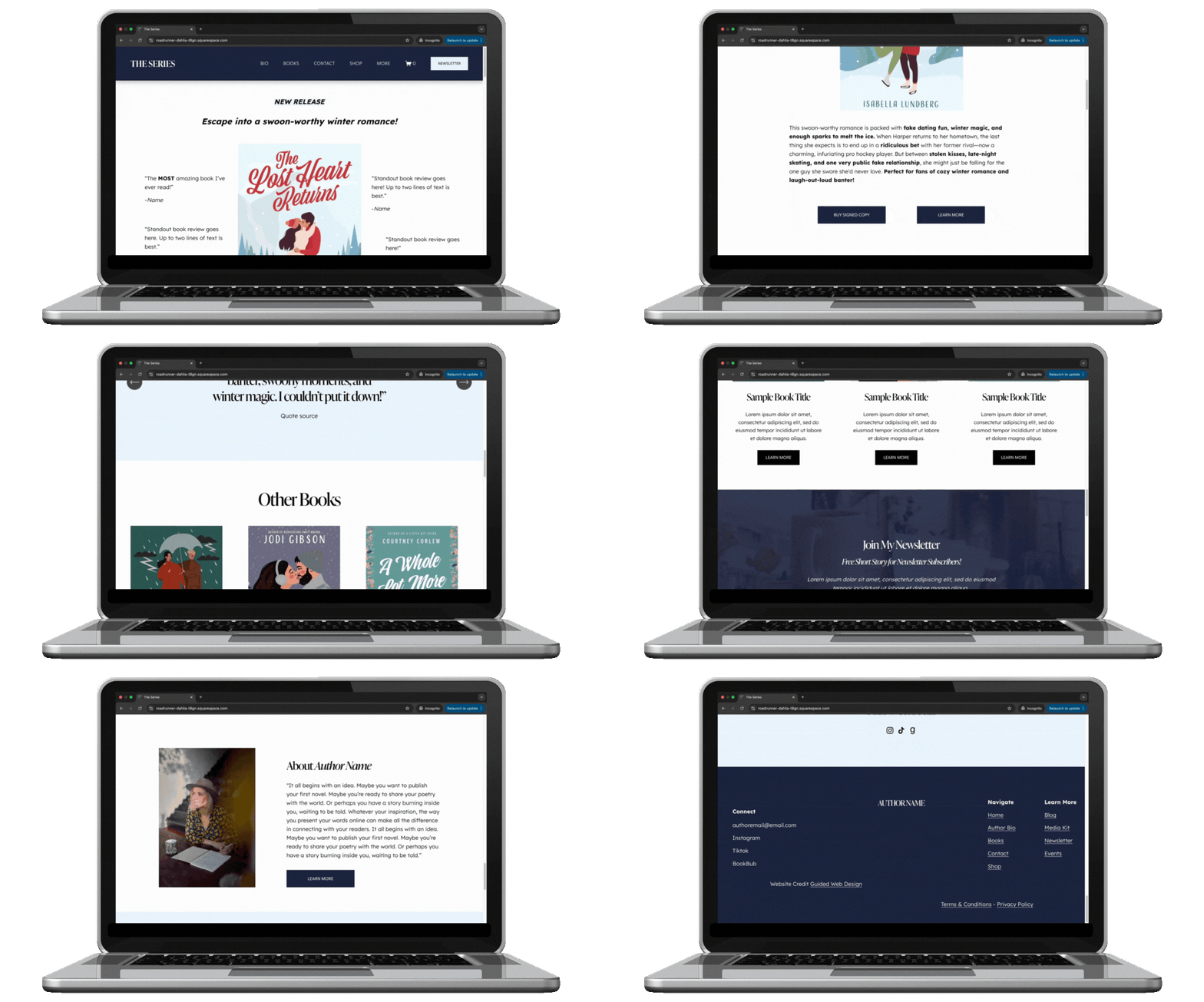
Many writers start by building their website using platforms like Squarespace.Okay, author—you’ve got the book, maybe even a loyal fanbase, but your website? It should be working just as hard as you do, pulling in new readers, growing your email list, and making it effortless for people to buy your book!
A standout author website on Squarespace is about building your brand, creating a space where readers connect with you, and turning casual visitors into lifelong fans.
If you want to design a website that does all of that (and more!) then this post is for you!
You may be wondering…is Squarespace for authors? Well I’ve put all my squarespace website design tips into this guide so you can transform your website from a static afterthought into a dynamic, reader-magnet that works around the clock to grow your audience, sell your books, and showcase your brand!
Before we get into it, make sure to Click here to get my FREE author website blueprint!
Why Authors Need a Professional Website

If social media is the cocktail party where you mingle with readers, your website is your home base—the place where they come to truly connect, learn more about you, and, most importantly, buy your books.
Unlike social platforms that change their algorithms on a whim, your website is yours—a space you control, free from disappearing posts and fleeting trends.
Let’s go beyond the basics and talk about specific, often-overlooked design details that make a huge difference. Don’t forget: Looking at the best author websites can give writers ideas for how to present their books online.
Related: Before You Self-Publish: Experts Answer Your Top Questions on Editing, Design & Marketing
Design Tips for a Standout Author Website

1. Ditch the Never-Ending Homepage Scroll
Ever been on a website where you keep scrolling… and scrolling… and still don’t know where to click? Don’t do that. Your homepage should be short, punchy, and to the point—think of it as the front cover of a book. Include:
✅ A strong headline that tells people who you are and what you write
✅ A book feature section (latest release, series, or most popular book)
✅ A clear call to action (Buy Now, Join My Email List, Read an Excerpt)
Tip: Put the most important stuff above the fold (aka before someone has to scroll). If visitors have to hunt for your book, you've already lost them.
Related: Get my FREE author homepage template here!
2. Choose Fonts Like Your Readability Depends On It (Because It Does)
Yes, your website should have personality, but that doesn’t mean sacrificing readability. Avoid these common font mistakes:
Super thin fonts – They look elegant but are impossible to read, especially on mobile.
All-caps body text – It feels like you’re yelling at your readers (and it’s harder to scan).
Tiny text sizes – If visitors have to squint, they won’t stick around.
What to do instead:
Use a legible serif or sans-serif font for body text (think Garamond, Lora, Montserrat, or Open Sans).
Keep paragraph text at least 16px for desktop and 18px+ for mobile so it's easy to read.
Use a decorative font sparingly (like for your name or book titles, not full paragraphs).
Related: Author Website Design and Branding Tips
3. Don’t Just Slap a Book Cover on Your Site—Make It Interactive
Your book covers are your best marketing tool, but don’t just throw them on the page and hope for the best. Make them clickable and give readers something to do:
✅ Hover effects – Use Squarespace’s image blocks to make covers zoom in or slightly tilt when hovered over.
✅ Clickable mockups – Link book covers directly to their purchase page instead of just displaying them statically.
✅ Bonus content – Add a "Look Inside" feature or an excerpt link to tease potential readers.
Related: Creating a Book Cover That Sells
4. Stop Using Oversized Images That Slow Your Site Down
We get it—you want big, beautiful images. But if your site takes longer than 3 seconds to load, half your visitors will bounce. The most common culprit? Gigantic, uncompressed images.
How to fix it:
Before uploading, resize images to no more than 2500px wide (anything bigger is overkill).
Use JPEGs for large photos and PNGs only when necessary (logos, graphics with transparency).
Use Squarespace’s built-in image optimization (but also try tools like TinyPNG before uploading).
5. Your Call-to-Action (CTA) Buttons Need to Be OBVIOUS
If your "Buy My Book" button blends into the page, you’ve already lost sales. Your CTA buttons should:
✅ Be a different color than the rest of your site (contrast is key!)
✅ Say something specific (not just “Click Here” but “Get the First Chapter Free” or “Start Reading Now”)
✅ Be above the fold (so readers don’t have to scroll to take action)
Make those buttons pop so it draws in your reader and gets them clicking!
6. Mobile View Isn’t Just a Shrunk-Down Desktop Version
Just because your site technically works on mobile doesn’t mean it’s optimized. Things to check on your phone:
Is text getting cut off?
Do buttons feel too small to tap?
Does the page load in under 3 seconds?
Fix it by:
Making sure text blocks don’t shrink too much on mobile (resize as needed).
Ensuring buttons are at least 44px tall so fingers can easily tap them.
Testing every page on your own phone—not just the preview mode.
7. Your Email Signup Needs to Feel Exclusive (Not Like Homework)
Building an email list through email marketing is one of the most effective ways for authors to connect with readers.
Readers don’t want another boring “Sign up for my newsletter” form. Instead, make it feel like a VIP club by offering something valuable:
✅ A free short story, deleted chapter, or exclusive sneak peek
✅ A behind-the-scenes look at your writing process
✅ Early access to book releases
Tip: Add a pop-up or sticky bar that reminds visitors to sign up, but don’t be obnoxious—one well-timed pop-up (like when someone finishes reading) is enough.
Don’t miss this → Email Marketing for Authors: How to Grow, Engage, and Convert Your Readers

DIY with a Squarespace Template for Your Author Website
The right Squarespace template sets the foundation for this, giving you a stylish, functional starting point that aligns with your brand and goals. But with so many options, how do you choose the best one? Let’s break it down.
What Makes a Great Author Website Template?
Not all website templates are created equal—especially for authors. A great author website template should:
✅ Be clean and easy to navigate (so readers can instantly find your books and sign up for your email list)
✅ Have built-in blog capabilities (for sharing updates, behind-the-scenes insights, or book extras)
✅ Include prominent call-to-action sections (to direct visitors to buy your books or join your newsletter)
✅ Be mobile-friendly (because let’s be real—most people will visit your site from their phones)
✅ Allow for custom branding (so you can infuse your personality into the design)
Best Squarespace Templates for Authors
As a website designer for authors, I created templates that are built specifically with writers in mind—designed to showcase your books beautifully, grow your email list effortlessly, and make it easy for readers to connect with you.
Each template is strategically crafted with clean navigation, built-in SEO features, and customizable branding options so you can have a professional, high-converting author website without the frustration of starting from scratch.

The Quick Start Template: Clean & simple, The Quick Start website template is the fastest template to launch. Beautifully simple & yet designed with book marketing in mind. Ideal for authors looking to launch their website fast. This website is built on Squarespace, making updating & editing a breeze.

The Hemingway — Squarespace Author Website Template: Bold & chic, The Hemingway website template is built on Squarespace to make updating and editing a breeze. It's designed with book marketing & Search Engine Optimization in mind and is ideal for authors who want to add blogging and email newsletters to their book marketing game plan.

The Gilbert Squarespace Template: Serene & clean, The Gilbert website template is designed for the author who also offers services. Ideal for authors looking to add an evergreen marketing strategy via blogging and email marketing to their book marketing game-plan. This website is built on Squarespace, making updating & editing a breeze.

The Austin Squarespace Website Template: Clean & dreamy, The Austen website template is designed with book marketing & Search Engine Optimization in mind. Ideal for authors looking to add an evergreen marketing strategy via blogging and email marketing to their book marketing game-plan. This website is built on Squarespace, making updating & editing a breeze.

The Atwood Website Squarespace Template: Bold & chic, The Atwood website template is designed with book marketing & Search Engine Optimization in mind. Ideal for authors looking to add an evergreen marketing strategy via blogging and email marketing to their book marketing game-plan. This website is built on Squarespace, making updating & editing a breeze.

The Children’s Author Template: Fun & quirky, The Children's Author website template is designed with book marketing & Search Engine Optimization in mind. Ideal for children's book authors looking to add an evergreen marketing strategy via blogging and email marketing to their book marketing game-plan. This website is built on Squarespace, making updating & editing a breeze.
Let’s Be Real—Do You Really Want to DIY This?
You’ve got books to write, readers to connect with, and a brand to build—do you really want to spend hours wrestling with fonts, layouts, and SEO settings? Designing an engaging, high-converting author website takes more than just picking a pretty template. It’s about creating a site that actually works for you—selling your books, growing your audience, and making you look like the pro you are.
That’s where I come in. I design strategic, done-for-you author websites that take all the guesswork (and frustration) off your plate. Whether you need a sleek site from scratch or a major refresh that finally does your books justice, I’ll build a Squarespace website that’s as powerful as your words—without you having to touch a single line of code.
So, what’s next? Let’s get your dream author website up and running!
Click below to check out my done-for-you author website design services and let’s turn your site into your ultimate book-selling, audience-building machine.
Before you go…check out my Squarespace Author Templates !
Visit the Author Website Template Shop: TEMPLATE SHOP
THE ATWOOD - Squarespace Author Website Template
THE HEMINGWAY - Squarespace Author Website Template
THE GILBERT - Squarespace Author Website Template
Best Author Websites and Why They Work!
Explore author website examples that convert readers and learn what makes these designs successful.

Let’s get straight to it—having an amazing and strategic author website is no longer optional. It’s a must have if you want to grow your audience, sell more books, and create a professional online home for your books.
Here’s why your author website matters:
It builds an online presence and helps you connect with readers.
It boosts your book sales and highlights your personal brand as an author.
It gives you a professional hub where everything about your work lives.
In this post, I’m going to showcase three stunning author websites from across the internet and break down exactly why they work so well. These websites aren’t just pretty—they’re designed to engage readers, drive action, and help authors succeed. Reviewing real author website examples can help writers see what works well in practice.
Oh, and before you go any further, don’t forget to grab my free Author Website Blueprint. It’s your go-to guide that breaks down the all the content AND every page your author website needs to captivate and connect with readers.
What Makes an Author Website “The Best”?
Not all author websites are created equal. The best ones check a few key boxes:
User-Friendly Design: Readers should feel at home navigating your site. A clutter-free, intuitive design is key.
Mobile Responsiveness: With so many readers accessing websites on their phones, your site needs to look great and function seamlessly on all devices.
SEO Optimization:Your site should rank well on search engines so readers can find you when they Google your name or books.
Strong Calls-to-Action (CTAs):Whether it’s to buy your books, join your newsletter, or book an event, clear CTAs guide visitors to take the next step.
Thoughtful Branding:Your site’s design should reflect your unique voice and style as an author.
Easy Navigation:Readers shouldn’t have to hunt for what they need—whether that’s your books, blog, or events.
Strong layout and visual hierarchy are key parts of effective author web design. Now, let’s take a closer look at three standout author websites that nail all these elements and more.
Related: 12 Must-Have Features for an Unforgettable Author Website on Squarespace
3 Examples of Stunning Author Websites
Example 1: Joy Harjo
What Makes It Great:
Eye-catching homepage that instantly introduces Joy and her work.
Dedicated book pages with summaries, reviews, and easy-to-find purchase links.
Strong CTAs to explore her poetry, music, and books.
Key Features to Highlight:
Personal and relatable author bio page.
Mobile-responsive design for a seamless experience on any device.
SEO-optimized pages that rank for keywords like "Joy Harjo books" and "poet laureate."
Why It Works: Joy’s website is an amazing mix of engaging design, user-friendly navigation, and strategic CTAs. It’s everything a reader could want from an author’s website and more.
Example 2: Alyssa Cole
What Makes It Great:
Clean, modern layout that’s super easy to navigate.
Blog section for sharing updates and connecting with readers.
A media page perfect for press inquiries, interviews, and events.
Key Features to Highlight:
Prominent CTAs for book promotions.
Professional branding that reflects the author’s voice.
Separate book pages optimized for search engines and detailed book descriptions.
Why It Works: This site combines sleek design with powerful functionality. It’s designed to be both visually stunning and incredibly useful for readers and fans.
Example 3: Rupi Kaur
What Makes It Great:
Interactive features like book previews, downloadable recordings of her poetry, and event calendars.
A portfolio showcasing other works, like articles or speaking engagements.
Personal storytelling that gives readers a behind-the-scenes look at the author’s journey.
Key Features to Highlight:
Highly optimized for mobile devices.
Strong visuals and branding that set the author apart.
Well-placed CTAs for pre-orders, newsletter signups, and contact forms.
Why It Works: This website is a masterclass in creating an immersive reader experience. It’s all about connection, and it delivers in spades.
Key Takeaways from the Best Author Websites
Looking at these examples, it’s clear what makes a truly standout author website:
1. A Clear, Engaging Homepage
First impressions matter, so make your homepage count. Introduce yourself, your books, and your unique brand as an author.
2. Dedicated Book and Blog Pages
Separate pages for your books and blog not only improve SEO but also make it easy for readers to find exactly what they’re looking for.
3. Strong Branding
Your website should visually reflect who you are as an author. Whether it’s bold and contemporary or soft and poetic, your design should feel like you.
4. Mobile Responsiveness
With so many readers browsing on mobile, a responsive design isn’t just a nice-to-have—it’s essential.
5. Effective CTAs
Guide visitors to take the next step: buy your book, sign up for your newsletter, or reach out for an event.
Related: Author Website Design Deep Dive: Answering the 14 Most-Asked Questions
A well-designed site can ultimately help authors sell more books by building stronger reader connections.
Tips for Building Your Own Best Author Website
If you’re ready to create your own website that wows readers, here’s how to get started:
Use a Clean, Professional Design
Choose a layout that prioritizes user experience. Avoid clutter and focus on highlighting your work.
Focus on Essential Pages
At a minimum, include:
Homepage: Introduce yourself and your work.
About Page: Share your story and connect with readers.
Books Page: Showcase your work with summaries, reviews, and purchase links.
Blog Page: Share updates, insights, and behind-the-scenes content.
Contact Page: Make it easy for readers and media to get in touch.
Optimize for SEO
Use keywords your readers might search for, like "author website design" or "[Your Name] books." Meta descriptions, alt tags for images, and clean URLs are your best friends here.
Include Features That Boost Engagement
Newsletter Sign-Up Forms: Offer a freebie (like a short story or chapter) to encourage sign-ups.
Media Kits or Press Pages: Make it easy for journalists and bloggers to feature you.
Testimonials and Reviews: Build credibility with social proof.
Invest in Professional Design Services
If you’re feeling overwhelmed, don’t worry. A professional website designer can help you create a site that’s not only beautiful but also highly functional and strategic.
Conclusion
A well-designed author website is your ultimate tool for growing your audience, increasing book sales, and showcasing your unique author brand. The best part? It’s all doable with a little strategy and the right tools.
Ready to create a site that works as hard as you do? Check out my author website design services and let’s make your dream author website a reality!
Before you go…check out my Squarespace Author Templates !
Visit the Author Website Template Shop: TEMPLATE SHOP
THE ATWOOD - Squarespace Author Website Template
THE HEMINGWAY - Squarespace Author Website Template
THE GILBERT - Squarespace Author Website Template
The Author’s Guide to Website Design & Branding (with 5 examples)
A breakdown of author website examples showing effective branding and layout choices.
A great website and branding is no longer just a “good-to-have” for authors—it’s the most important part of an author’s book marketing efforts. Strong branding works best when paired with thoughtful author web design. Simply said, your author website is a vital tool for connecting with readers, establishing your brand, and cultivating a dedicated community.
Author Branding goes far deeper than aesthetics…
Branding for me, goes deeper than aesthetics. It captures the essence of who you are as a storyteller and how you present your narratives to the world.
I see an author’s website as a world that you are creating for your readers—a place for readers to explore your work, discover your latest projects, and connect with you on a deeper level. It’s the perfect space for you to allow readers to hear your unique voice and vision, free from the constraints of fleeting social media trends.
Author Branding and Website Design
Understanding the relationship between branding and website design is crucial for you as you strive to make an impact. Branding comprises elements such as your logo, color scheme, typography, and overall aesthetic.
Your author branding should resonate with your target audience and reflect the themes present in your work. This visual identity must be consistently carried throughout your website, reinforcing your brand and creating a cohesive experience for visitors.
A great way to get started with defining your author branding is to take a look at successful authors who have merged their branding with their website design. Looking at the best author websites can help writers understand how branding is expressed visually. Analyze how their colors evoke specific emotions, how their fonts convey personality, and how their layouts facilitate exploration. This attention to detail significantly enhances the reader’s experience, making them more likely to return and engage with your content.
Website Design Strategy for Authors
When I think about designing an author website, I prioritize strategy while keeping the reader experience at the forefront. A well-structured website should seamlessly integrate essential elements that enhance engagement. Here are some key features I recommend including:
Showcasing Books: Dedicated sections for each of your titles, complete with stunning visuals and compelling descriptions that draw readers in.
Newsletter Integration: Encouraging readers to subscribe allows you to communicate directly with them, keeping them informed about new releases, events, and exclusive content.
Event Pages: Promoting upcoming book signings, virtual readings, or speaking engagements invites readers to join you in real life.
Shop: Opening a shop on your website allows you to do more than simply sell signed copies of your book directly to your readers. You can also create book boxes that include merchandise and other various items that create an entire experience around your book.
By focusing on these design elements, you’ll not just present your books but also foster a sense of belonging among your readers, inviting them into your world. A clear author brand can ultimately help writers sell more books by building trust with readers.
Examples of Author Branding & Web Design
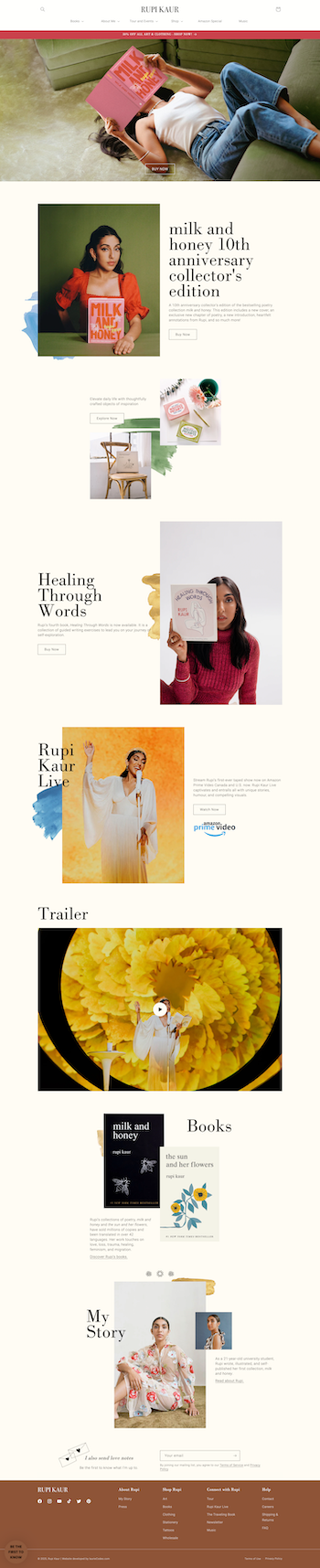
Rupi Kaur: https://rupikaur.com
WHY I LIKE IT:
Rupi Kaur’s website greets visitors with an immediate bang! I love her hero image (you know the image at the top of the page?) I like how the title of her new book is front and center, highlighted in such a creative way. I also love how her announcement bar color calls further attention to the book cover of her newest book. Her fonts and font sizing is perfection and the background elements behind each photo makes this homepage feel like a canvas, not a website.
Alyssa Cole: https://alyssacole.com/

WHY I LIKE IT:
Upon landing on Alyssa Cole’s website I immediately want to know more about this author and what she writes. Why? Well mostly it’s the bold and creative choice of using the floral elements across the page. These branding graphics SAY something about her as a person and what I should likely expect from her vibe as a writer. I’m surprised to see her newest release is a mystery thriller, BUT turns out she also writes in various romance dramas (this makes a little more sense with the floral elements)
Freida Mcfadden: https://www.freidamcfadden.com/
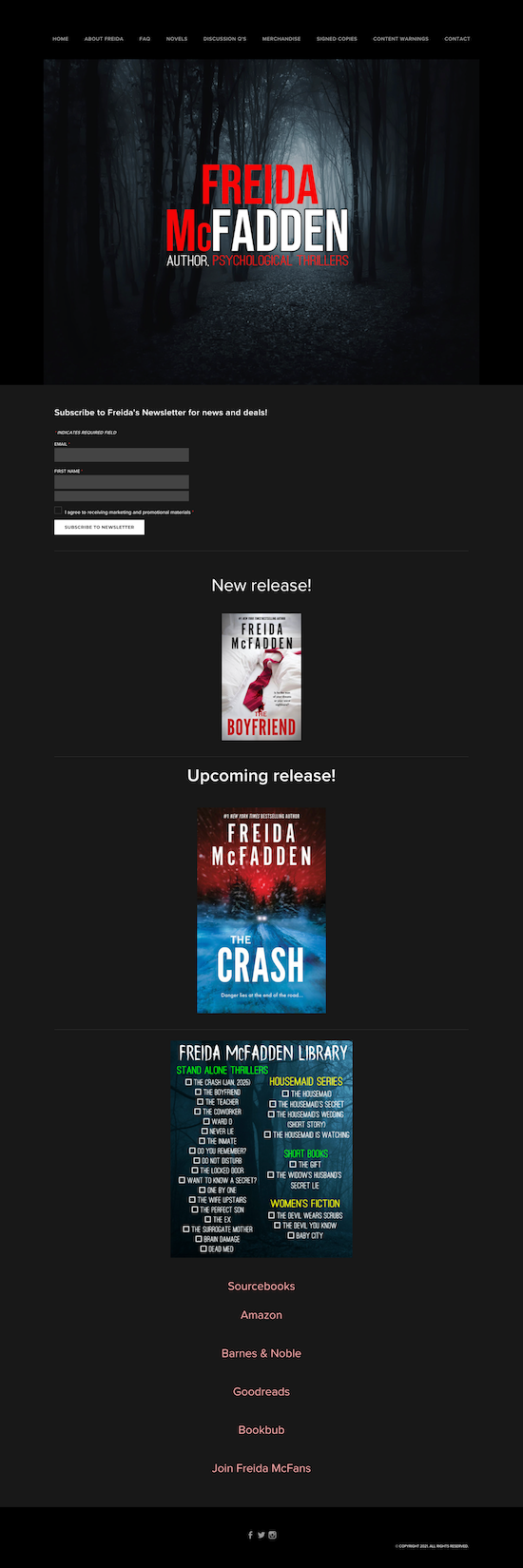
WHY I LIKE IT:
I literally said out loud: Yes, immediately yes, when I landed on Freida Mcfadden’s author website. The cover image immediately tells me what kind of world I should expect to be entering when reading Freida’s books. The dark color palette, with pops of red scream mystery psychological thriller! Notice how she uses sans serif font? This brings an intriguing heaviness to the words across her website.
Alicia Thompson: https://www.aliciathompsonbooks.com/

WHY I LIKE IT:
I’m obsessed with Alicia’s graphic novel aesthetic. This is the perfect combination of bold branding with easy to read fonts. I love her navigation. The navigation links are larger than what we typically see these days but that feels like a good thing! Her pink & red footer across the website is perfectly bold.
Rebecca Serle: https://www.rebeccaserle.com/

WHY I LIKE IT:
I LOVE Rebecca Serle’s hero section. This is a great way to showcase yourself as an author, don’t be afraid to use your header to show yourself off. I know, I know…but should it ALWAYS be the book first? No.. not necessarily. I think Rebecca's layout makes it really clear what you’ll get here. I can even see the top of her book at the bottom of the page which I like, because this invites curiosity, getting the website visitor to want to scroll down the page. Her fonts are small but VERY legible…and she has stuck with a very neutral palette which works great.
PRO TIP: *A neutral simple palette & fonts make your books stand out more.
How I help authors build websites that succeed beyond social media
I specialize in understanding the unique needs of authors and the challenges they face in building an engaging online presence. My One-Week Website Design Service offers a streamlined approach to creating a professional author website that reflects each client’s unique brand.
More into DIY? Check out my DIY Author Website Templates. Each website template allows authors to take control of their online presence and design a website that suits their individual styles and needs.
My commitment to supporting authors extends beyond just done-for-you design. Even with my DIY offerings, I provide valuable resources such as:
30 Days of Post-Purchase Email Support: I’m here to offer guidance and answer questions as they navigate their new website.
FREE Monthly Live Lesson: “Introduction to Squarespace for Authors”: I invite authors to join my community coaching calls for insights and tips on optimizing their websites.
Exclusive Access to Template Power Hour: For template customers, I offer personalized, one-on-one support to ensure their websites reflect their visions.
Thoughtfully Created Reusable Book Section Templates: Authors can easily showcase new releases across their sites, maintaining consistency and ease of use.
Website Launch Checklist and Squarespace’s Official Video Tutorials Organized into an easy to digest lesson plan: I provide all the resources needed to launch a site with confidence.
By shifting the focus from social media fame to building a community through your author website, you have the opportunity to create deeper connections with your readers. Your stories deserve more than fleeting likes; they deserve a space where they can thrive and resonate with an engaged audience for years to come.
The Future of Author Branding and Website Design
The importance of an author website becomes even more apparent with each passing year, especially as more and more authors choose to self-publish. Your author website offers a stable foundation for building relationships with readers, fostering engagement, and showcasing your work in a way that social media simply cannot match.
If you’re ready to take control of your online presence and build a genuine connection with your audience, I invite you to explore how I can help you craft a tailored author website that reflects your brand and nurtures a community you can’t wait to connect with. Let’s prioritize what truly matters: your stories and the readers who are eager to hear them.
Check Out the Squarespace Author Templates
Visit the Author Website Template Shop: TEMPLATE SHOP
THE ATWOOD - Squarespace Author Website Template
THE HEMINGWAY - Squarespace Author Website Template
THE GILBERT - Squarespace Author Website Template
The Art of Website Design for Authors
Author website design principles that balance aesthetics, usability, and reader engagement.

Did you know that your website can narrate a story just as powerfully as your books? Strong author branding plays a key role in effective website design.Every element of your website from the color palette to the layout, plays a pivotal role in conveying the essence of your work and drawing readers into your literary universe!
This isn’t just about “creating a website”—it’s about designing a cohesive narrative that captivates visitors and turns them into loyal fans of your writing.
Ready to see how your website can reflect the stories you tell? Let’s dive into the art of weaving compelling tales through sophisticated website author design.
1. Website Design Elements That Speak Volumes
Creating a website for an author is much like setting the stage for a captivating play. Each visual element—color, typography, layout—doesn't just fill space– it serves a specific purpose in telling your story and reflecting your unique style and genre. Let’s unpack how these website elements blend to not only capture the essence of your writing but also enhance the narrative feel of your website.
Telling Your Story with Colors: Colors evoke emotions and set the mood. Choose a palette that mirrors the tones of your writing, whether it's the dark hues of a mystery novel or the vibrant shades of a children's book.
Typography That Talks: The fonts you select speak volumes about your genre and voice. A Gothic typeface might whisk readers away to a Victorian horror, while a clean, minimalistic font could suit non-fiction or contemporary stories.
Layouts That Lead the Reader: Your website's layout guides visitors through your literary landscape. Think of it as the plot structure that can highlight your latest release or draw attention to critical reviews and testimonials.
Using story-driven website design and visual storytelling for authors isn't just about aesthetics; it's about making a connection that resonates with visitors and leaves a lasting impression!
By thoughtfully combining these visual elements, your website becomes more than just a portfolio—it transforms into an immersive experience that extends the narratives of your books into the online world. Studying the best author websites can help writers understand what makes a site visually effective.
2. Consistency Across All Platforms
Keeping your brand consistent across your website and social media is more than just looking sharp—it’s about building a brand identity that sticks with your readers! Imagine a reader hopping from your tweet to your blog, or from your Instagram post to your website. The vibe should be unmistakably yours, seamless and smooth.
Here’s how to keep it all cohesive:
Unified Visual Identity: Stick to the same color palette, fonts, and design elements everywhere. This visual consistency reinforces your brand every time someone sees your content, boosting recognition and making you unforgettable.
Consistent Voice and Tone: Whether you’re being witty on Twitter or insightful on Facebook, keep your communication style consistent. This helps forge a reliable persona that your readers will come to know and love.
Strategic Content Alignment: Keep your messaging in sync across all channels. Launching a new book? Make sure it’s front and center across all your platforms, presenting a united front to your audience.
Smart Branding Moves:
Cross-Platform Planning: A content calendar can be your best friend here, helping you plan out and align your posts across different platforms to maintain a continuous narrative.
Brand Guidelines: Set up a clear set of brand rules covering everything from your logo use to your writing tone. Consistency is king, and these guidelines are your crown.
By dialing in your brand consistency, you not only polish up your professional image but also strengthen your bond with your audience, making your brand a memorable force in a busy online world.
3. Interactive Elements to Engage Readers
Interactive features such as quizzes, polls, and embedded social feeds can turn your website from a static portfolio into a dynamic experience. These tools invite readers to participate rather than just spectate, increasing the time they spend engaged with your content.
Widgets That Work Wonders:
Social Media Feeds: Integrate live social media updates onto your site. This keeps your website fresh and makes it a one-stop hub for all your online activity.
Comment Sections: Enable comments on your blog posts to encourage discussions and build a community around your writing.
Interactive Maps: If your books feature real or fictional locales, interactive maps can allow fans to explore these worlds, enhancing the immersive experience.
Examples to Try:
Quiz on Book Themes: Imagine a quiz that lets visitors discover which character from your book they are based on their answers. It’s fun, engaging, and deeply personal!
Polls for Upcoming Book Covers: Let your readers vote on potential cover designs for your next book. It gives them a voice in your creative process and builds anticipation for the release.
By integrating these interactive elements, your author website can captivate and engage visitors, making them feel connected to your literary world. Remember, the more your readers interact with your site, the more invested they become in your work.
Learn why hiring a website designer for your author website is the best thing you can do!
4. Membership Areas and Exclusive Content
In the world of author websites, offering exclusive content through membership areas can be a game-changer for enhancing reader engagement and building loyalty.
A few things to consider:
Setting Up Membership Areas: Utilizing website platforms that support membership functionality, such as Squarespace, can simplify the process. Squarespace offers tools to create gated areas that are accessible only to members who have either paid a subscription fee or signed up to join.
Benefits of Exclusive Content: Offering unique content that can’t be found anywhere else on your site not only adds value but also makes your membership more enticing.
Encouraging Reader Loyalty: Membership areas create a sense of exclusivity and belonging among your readers. They’re more likely to remain loyal when they invest in your content and can interact with you and other readers in a closed environment.
By incorporating membership areas and offering exclusive content, you not only diversify your website’s appeal but also build a sustainable model of reader engagement. These areas serve as a valuable incentive for fans to stay connected and invested in your literary world.
Wrapping It Up: Elevate Your Authorial Impact with Strategic Website Design
Strategic, narrative-driven design isn't just a facet of modern author websites– it's a cornerstone of your online success!
By thoughtfully integrating storytelling elements into every aspect of your website—from the colors and fonts to the interactive features and membership areas—you craft a digital haven that resonates deeply with readers. Thoughtful website design can also help authors sell more books by creating a stronger reader connection.
This kind of website design invites visitors into your world, encourages engagement, and builds a community around your books, amplifying your impact as an author.
Are you ready to transform your author website into a captivating story of its own? Whether you're looking to refresh your existing author website or create a new one from scratch, my bespoke website design services are tailored to elevate your online presence.
Contact me today to start the conversation, or explore our website design services to see how we can bring your literary vision to life!
Before you go…check out my Squarespace Author Templates !
Visit the Author Website Template Shop: TEMPLATE SHOP
THE ATWOOD - Squarespace Author Website Template
THE HEMINGWAY - Squarespace Author Website Template
THE GILBERT - Squarespace Author Website Template
7 Advantages of Using Squarespace for Authors
Why Squarespace for authors makes it easy to build polished author websites without custom development.
Think Squarespace is just another website builder for authors? Think again! It’s your all-access pass to effortlessly showcasing your books, crafting a home for your stories that truly reflects your voice and vision! If you're just starting out, this Squarespace for authors guide explains how the platform works for writers.
With Squarespace (in my biased opinion), you're not just getting a website platform–you're getting a homebase that supports your creative journey with sleek designs, an easy-to-navigate user interface, and templates so inviting your readers won't just visit—they'll linger.
Whether you're launching your debut novel or looking to expand your fanbase, Squarespace enables you to have a website that's as compelling as your storytelling. Here are 8 reasons why you should run (not walk) to Squarespace for your author website!
Pssst!: Click here to get my FREE author website blueprint!
#1. Squarespace Has a User-Friendly Design & Interface
Some authors compare Squarespace vs WordPress when deciding which platform to use. But if you’ve ever felt like setting up your website was as tough as figuring out the ending of your book when you're stuck with writer's block? Well, with Squarespace, you can toss that notion right out the window!
The platform’s intuitive interface means you—yes, YOU—can set up and manage your website with the same ease as brewing your morning coffee. Squarespace website design is all about making it easy for authors to create and manage their sites without a fuss.
Here’s some more great Squarespace features that deserve to be highlighted:
Drag-and-Drop Website Builder
Imagine rearranging your website as easily as you rearrange your desk—without breaking a sweat. That’s what the drag-and-drop functionality of Squarespace offers. It's an easy website setup for authors who’d rather focus on crafting stories than on technical tinkering.
Pre-designed Squarespace Templates
Step into the wardrobe of Squarespace templates and pick out something that truly speaks to your book’s spirit. Whether it’s romance, mystery, or non-fiction, there’s a Squarespace template for writers that’s as perfect as the ideal book cover. These book author website templates are not just about looks– they’re about making connections and drawing readers in.
#2. Squarespace Includes Integrated SEO Tools
Navigating the world of SEO might seem like deciphering a secret code, but not with Squarespace. With its Squarespace SEO capabilities, you can boost your author website's visibility without becoming an SEO expert. Understanding the importance of SEO for author visibility online is crucial, and Squarespace makes it easy to improve your site’s rankings and draw more readers to your books.
SEO-Friendly Page Structure
One of the standout features of Squarespace is its SEO-friendly page structure. Each page is built with search engines in mind, helping you ensure that your content not only looks good but is also easy to find. This built-in optimization means your author website can gain more traction in search engine results, making it easier for readers to discover your work.
Customizable URLs and Meta Descriptions
Control over your URLs and meta descriptions puts the power of SEO in your hands. With Squarespace, you can tailor your URL slugs and meta descriptions to match your content, enhancing your site’s SEO performance. These customizable elements are vital for fine-tuning how search engines and potential readers perceive your website, helping to improve your author website’s SEO in a targeted way!
#3. Squarespace Has Responsive Design Across Devices
A mobile-responsive website is crucial for authors like you who want to reach your readers on any device.
Squarespace ensures that your author website looks great on phones, tablets, or desktops with its responsive author websites. Thanks to Squarespace mobile-friendly designs, your site automatically adjusts to fit different screen sizes, providing a seamless experience for your readers.
Having a mobile-responsive website is vital for accessibility and maintaining reader engagement across various devices. Squarespace’s advanced technology takes care of all the adjustments, freeing you from the hassle of dealing with complex coding or multiple site versions.
You get one beautifully crafted website that performs excellently everywhere—simple, efficient, and effective.
#4. E-commerce Capabilities for Authors
Selling your books directly from your website can transform your author career, and Squarespace’s e-commerce capabilities make it a breeze! With robust features like secure payment gateways and efficient inventory management, Squarespace stands out as a prime author e-commerce platform.
Whether you're shipping hard copies or selling digital downloads, Squarespace for selling books ensures a smooth transaction for you and your readers.
Enjoy Integrated Book Sales Features
Squarespace offers a variety of specific tools designed to cater to authors. From creating beautiful product pages that showcase your books to adding book reviews that build trust and connection with your readers, Squarespace gives you everything you need. Manage your sales with ease, thanks to detailed analytics and integration capabilities that let you connect with other platforms and services.
Membership and Subscription Models
For authors looking to offer more than just books, Squarespace provides powerful options for setting up subscriptions and memberships. This functionality allows you to offer exclusive content, such as behind-the-scenes articles, videos, or monthly newsletters, directly through your website. It’s an excellent way to build a loyal reader base and provide extra value to your fans.
Need help with website design? Check out my custom web design services for authors here!
#5. Comprehensive Analytics and Reporting
Understanding your audience is key to a successful author career, and Squarespace provides the tools to make it happen. With Squarespace website analytics, you can dive deep into your website traffic and user engagement, getting clear insights into what works and what doesn’t. These analytics tools are perfect for authors looking to fine-tune their marketing strategies and truly connect with their readers.
By tracking reader engagement, you'll know which parts of your website draw the most attention and which areas might need a little more love. This data helps you make informed decisions about content updates, promotional strategies, and even the best times to launch new books.
#6. Squarespace Reliability and Security
When it comes to hosting your author website, reliability and security are non-negotiable. Squarespace prides itself on offering a platform where security concerns are taken seriously and handled with the utmost care. Whether it's protecting your site from unwanted intrusions or ensuring it remains online and accessible around the clock, Squarespace’s robust security measures give you peace of mind.
This commitment to reliability means that your site will be up and running when it matters most—during book launches, promotional campaigns, and high traffic events. Trust Squarespace to keep your digital presence safe and sound, so you can focus on what you do best: writing.
#7. Squarespace Customer Support

Navigating a website shouldn’t feel like solving a complex puzzle, especially not when you have writing to do! That’s where Squarespace support comes in. Squarespace offers a range of support options designed to make life easier for authors. From 24/7 customer service to detailed help guides and active community forums, help is always just a click away.
Whether you're tweaking your website's design or need technical assistance with your site’s features, Squarespace’s dedicated support team is ready to assist. This robust website support for authors ensures that you can focus more on engaging your readers and less on backend issues.
Plus, with specialized resources aimed at helping authors maximize their sites, you can easily navigate through any technical challenges and get back to what truly matters—your writing.
Ready for a Professional Author Website of Your Very Own?
By now, you’ve seen just how much Squarespace has to offer for authors like you—from intuitive design and robust e-commerce capabilities to comprehensive analytics and unbeatable customer support. Many writers launch their site quickly using Squarespace templates for authors.
Squarespace isn't just about building websites– it's about creating a dynamic platform where your books can shine and your readers can easily connect with your work!
Why settle for less when you can have a website that grows with your career and makes managing your online presence a breeze? Consider Squarespace for your website needs and see the difference a professional, tailored site can make for your author brand.
Ready to take the next step? Explore my custom Squarespace website design services or contact me for a personalized consultation today.
Let’s build you a stunning website that’s as captivating as your stories!
Before you go…check out my Squarespace Author Templates !
Visit the Author Website Template Shop: TEMPLATE SHOP
THE ATWOOD - Squarespace Author Website Template
THE HEMINGWAY - Squarespace Author Website Template
THE GILBERT - Squarespace Author Website Template
One-Page Author Website: Pros, Cons + When It Works
Learn why multi-page author website examples outperform one-page layouts for SEO and growth.
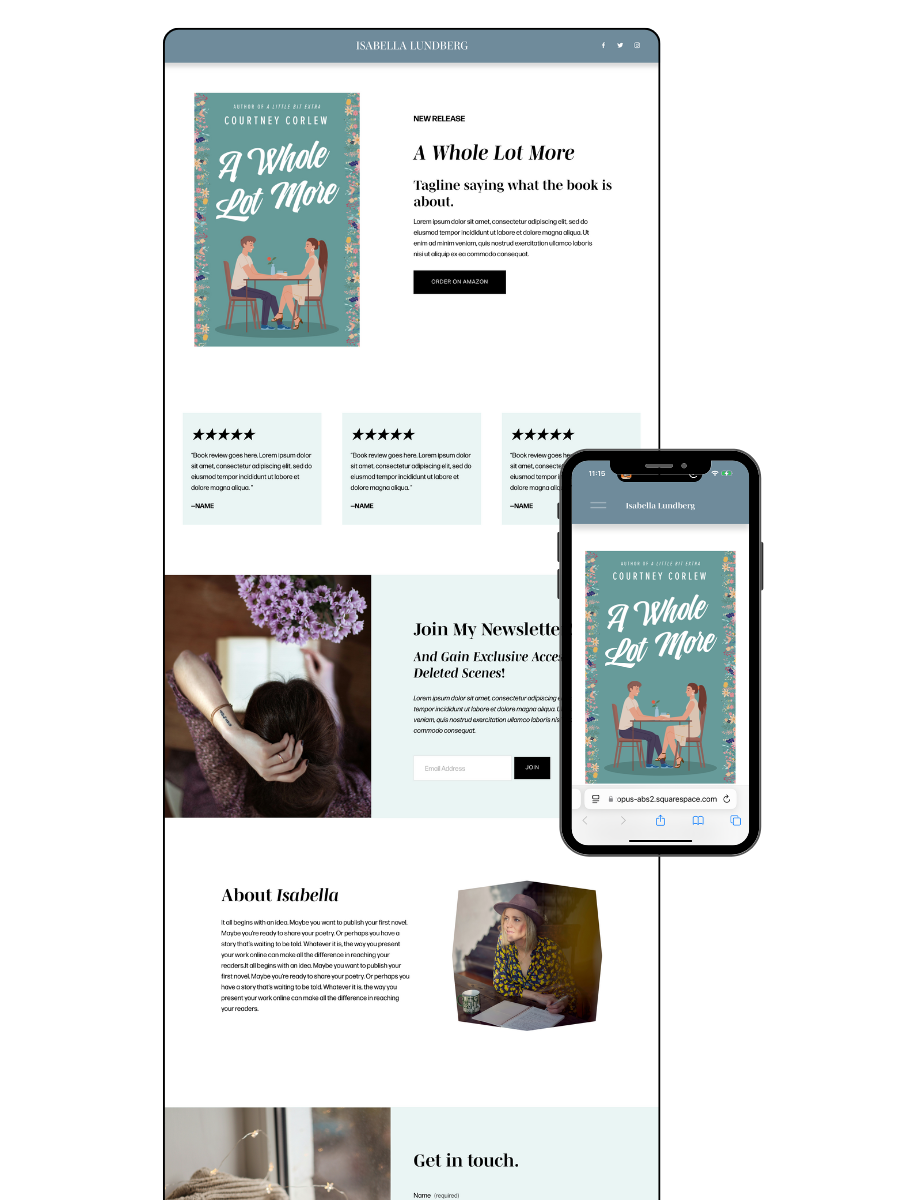
Need to Launch your author website ASAP? Check out my Squarespace Author Website Templates

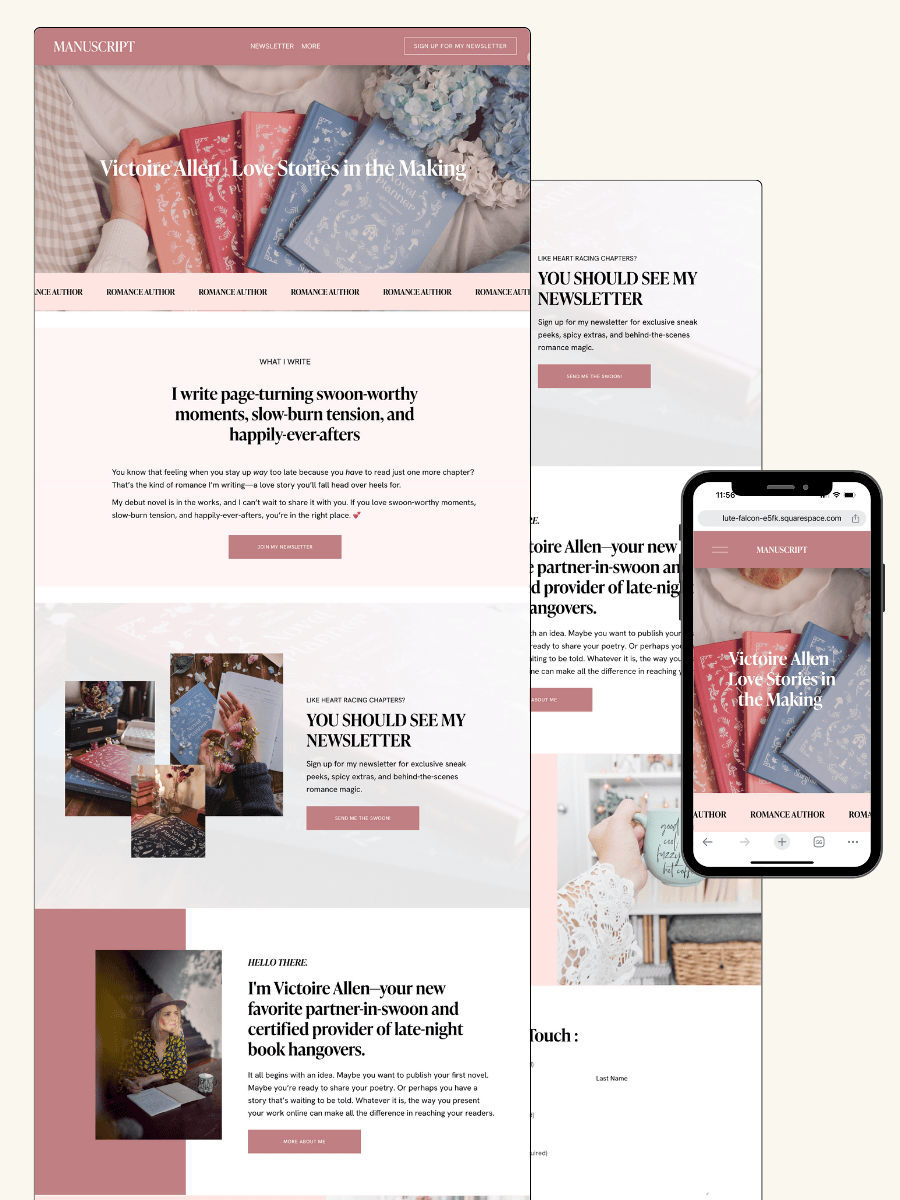



Your author website should do more than look pretty—it should turn casual visitors into book buyers.
If you’ve been researching whether to create a one-page author website, you’ve probably seen mixed advice. Some say it’s the easiest way to get online quickly. Others say it limits your growth.
The truth is: both are right.
A one-page author website can work incredibly well—when it’s designed strategically. But it’s not the right fit for every author, and understanding the difference can save you months of frustration.
In this post, we’ll break down:
When a one-page author website actually works
When it falls short
And how to set one up so it converts readers into buyers
Whether you’re launching your first book or simplifying your online presence, this post will help you make the right call.
Let’s dive into when a one-page author website works and why often a multi-page website is important for authors who want to captivate readers, grow their audience, and build a thorough marketing funnel. We’ll cover the SEO limitations of a one-page author website, as well as the impacts it has on user experience, functionality, and building your author brand.
Ready to start dreaming up your author website?

Can a One-Page Author Website Ever Work?
A one-page author website can work — when it’s designed strategically.
For debut authors, single-book launches, or writers who want a simple, polished online presence, a one-page site can be a smart starting point. The key is that it’s not just “one page”… it’s a conversion-focused page that guides readers from curiosity to action.
Instead of spreading content across multiple pages, everything is structured in a clear, intentional flow — introducing you, showcasing your book, and giving readers an easy next step (like buying your book or joining your email list).
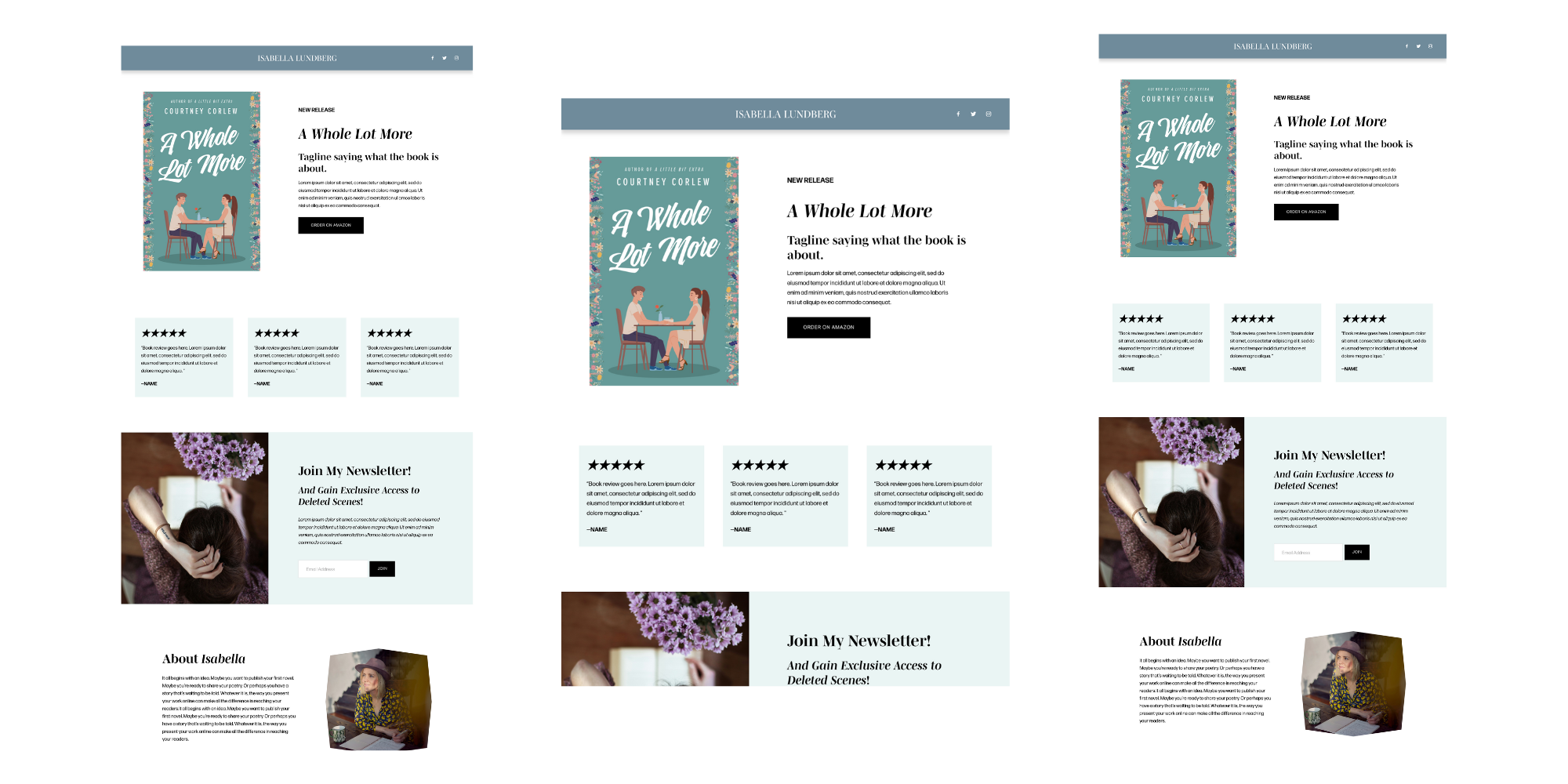
If you want a streamlined, high-converting option, I created a
one-page author website template designed specifically for this purpose.
It’s built to help you launch quickly without sacrificing strategy — so your website actually works for you from day one.
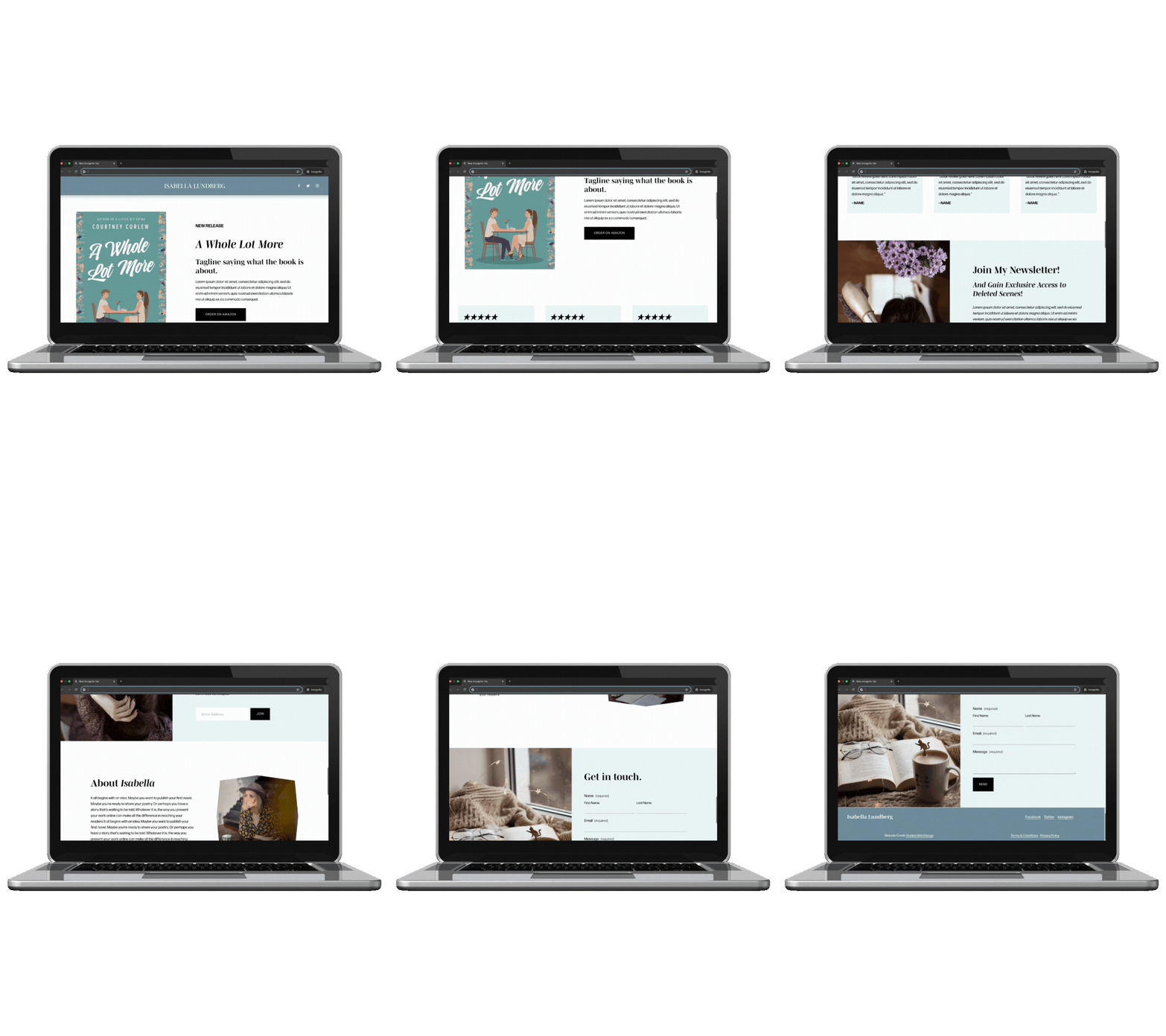
One-page Author Website Template
When a One-Page Author Website Falls Short
That said — one-page websites aren’t the right fit for every author.
If your goal is long-term growth, strong SEO, or managing multiple books, the limitations become more noticeable.
Here’s where they tend to fall short:
Limited SEO potential
With only one page, you can’t target multiple keywords or create dedicated pages for each book, blog post, or topic.Harder to scale
As you publish more books or expand your brand, a single page can start to feel cramped and difficult to organize.Less flexibility for content
Features like blogs, media pages, or detailed book breakdowns are harder to implement cleanly.
Think of it this way: a one-page site is incredibly efficient — but it’s not built for depth. If you need more room to grow, a multi-page website will give you that flexibility.

The Right Way to Build a One-Page Author Website
If you do go the one-page route, the difference between “just okay” and “high-converting” comes down to structure.
A strong one-page author website should include:
Clear, intentional sections
Author bio, book showcase, and email signup — all easy to scanStrategic calls-to-action
Multiple opportunities for readers to take the next step (buy, subscribe, learn more)Scroll-based storytelling
The page should feel like a guided journey, not a wall of textMobile-first design
Most readers will visit on their phone — your site needs to feel seamless there
This is exactly how my template is built — not just to look good, but to guide readers toward becoming buyers and subscribers.
👉 Shop the One-Page Author Website Template:
https://guidedwebdesign.com/shop/p/one-page-author-website
Why you might want a Multi-page author website:
So what is the purpose of an Author Website anyhow?
Your website is more than something you just throw together and hope for the best —it’s your most valuable marketing tool. I know, I know.. But isn’t Tiktok / Instagram the most important place to market my books? Well.. although social media platforms are very important for authors who are in the connection and awareness phase of their marketing endeavors, social media doesn’t create long-term connections in a way that your website can.
Here’s what a successful author website should be doing:
Create a home for your online books: Your website should showcase your work, voice, and personality in a way that resonates with readers. We want your author website to create a vibe around your books. Showstopping branding & good design can immediately hook and capture your potential readers' interest.
Engage Readers: Your website is like a window into your world that your readers can gaze into. Your website can help readers learn more about you, explore your books and stay updated on your author journey and future book events and most importantly, it’s where you should be enticing potential readers to sign up for your newsletter.
I’m going to repeat this a lot but your author website is the KEY to your book Marketing Strategies: It’s actually where you need to be sending your social media traffic to so they can sign up for pre-orders, and learn more about launches, and promotions.
To do all that has been mentioned above effectively, certain pages are non-negotiable: an about page, books page, blog or events page, contact page, and a way to build your email list. Want to see how it all comes together?
Check out my Author’s Guide to Website Design & Branding here.
A website isn’t just a pretty place to park your book. It’s a strategic tool that works 24/7 to market your books and grow your readership. A strong layout is an important part of effective author web design.
Why a One-Page Website Falls Short
Limited SEO Opportunities
Search engines love websites with rich, organized content. A one-page site doesn’t offer the structure needed to:
Optimize individual pages for targeted keywords like “[Your Name] Author Bio” or “[Book Title] Summary.”
Build separate pages for each book, improving search visibility for specific titles or genres.
Help readers and search engines navigate distinct areas of your site with clarity.
Think about it this way: if each page on your website is a door, a one-page site is like having only one door. But what if readers are searching for different ways to connect with you? Multiple pages create those individual doorways for readers—and search engines—to find exactly what they need.
Poor User Experience (UX)
One-page websites can feel overcrowded and chaotic, making it hard for readers to find what they’re looking for. Key drawbacks include:
Overwhelming Content: Packing everything into one page can confuse and frustrate users.
Navigation Issues: Without clear sections or menus, readers struggle to locate specific information like your latest book release or blog.
Imagine walking into a bookstore where all the books are piled into one corner with no labels. That’s what a one-page website can feel like—disorganized and overwhelming.
Challenges in Showcasing Your Brand and Work
Your website is your brand ambassador, but a one-page layout limits your ability to:
Highlight multiple books or projects.
Share dynamic content like book reviews, media features, or blog posts.
Build a cohesive, professional image that mirrors the depth of your writing.
Your books, achievements, and personality deserve space to shine. A single page just can’t do it justice.
Related: How Fantasy Author J.E. Harter Uses Her Author Website
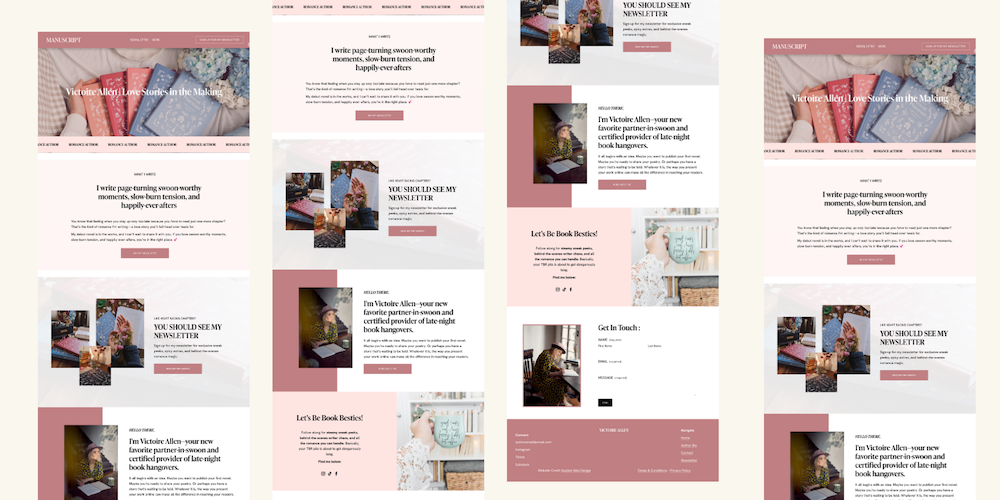
The Benefits of a Multi-Page Author Website
Improved SEO and Visibility
With a multi-page website, you can optimize for a variety of keywords. For example, on my website, some LSI keywords I optimize for are:
"Author website design tips" (Homepage).
"Effective author website layout" (Books page).
"Email list building for authors" (Contact or landing page).
Search engines prioritize well-organized sites with diverse content, and a multi-page layout lets you spread the SEO love. Think of it as planting multiple seeds instead of betting everything on one tree to grow.
Better Navigation and User Engagement
Multi-page websites provide a seamless experience:
Readers can explore dedicated pages for each book, learning more about your stories.
Many authors eventually add a blog to their author website to share updates and connect with readers. A blog keeps visitors on your website longer, which in turn boosts your SEO.
When readers can easily find what they’re looking for, they’re more likely to stick around. And the longer they stay, the stronger the connection they build with you as an author.
Scalability for Future Growth
Planning to publish more books? Host workshops or book signing events? Add services like speaking engagements? A multi-page layout grows with you, giving you the flexibility to expand without overhauling your site.
Think long-term. Your website should grow alongside your career, not hold it back.
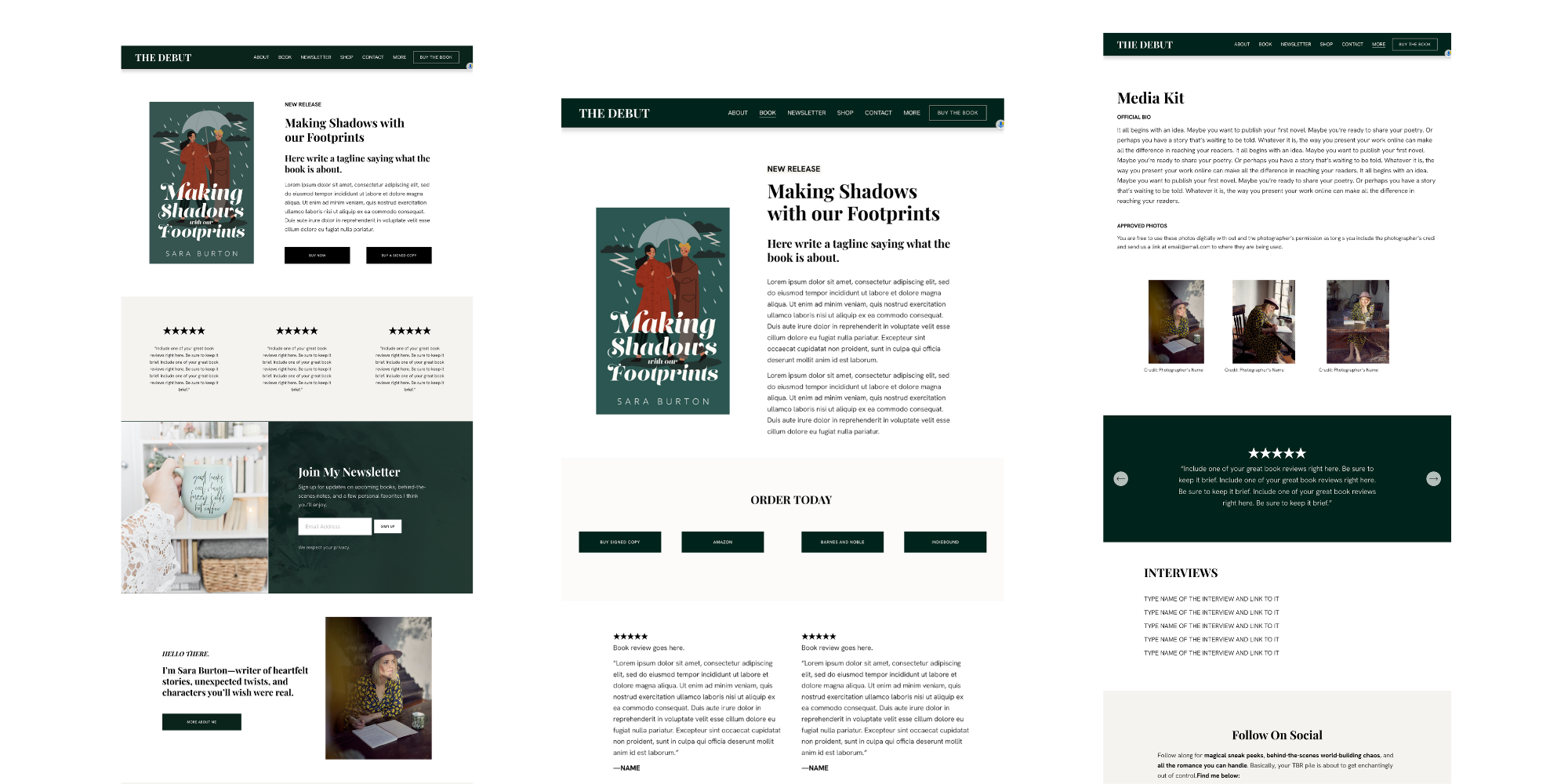
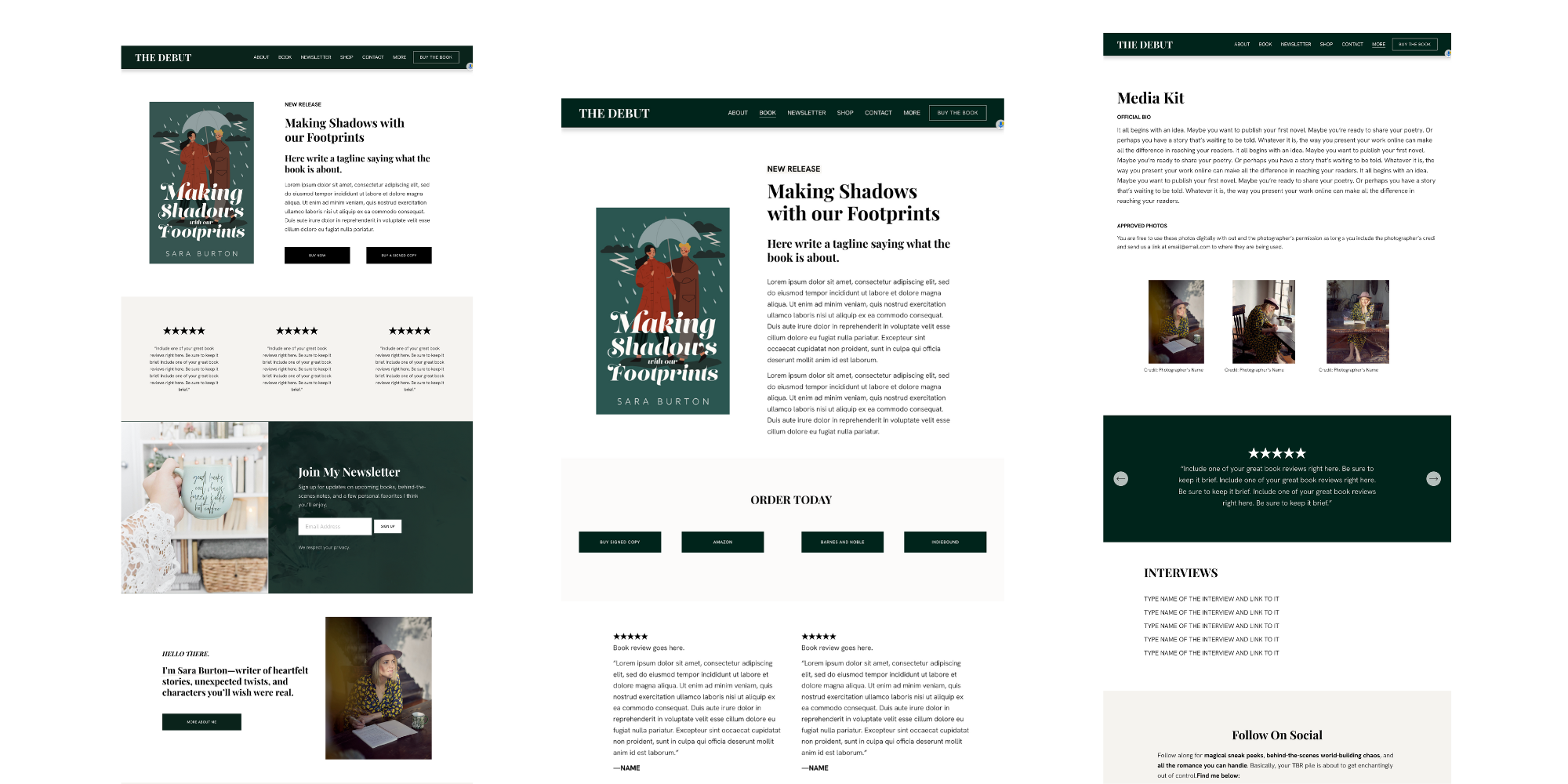
The Debut Author Website Template *Most Popular
Key Pages Every Author Website Should Include
Here are the must-haves for any successful author website:
Homepage: Introduction to your brand as an author.
About Page: Showcase your journey and build a connection with readers.
Books Page: Highlight each book with summaries, reviews, and purchase links.
Blog Page: Share insights, writing tips, or updates.
Contact Page: Make it easy for readers, media, and collaborators to reach you.
Email Signup Page: Drive email list growth with lead magnets or CTAs.
Each page plays a role in telling your story and drawing readers deeper into your world. Together, they form a cohesive narrative that keeps your audience coming back for more.
Addressing Common Misconceptions About One-Page Websites
Misconception #1: “It’s harder to Maintain”
Modern website platforms like Squarespace or Wix make managing multi-page websites a breeze. You’ll have the same tools and ease of use—with way more functionality.
Misconception #2: “It’s Cheaper”
While upfront costs might be lower, a one-page site often requires more reworking as your needs grow. Multi-page templates are affordable and scalable from the start and you can even hide any of the pages you don’t want to use quite yet.
Misconception #3: “Readers Don’t Want Too Much Information”
Dedicated pages make information clearer and more accessible. Your readers will thank you for creating pages with a topic dedicated to each page.
Conclusion
A one-page website might seem convenient, but it’s not equipped to meet the demands of an author’s growing brand. By investing in a multi-page site, you’ll enjoy:
Better SEO and visibility.
A clear and impactful user experience.
The flexibility to grow with your career.
Your stories deserve a website as dynamic and engaging as your books. Ready to take the leap?Check out Website Design Services here: Author Website Design Services
Ready for a Showstopping Author Website of Your Own?
I specialize in creating bespoke websites for authors that captivate readers and grow your audience. With a blend of strategy and creativity, I’ll help you craft a site that works as hard as you do.
Learn more about my Website Design Services here!
Here’s how it works:
We start with YOU—your brand, your books, your goals.
I create a custom game plan to bring your vision to life.
You get a site that’s not just beautiful but strategically designed to engage readers and sell books.
Let’s build a website you’ll love. Contact me today to get started!
Pro Tip: Already have a website but feel it’s not pulling its weight? Let’s chat about a refresh to help you stand out and shine.
More into DIY? Check out my
Squarespace Author Website Templates

Squarespace for Authors: A Quickstart Guide to Building Your Perfect Author Website
A beginner-friendly guide to building an author website on Squarespace using proven structures.

The Overview
Why Authors Need a Professional Website
Explains the importance of a dedicated author website for building a brand, engaging readers, and driving book sales.Why Squarespace is the Perfect Platform for Authors
Highlights Squarespace’s ease of use, customizable templates, and robust tools that make it ideal for authors.Key Pages Every Author Website Needs
A detailed look at essential pages—like the homepage, about page, book page, blog, and contact page—and how to optimize them.Design Tips to Reflect Your Author Brand
Provides actionable tips on choosing fonts, colors, and layouts that align with your writing style and target audience.Integrating Marketing Tools Seamlessly
Covers how to set up newsletter signups, social media integrations, and analytics to grow your reader base.Showcasing Your Books Effectively
Offers guidance on creating visually appealing book pages that feature excerpts, reviews, and purchase links.Building a Connection with Your Audience
Discusses how to use blog content, email newsletters, and calls-to-action to engage and grow your community.SEO Strategies for Author Websites
Breaks down simple SEO tactics to help authors rank higher in search engines and attract more visitors.Using Squarespace’s Features to Simplify Management
Explains how to leverage Squarespace’s intuitive tools to easily update and maintain your site.Next Steps to Launch Your Site
Provides a clear roadmap for authors ready to create or revamp their website, including the option of using templates or professional design services.

A Quickstart guide to help authors build their website on Squarespace
As an author, your website should be more than just a digital business card. It’s the cornerstone of your online presence, a place where your readers can connect with you, learn about your books, and stay engaged with your latest projects. If you’re looking to create an author website that’s as captivating and unique as your stories, Squarespace for authors might be the perfect solution. Squarespace has become a popular platform for writers who want a professional website without complicated technology which is one of the many advantages of Squarespace for authors.
In this post, we’ll break down how Squarespace can help you create a beautiful, functional, and professional author website that will help turn your visitors into lifelong fans. Whether you’re just starting out or looking to refresh your current site, this guide will provide you with all the clarity you need to make your website work for you.
Squarespace truly allows you to say goodbye to your boring author website, thanks to its user-friendly experience and the availability of stunning website templates built specifically for authors (see my website templates for authors).
Why Choose Squarespace for Your Author Website?
Squarespace is an excellent website builder that offers a wide range of customizable features and templates, perfect for authors who want to create a unique and professional online presence without getting bogged down in technical details. Here’s why Squarespace is an ideal choice for authors:
1. Easy-to-Use Platform
Squarespace is known for its user-friendly drag-and-drop interface. This means that you don’t need to be a web design expert to create a stunning website. The intuitive layout allows authors to focus on what they do best—writing—while still building a website that reflects their creative vision.
2. Customizable Templates
Many writers start with Squarespace templates for authors to launch a professional website quickly. Squarespace offers a variety of templates designed specifically for authors, showcasing your books and stories in visually striking ways. These templates are not only aesthetically pleasing but are also highly functional, designed to help you engage visitors and convert them into readers.
3. Mobile-Optimized Design
With the growing number of readers accessing websites through their phones, it’s essential that your author website looks great on any device. All Squarespace templates are mobile-responsive, ensuring that your website will look flawless on smartphones, tablets, and desktops alike.
4. Built-in Marketing Tools
Squarespace includes a range of built-in tools to help you market your books and grow your audience. Features like email marketing integrations, social media sharing, and SEO optimization will allow you to reach more readers and boost book sales.
5. SEO-Friendly
Squarespace makes it easy to optimize your website for search engines, helping potential readers find your site when searching for books in your genre. With customizable meta tags, alt text for images, and built-in analytics, Squarespace ensures that your site is optimized for search engines without requiring technical expertise.
6. E-commerce Capabilities
For authors who want to sell books directly through their website, Squarespace’s e-commerce features are a game-changer. You can easily set up an online store to sell digital and physical copies of your books, track inventory, and manage payments—all from within the platform.
7. 24/7 Customer Support
One of the biggest benefits of Squarespace is their exceptional customer service. If you ever run into any issues while setting up or maintaining your website, Squarespace offers 24/7 customer support to assist you in solving problems quickly.
How to Build a Stunning Author Website on Squarespace
Now that we’ve covered the benefits of using Squarespace for your author website, let’s dive into the key features that you’ll want to incorporate into your site to make it as effective as possible.
1. Homepage: Your First Impressions Matter
Your homepage is the first thing visitors will see when they land on your site, so it’s essential to make a lasting impression. Your homepage should immediately convey who you are as an author and what your readers can expect from your books.
Here are a few things to include on your homepage:
Hero Image or Book Cover: A large, eye-catching image that reflects the mood of your work or features your most recent book.
Brief Introduction: A short, engaging description of who you are and what you write. This is your chance to grab the reader’s attention right away.
Call-to-Action (CTA): A prominent button encouraging visitors to learn more about your books, sign up for your newsletter, or shop your book.
A clean, well-organized homepage sets the tone for the rest of your site and gives visitors a clear path to take action.
About Page: Showcase Your Story
Your About page is your opportunity to connect with readers on a personal level. Share your journey as an author, your inspiration for writing, and what readers can expect from your work. This page should be authentic and approachable, reflecting your personality.
Consider including the following elements:
Author Bio: A well-written bio that gives insight into your background and creative process.
Professional Headshot: A high-quality, friendly photo that helps readers connect with you.
Your Writing Journey: A brief story of how you became an author and what motivates you to write.
Don’t forget to include links to your social media profiles so readers can follow you and stay up-to-date with your work.
Books Page: Highlight Your Work
This is where your books take center stage. A dedicated books page should provide all the necessary information about your published works, including book summaries, cover images, and links to purchase or read more.
Here’s what you should include on your books page:
Book Covers: High-quality images of your book covers to make your page visually appealing.
Book Descriptions: A brief, compelling summary of each book, highlighting what readers can expect.
Purchase Links: Direct links to where readers can buy your books (Amazon, Barnes & Noble, or your own online store).
For authors with multiple books, you can organize your books into categories (e.g., fiction, non-fiction, series) to make it easier for visitors to navigate.
Blog: Engage Your Readers
One of the best ways to keep readers engaged is by maintaining an active blog on your author website. A blog gives you a space to share updates, insights into your writing process, book launch news, and other interesting content related to your work.
Tips for creating an engaging blog:
Post Regularly: Consistency is key when it comes to blogging. Even if you post once a month, regular updates will keep your readers engaged.
Share Behind-the-Scenes Content: Readers love to know more about the author behind the book. Share your writing process, thoughts on your latest book, and sneak peeks of future projects.
Encourage Reader Interaction: End each blog post with a question or call-to-action to encourage comments and engagement.A Newsletter Signup Form
Newsletter Sign-Up: Build Your Community
Building an email list is one of the most effective ways to connect with your readers directly. Squarespace allows you to easily integrate a newsletter sign-up form on your website.
Offer an incentive for visitors to sign up, such as:
Exclusive Content: A free short story, excerpt from your latest book, or writing tips.
Early Access to Book Releases: Give newsletter subscribers early access to book launches or discounts.
Special Offers: Periodic giveaways or promotions to keep your readers engaged.
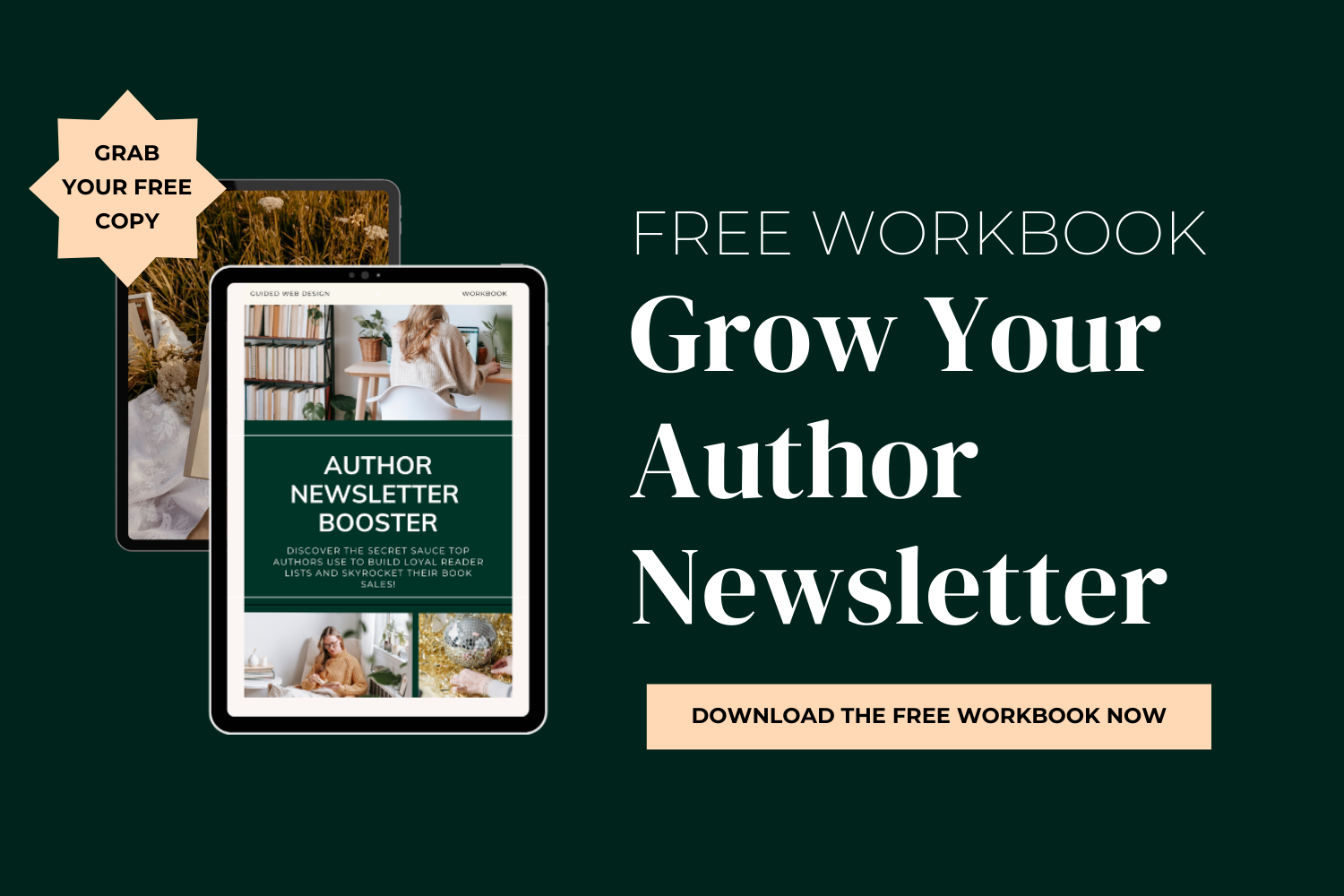
Online Store: Sell Your Books Directly:

If you want to sell your books directly from your website, Squarespace makes it simple to set up an online store. You can sell both digital and physical books, track orders, and manage payments—all from within your website.
Product Pages: Create individual product pages for each book, complete with book descriptions, pricing, and purchasing options.
Secure Checkout: Squarespace’s secure checkout process ensures that your customers’ information is protected during transactions.
SEO Optimization: Help Readers Find You
Search engine optimization (SEO) is essential for increasing your visibility online and helping readers find your website. Squarespace offers built-in SEO features to help optimize your site for search engines.
Contact Page: Stay Accessible
Finally, make it easy for readers, media, and potential collaborators to get in touch with you. Include a simple contact form, your social media links, and any other relevant contact information.
Final Thoughts: Why Squarespace is the Best Choice for Authors
In today’s digital age, having a professional, engaging website is crucial for authors who want to build their brand and connect with their audience. Squarespace offers a powerful, easy-to-use platform that helps authors create a beautiful website that reflects their creativity and grows their readership.
With customizable templates, built-in marketing tools, SEO optimization, and e-commerce capabilities, Squarespace gives authors everything they need to create a stunning, functional website. Whether you’re just starting out or need a refresh, Squarespace for authors is the perfect solution to elevate your online presence and turn your website into a dynamic hub for your books and readers.
By following the tips and strategies outlined in this post, you can craft a Squarespace website that not only showcases your writing but also fosters a loyal reader community and drives book sales. Start building your author website today and take your writing career to new heights! Once your site is ready, the final step is learning how to publish your website on Squarespace.
Check out Website Design Services here:
Author Website Design Services

More into DIY? Check Out The Squarespace Author Templates
Visit the Author Website Template Shop: TEMPLATE SHOP
THE ATWOOD - Squarespace Author Website Template
THE HEMINGWAY - Squarespace Author Website Template

THE GILBERT - Squarespace Author Website Template
12 Must-Have Features for an Unforgettable Author Website on Squarespace
Key features found in top author website examples built on Squarespace.
The Overview
✨ Sleek and Strategic Homepage✨ – Make a lasting first impression with a clean, focused homepage that highlights your books and brand.
✨ About the Author Page✨ – Craft a relatable and authentic bio, complete with fun facts and a personal touch, to connect with readers.
✨ Books or Portfolio Page ✨ – Showcase your books with compelling descriptions, covers, and easy purchase options.
✨ Blog Section ✨ – Share insights, writing tips, and personal stories while improving SEO and engaging with your audience.
✨ Newsletter Signup Form✨ – Build your reader list with an effective form and offer incentives to increase sign-ups.
Social Media Integration – Link to your social platforms and keep consistent branding across all channels.
✨ Contact Page✨ – Make it easy for readers, agents, or collaborators to reach you with a simple contact form and social media links.
✨ Mobile-Responsive Design✨ – Ensure your website looks great on mobile devices, with optimized images and easy-to-read fonts.
✨ SEO Optimization✨ – Improve your site’s visibility with key SEO strategies to help readers find you online.
✨ Testimonials and Reviews✨ – Build trust with potential readers by showcasing positive reviews and testimonials on your site.
✨ Event Calendar or Appearances Page✨ – Keep readers updated on book signings, workshops, and virtual events.
✨ Resources for Writers or Readers✨ – Add value to your website with writing tools, book club guides, and recommended reading lists.

Making your author website look awesome on Squarespace
I always recommend Squarespace for authors. As a self-published author or aspiring writer, your website is your digital storefront—a place where readers connect with your work, learn more about your journey, and even become your lifelong fans who can’t wait to buy your books! I really love designing out author websites on Squarespace simply because Squarespace makes it so easy and fun to create a showstopping website. Squarespace allows you to say goodbye to your boring author website, thanks to its user-friendly experience and the availability of stunning website templates built specifically for authors (see my website templates for authors). But what features should you include to make your site truly stand out? Here are the top things to include in your Squarespace author website.

A Sleek and Strategic Homepage
Your homepage is the first impression visitors will have of your site. It should immediately communicate who you are and what you write. As you design your homepage, be mindful of creating a clean and sleek design to keep the focus on your books & your author brand.
Tips for an Effective Homepage:
Feature a High-Quality Photo of YOU!!: Yes, I said it! You really should be incorporating at least one photo of you on your homepage. People buy from people afterall. :) Use a professional headshot or an image that reflects your brand in the “about the author” section of your homepage, or even in the homepage hero section of your website.
Include a Tagline: A short, catchy phrase that highlights your niche or genre.
Showcase Your Latest Work: Highlight your most recent book with a compelling cover image and a brief description.
Clear Navigation: Ensure that visitors can easily find other sections of your website with intuitive navigation menus. Keep your navigation items to five or under if possible.
Call-to-Action Buttons: Add clear CTAs like “Buy My Book” or “Read an Excerpt” to guide readers toward the next step.
An " Author Bio" Page
Readers love getting to know the person behind the stories. Your "About" page should tell your story in an authentic and relatable way. Did you know that the about page on a website is the second most visited page on most websites, after the homepage! This means, It’s really really important. A lot of people think of their about page as an afterthought, but let me tell you…it is prime real-estate! This is where you are forging a deeper connection with your curious website visitors, who just can’t wait to learn more about you and your writing!
What to Include:
A compelling bio written in the third person that showcases your journey as a writer.
Fun facts or personal tidbits that make you relatable, such as hobbies or favorite books.
A professional photo that exudes confidence and approachability.
A brief mention of your writing journey and accomplishments, such as awards or notable publications.
Optional: A short video introduction for a personal touch.
*Video on websites is one of the best converters imaginable!
A Books or Portfolio Page
Stating the obvious here, but you definitely should be making a books page on your website. There are few approaches you can have to this! You could do one page that showcases all of your books (think of this as a portfolio page). A page that features more than one book would need short descriptions (book blurbs..) to go along with images of your book covers.
The other kind of book page you would want is what I refer to as a “Book Sales Page”. Each book should get its own Book Sales Page. This page on your author website is similar to an amazon book listing but BETTER. It’s better because not only does it provide an in-depth description of your book, but you also have the opportunity to include related art prints, testimonials and even fantasy world maps. You really have the opportunity to go as deep into description as you like on a Book Sales Page, which is what makes it perhaps, one of the most exciting pages on your website.
Must-Have Elements:
Book Covers and Descriptions: Include eye-catching images of your book covers along with concise and engaging descriptions that spark curiosity.
Buy Links: Make it easy for visitors to purchase your books by linking to retailers like Amazon, Barnes & Noble, or independent bookstores. Offer multiple options to cater to reader preferences.
Downloadable Excerpts: Offer the first chapter or a teaser of your book to entice readers to take the plunge.
Organized Categories: If you write in multiple genres, organize your works by category to make it easier for readers to find their interests.
Highlight Awards: If your book has received accolades or rave reviews, display them proudly.
Author Website Inspiration
Check Out The Squarespace Author Templates
Visit the Author Website Template Shop: TEMPLATE SHOP

THE ATWOOD - Squarespace Author Website Template

THE HEMINGWAY - Squarespace Author Website Template
THE GILBERT - Squarespace Author Website Template
A Blog Section
Blogging is an excellent way to form deeper connections with your audience, establish your expertise, and improve your website’s SEO. A blog keeps your site dynamic and encourages repeat visits.
Blog Ideas for Authors:
Share behind-the-scenes insights into your writing process, including challenges and victories.
Discuss your favorite books or authors that inspire you, creating a connection with fellow readers.
Offer actionable writing tips or advice for aspiring writers.
Provide updates on upcoming projects, events, or book releases to keep your audience engaged.
Share personal stories that relate to themes in your books, offering deeper insight into your work.
Pro Blogging Tips:
Use SEO keywords naturally in your posts to help new readers find you online.
Maintain a consistent posting schedule to keep readers coming back.
End each blog post with a call-to-action, such as subscribing to your newsletter or sharing the post.
A Newsletter Signup Form
Controversial Opinion BUT the number one goal of your author website is not to immediately start selling your books. Shocking, I know…but the number one goal of your website is to get visitors on your newsletter. Why would this be the case?
There is so much noise online, and not just noise, but a lot of people! Many authors struggle to stand out on social media because a bookstagrammer scrolling their discovery feed flips from one author to the next. Your message goes in one ear and out the other. So what can you do to stay top-of-mind of your ideal reader? Answer: Get them on your newsletter.
Your newsletter will allow you to create a longer term connection with your potential reader so you can remind them about your book, over and over and over. And when you come out with your second book? Guess what, you can let all of your avid fans know right away in their inbox via your newsletter! The great news is that Squarespace makes it easy to integrate a newsletter signup form into your website design.
Tips for an Effective Signup Form:
Place it prominently on your homepage, at the end of blog posts, and on your contact page.( Make it bright and colorful!)
Offer an incentive, such as a free chapter, short story, printable guide, or exclusive updates. **Seriously, only your mom and best friends are going to sign up for your newsletter just because you ask them to “Sign up for my newsletter for updates & exciting news!”
Use clear, action-oriented language like “Download the first three chapters free” or “Get Exclusive access to short stories.”
Ensure the signup process is quick and easy to avoid losing potential subscribers
Social Media Integration
Are you putting a lot of effort into what you’re posting on Instagram or Tiktok? If yes, then why not link to your social from your website? On Squarespace, you can even embed your instagram feed into your website either on page or in the footer!
Pro Tips
Only link to platforms where you’re active and engaging regularly.
Use consistent branding across your social media profiles and website to reinforce your author identity.
Encourage visitors to follow you with a call-to-action like, “Follow me for more writing updates and bookish inspiration.”
Share interactive content, like polls or Q&A sessions, to increase engagement.

A Contact Page
You need a contact page! Readers, agents, media contacts, or potential collaborators may want to reach out to you and it’s just way more professional to have a page on your website with a contact form over just saying “DM for more info”. You’re a professional writer! Let’s make it easy for all these cool people to reach out! One of coolest and most unique approached to an author contact page that I’ve seen is Ruth Ware’s: See Here
What to Include:
A simple contact form with fields for name, email, and message.
*Seriously, don’t make your contact forms LONG… the faster and easier the more likely they’ll actually submit the form to you.
Having links to your social media profiles for alternative ways to connect is a good idea too!
An email address specifically for professional inquiries.
Optional: Include a FAQ section to address common questions, such as book availability or media requests.
Mobile-Responsive Design: Author Websites MUST look awesome on cell phones
With so many users browsing on their phones, a mobile-responsive design is non-negotiable. Squarespace templates are designed to look great on all devices, but make sure to test your site on mobile to ensure people that find your website on social aren’t greeted with a crazytown website. I honestly think authors should be prioritizing the aesthetics of how their website looks on mobile over desktop. An author website that looks awesome on cell phones is totally going to connect and convert with the most people!
Mobile Optimization Tips:
Use large, readable fonts. (keep fancy script fonts to a BARE minimum).
Optimize images to load quickly on mobile.
Ensure buttons and links are easy to tap without zooming in.
SEO Optimization
To help people find your author website on Google, you’re going to want to pay attention to SEO. Squarespace offers built-in tools to help you optimize your site for search engines (Thank goodness, because SEO can get both tricky and expensive!).
Key SEO Tips:
Use keywords like your author pen name and the titles of your books in your content and meta descriptions.
Write descriptive alt text for your images to make them accessible and searchable.
Optimize your page titles and URLs for clarity and relevance.
Regularly update your site with fresh content to improve your rankings.
Testimonials and Reviews
Social proof can go a long way in convincing potential readers to check out your work. Dedicate a section of your homepage to showing two to thre reviews, testimonials, or blurbs from readers, fellow authors, or critics. Keep the testimonials on your homepage brief though! Two to three sentences max. Then link to a separate page where you post all your reviews in full!
How to Use Testimonials Effectively:
Place excerpts of the most impactful reviews on your homepage.
Include the reviewer’s name and title (if applicable) to add credibility.
Regularly update testimonials to keep the content fresh.
Event Calendar or Appearances Page
If you participate in book signings, virtual events, or writing workshops, include an event calendar to keep readers informed. Squarespace offers easy-to-use tools for showcasing your events on your website.
Resources for Writers or Readers
Adding a resources section can make your website more engaging and valuable to visitors. For example, you can share writing tools, book club guides, or recommended reading lists.
To Sum it all up:
There are several advantages of Squarespace for authors, from its design flexibility to its ease of use. Your Squarespace author website shouldn’t be an afterthought. It’s where you can build your brand and connect with your audience on an even deeper level By including these essential features, you’ll create a site that not only looks professional but also helps you achieve your goals as an author.
Ready to build your dream author website? Download our free Author Website Blueprint to find out the exact pages your author website needs. It’s packed with tips and advice to simplify the process and ensure your site is optimized for success!
Check out Website Design Services here:
Author Website Design Services

More into DIY? Check Out The Squarespace Author Templates
Visit the Author Website Template Shop: TEMPLATE SHOP
THE ATWOOD - Squarespace Author Website Template
THE HEMINGWAY - Squarespace Author Website Template
THE GILBERT - Squarespace Author Website Template
How to Strategically add Book Reviews to your Author Website
Learn where and how to place reviews on your author website for credibility and conversions.

When it comes to building up hype around your books with potential readers, there’s one thing that does the heavy lifting: social proof. Whether it’s glowing book reviews, award badges, or heartfelt testimonials from readers, showcasing these on your author website can significantly boost your credibility. Featuring book reviews on your website can help build credibility and ultimately help authors sell more books. In this post, we’ll walk you through how to effectively display reviews, testimonials, and awards to capture attention, create trust, and guide readers toward buying your book.
Why Social Proof Matters:
Imagine walking into a bookstore. You see a book with a big sticker on the cover: “Winner of the National Book Award.” That sticker makes you pause, doesn’t it? The same principle applies to your author website. Book reviews, testimonials, and awards show potential readers that others have already vetted and loved your work. These elements create trust and encourage visitors to take action—whether that’s buying your book, signing up for your newsletter, or following your journey.
Start with the Hero Section:
Now, let’s talk about where to showcase your most compelling reviews. The hero section is the very first thing visitors see when they land on your website. It’s typically at the top of your homepage and spans the full width of the page. This section is prime real estate—it’s your chance to make a stellar first impression.
If you’re unsure what goes into a hero section, think of it as the attention-grabber. It usually includes:
A headline or tagline (e.g., “Escape into a world of mystery and adventure”)
A brief description or hook
A strong call-to-action (e.g., “Get your copy today”)
Here’s where reviews come in. Adding a short, glowing review or an award badge right here instantly tells visitors, “This book is worth your time.”
For example, instead of:
“Welcome to my website!”
Try something like:
“Named ‘Best Mystery Novel of 2024’—find out why readers can’t put it down.”
To illustrate, this is where I recommend using an image. If you’re using one of my website templates, like the Hemingway or Series templates, you can see how a small block of text or an award badge fits seamlessly into the various sections of the home page design. You’ll notice that many of the best author websites showcase reviews prominently on their homepage or book pages.
Keep Testimonials Short and Impactful:
When it comes to testimonials, less is more. Visitors typically skim websites, so long paragraphs won’t hold their attention. Pull out the most memorable part of a review—just a sentence or two—and feature it prominently.
Here’s an example:
“An unforgettable journey through time—this book stayed with me long after the final page.” – Jane Doe, Reader
You can also include a headshot or a logo if the review is from a notable figure or publication. This builds extra credibility.
In my website templates, I’ve made it easy to add brief testimonials within and below the hero section. Images near the testimonials aren’t 100% necessary but do help keep testimonial sections structured and even keep things visually on vibe with your website.
Author Website Inspiration
Check Out The Squarespace Author Templates
Visit the Author Website Template Shop: TEMPLATE SHOP
THE ATWOOD - Squarespace Author Website Template
THE HEMINGWAY - Squarespace Author Website Template
THE GILBERT - Squarespace Author Website Template
Where to Showcase Book Reviews Beyond the Homepage
While the hero section is a great starting point, there are other key spots on your website to include reviews and testimonials:
1. Book Detail Pages
Each book you’ve published should have its own page. Include several reviews here, along with purchase links. Arrange them in a way that breaks up the text—use bold headers, pull quotes, or even sliders to make it easy for visitors to read.
2. Media Kit Page
The Media Kit page isn’t just for your bio—it’s also a great place to sprinkle in testimonials. Reviews about your writing style or your ability to connect with readers can fit perfectly here.
3. Footer Section
For reviews or awards you want visible site-wide, the footer is an often-overlooked but effective location. A single, standout testimonial in the footer ensures that every page reinforces your credibility.
Awards and Badges: Go Visual
Awards and badges are an excellent way to add visual interest to your website. Unlike text-based reviews, badges are small graphics that immediately catch the eye. Here’s how to incorporate them:
Place badges in the hero section, alongside your tagline.
Add a row of awards just above the footer for a subtle but effective touch.
Use badges to break up text-heavy pages, like your book detail page.
If you’re using my Squarespace, for instance, it takes minutes to create a section on your home page for showcasing awards with icons or small images.
Use Reader Testimonials
Reader testimonials don’t have to come from big-name critics. In fact, quotes from everyday readers can feel more authentic and relatable. Here’s how to ask for them:
Include a note at the back of your book inviting readers to leave a review on your website shop or Amazon page.
Host a giveaway or special event in exchange for reviews.
Reach out to your email list and ask readers to share their thoughts.
When you receive these testimonials, format them to be short, specific, and conversational.
Add Video Reviews
If you want to take things up a notch, Squarespace makes it easy to add video testimonials to your site. A brief, heartfelt video from a reader or fellow author can add a personal touch and keep visitors engaged longer. Place these on your book detail page or even your homepage for maximum impact.
Best Practices for Adding Social Proof
Now that you know where to showcase reviews and testimonials, let’s talk about best practices to keep things polished and professional:
Keep It Relevant: Only showcase reviews that align with the genre and tone of your writing.
Focus on Design: Use clean, readable fonts and consistent colors to make reviews visually appealing.
Update Regularly: As you receive new reviews or win more awards, rotate them into your website to keep the content fresh.
Keep Copy Brief: Short snippets are not only easier to read but also make your website feel intentional and well-curated.
Final Thoughts
Adding book reviews, testimonials, and awards to your author website is one of the most effective ways to build credibility and trust with potential readers. Reviews also strengthen your author branding, reinforcing your reputation with readers. From spotlighting a glowing review in the hero section to dedicating space for reader testimonials, these small but powerful details can make a huge difference in how your work is perceived.
If you’re ready to elevate your author website, my templates make it easy to showcase reviews beautifully and effectively. Check out the options on my website and let’s make your site a page-turner for potential readers.
Check out Website Design Services here:
Author Website Design Services
More into DIY? Check Out The Squarespace Author Templates
Visit the Author Website Template Shop: TEMPLATE SHOP
THE ATWOOD - Squarespace Author Website Template
THE HEMINGWAY - Squarespace Author Website Template
THE GILBERT - Squarespace Author Website Template
Author Website Design Deep Dive: Answering the 14 Most-Asked Questions
Clear answers to common author website design questions, based on real author examples.

Author Website Design Deep Dive: Answering the 14 Most-Asked Questions
Creating an author website is an exciting and essential step toward building your unique online presence! Whether you're an aspiring writer or a seasoned author, having a dedicated space where you can share your work, connect with readers, and showcase your journey is invaluable. With so many aspects to consider, it’s natural to have questions.
Asking the right questions helps ensure your site follows strong author web design principles. In this post, we’ll explore some of the most frequently asked questions about author websites to help you navigate this vital part of your writing career. Let’s dive in and discover how to make your author website shine!
What is an author website?
An author website is a dedicated online platform where authors can showcase their books, share their writing journey, and connect with readers. It serves as a central hub for all author-related content, including upcoming events, blog posts, and newsletters.
What is the best website for an author?
The best website for an author effectively combines aesthetics with functionality. It should reflect the author’s brand, be user-friendly, and include features that promote engagement, such as a blog, mailing list signup, and book information.
What kind of website should a writer have?
Writers should have a professional website that highlights their work, showcases their writing style, and offers resources for readers. This can include sections for their books, a shop, an events calendar, and links to social media.
What should I call my author website?
Your author website should ideally include your name or pen name to make it easily recognizable. You might also consider adding one of these word to the end of your url “books”, “author”, “writer”. This gives visitors an immediate sense of your brand.
Example: www.katecrossbooks.com, www.katecrossauthor.com
What should be on an author website?
An author website should include:
A homepage with a brief introduction
Book pages for each title
A blog for updates and insights
A newsletter signup form
Information about events and appearances
A shop to sell your books or merchandise directly
Links to social media profiles
Author Website Inspiration
Check Out The Squarespace Author Templates
Visit the Author Website Template Shop: TEMPLATE SHOP
THE ATWOOD - Squarespace Author Website Template
THE HEMINGWAY - Squarespace Author Website Template
THE GILBERT - Squarespace Author Website Template
What is the best Squarespace template for authors?
The best Squarespace template for authors depends on individual style and needs. I’ve created Squarespace website templates designed specifically for authors! Check them out here: https://guidedwebdesign.com/shop

The Debut Author Website Template
How should an author website look?
An author website should have a clean, visually appealing design that reflects the author’s style. It should be easy to navigate, with a cohesive color scheme and typography that enhances the reading experience without overwhelming visitors. Make sure you use legible fonts** Don’t get too fancy. Simple is better.
Do you need a website as an author?
Yes, having a website is essential for authors. It provides a professional space to promote your books, connect with readers, and build an engaged community. It also enhances your visibility and credibility as a writer.
Is Squarespace good for an author website?
Squarespace is an excellent choice for an author website due to its user-friendly interface, customizable templates, and robust features for blogging and e-commerce. It allows authors to create visually stunning websites without needing extensive technical knowledge. One question many authors ask is whether they should include a blog on their author website.
Is Squarespace good for writers?
Most people would say that Squarespace for authors is definitely a smart choice! Squarespace offers a range of features that cater specifically to writers, making it easy to showcase books, merchandise, and events. Its integrated tools for SEO and marketing also help writers reach a broader audience. Many writers choose Squarespace because it allows them to build a professional site without needing advanced technical skills.
Should new authors have a website?
Yes, new authors should definitely have a website. It establishes an online presence early on, provides a platform to connect with readers, and can help in building an email list for future book releases.
Do self-published authors need a website?
Self-published authors need a website to create a community around their books in order to more effectively market and establish their brand. A dedicated site allows them to control their narrative, connect with readers, and promote their work without relying solely on social media platforms.
How much does it cost to build an author website?
The cost of building an author website can vary widely. DIY website builders like Squarespace may charge a monthly fee ranging from $16 to $99, while hiring a professional designer could cost anywhere from a few hundred to several thousand dollars, depending on the complexity of the site.
How to make an author website for free?
To create a free author website, consider using platforms like WordPress.com, Wix, or Blogger. While these options have limitations compared to paid services, they allow authors to establish an online presence without upfront costs. Keep in mind that free versions often come with ads and less customization and you can’t add your domain to your website which is kind of a big problem….whatever you do, make sure you buy your domain name asap, even if you don’t plan to use it right now. DM on instagram to ask why!
Elevate Your Author Website with my Website Design Resources
As a writer, having an author website is vital to your success, and I understand the unique challenges you face in establishing a professional and engaging website. At Guided Web Design, I specialize in creating custom websites tailored specifically for authors like you, ensuring that your unique voice shines through in every aspect of your website.
Why Choose Guided Web Design?
Personalized Service: I work closely with each client to understand their vision and goals. My approach is to build a website that not only meets your expectations but exceeds them, creating a digital space that feels authentically you.
One-Week Website Design Service: If you’re looking for a quick turnaround, my One-Week Website Design Service is the perfect solution. Within just one week, I can help you launch a professional author website that showcases your books, connects with readers, and builds your brand effectively.
DIY Author Website Templates: Not ready for a full design service? No problem! My DIY author website templates allow you to create your website at your own pace. These templates are designed specifically for authors, making it easy to customize your site while still ensuring a professional look. With a range of styles and layouts to choose from, you’ll find a template that aligns perfectly with your author brand.
Comprehensive Support and Resources
To make the process of building your author website as smooth as possible, I provide ongoing support and resources. Here’s what you can expect when you purchase from me:
30 Days of Post-Purchase Email Support: After you purchase a website template or complete a design week with me, you’ll receive a month of email support to answer any questions and help you navigate your new website confidently.
FREE Monthly Live Lessons: Join my “Introduction to Squarespace for authors” coaching call, where I walk beginners through getting started on Squarespace. It’s a great opportunity to learn from a Squarespace expert and connect with other authors.
Template Power Hour: For those who purchase a DIY template, I offer personalized one-on-one sessions to help you customize your website and ensure it reflects your vision perfectly.
Thoughtfully Created Resources: I provide reusable book section templates on the backend of your website design (meaning they are ready for you when you need them!) and a comprehensive website launch checklist to streamline your process. Additionally, I offer organized video tutorials to help you manage your Squarespace website easily.
Let’s launch your author website!
Shifting your focus from social media buzz to building a meaningful community is essential for any author. Your website is not just a platform; it’s a space where your stories can flourish, and where readers can connect with you on a deeper level.
By investing in a professional author website, you’re taking a significant step towards enhancing your brand, growing your readership, and ensuring your work resonates with your audience for years to come. Let’s work together to craft a tailored website that truly represents you and your stories.
If you’re ready to have an author website that you’re proud of and build a genuine connection with your audience, I invite you to explore my services at Guided Web Design. Together, we can create a captivating author website that you just can’t wait to show off
Check out Website Design Services here:
Author Website Design Services
More into DIY? Check Out The Squarespace Author Templates
Visit the Author Website Template Shop: TEMPLATE SHOP
THE ATWOOD - Squarespace Author Website Template
THE HEMINGWAY - Squarespace Author Website Template
THE GILBERT - Squarespace Author Website Template
Finding the best website template for your author website
How to choose an author website template that fits your genre, goals, and experience level.

Enhance Your Author Brand with Stunning Website Templates
Hey, authors! Let’s talk about something that can truly level up your brand—your website. Whether you're aiming to captivate new readers, impress literary agents, or boost book sales, the right website can be a game-changer for your author brand. And it all starts with a great website template!
Why Website Templates Matter for Authors
Let’s be real. First impressions matter—especially online. A professionally designed website sets the tone for who you are as an author and what your work is all about. You’re not just creating a space to showcase your books; you’re crafting an experience that invites readers into your world. And let’s face it, using a professionally designed template can make building an author website dramatically easier.
Our author-focused website templates are designed with your unique voice in mind. They’re more than just pretty designs—they're tools to help you connect with your audience, sell more books, and build your online presence in a way that feels true to who you are. Whether you're into thrillers, non-fiction, or whimsical poetry, these templates are as versatile as your writing style.
Branding and your Author Website
Your author brand is the foundation of your career. It’s not just about the books you write—it's about your values, your vibe, and how you connect with your readers. A strong brand makes you stand out and positions you as someone worth paying attention to.
When readers recognize your brand, they feel a deeper connection with you, and trust me, that can lead to all sorts of opportunities—from book sales to speaking gigs. A cohesive, well-thought-out brand also lends credibility. When readers land on your website and see that polished, professional look, they’ll know you mean business.
Check Out my Squarespace Author Website Templates
Visit the Author Website Template Shop: TEMPLATE SHOP
THE ATWOOD - Squarespace Author Website Template
THE HEMINGWAY - Squarespace Author Website Template
THE GILBERT - Squarespace Author Website Template
The Impact of a Stunning Author Website
In today’s digital world, your website is more than a digital business card—it’s the hub of everything you do. Whether readers are checking out your latest release or learning more about you, your website is where that journey begins.
So, what makes a website stunning? It's all about balance—design that’s visually appealing, easy to navigate, and filled with content that reflects you. A stunning website should showcase your writing, highlight your personality, and invite readers to stay a while. With the right template, you can create an online space that truly feels like home for your readers. Don’t forget to do some googling: looking at real author website examples can also help you understand what works well for author websites.
What Makes a Great Author Website Template?
When choosing an author website template, you want to focus on a few key elements:
Look for these key features:
Visually Captivating Design
Your website should match your brand’s tone. Think sleek, modern looks for mystery writers or whimsical, artsy designs for children’s authors. It should feel like you.Mobile-Friendly and Responsive
People browse on their phones. A lot. Your website needs to look great no matter the device—whether it’s a phone, tablet, or desktop.Easy Navigation
Make it simple for readers to find what they’re looking for. Whether it’s your latest blog post, a bio about your journey as an author, or where they can buy your books, they shouldn’t have to search too hard.Content That Connects
Your site should reflect your unique voice. Fill it with engaging content that gives readers insight into who you are and what makes your work stand out.Conversion-Optimized
Your website isn’t just about looking pretty—it should also help you reach your goals. Want more newsletter signups or book sales? Make sure your template has built-in ways to help visitors take action!One example is the Manuscript author website template, designed specifically for authors who want a clean and elegant online presence.
Picking the Right Template for Your Author Brand
The great thing about using a website template is that you don’t have to start from scratch. But not all templates are created equal. Look for one that’s:
User-friendly for both you and your readers. Updating your blog, adding new releases, or sharing an event should be easy—without needing a degree in coding!
SEO and mobile-friendly. You want your site to rank on search engines and be accessible to readers no matter where they are.
Customizing Your Template
Once you’ve picked the perfect template, it’s time to make it your own! Here are some quick tips:
Brand it up: Add your logo, colors, and fonts to create a cohesive look. Everything should feel like you—from the imagery to the text.
Show off your books: Highlight your latest releases, include some excerpts, and use book cover images that pop. Remember, your book cover is often the first impression a reader gets!
Build your bio: Readers love knowing the person behind the stories. Share your journey, writing process, or anything that gives readers a glimpse into your world.
SEO: Get Found by Readers
Optimizing your website for search engines is key to helping new readers discover you. SEO might sound technical, but it doesn’t have to be complicated. Here’s how you can get started:
Use keywords: Think about what your audience is searching for and include those terms in your titles, blog posts, and headings.
Create engaging content: High-quality blog posts, behind-the-scenes insights, or book updates can all help boost your search rankings.
Optimize images: Use alt text and captions for images so search engines know what your visuals are about.
Social Media: Bringing It All Together
Social media and your website should work together. Embed your latest posts or add follow buttons to encourage visitors to stay connected. Your website can be the central place where readers come to see what you’re up to on other platforms!
Showcasing Your Writing Portfolio
Your website is also the perfect place to show off your work! Highlight your books, link to reviews, and even share samples of your writing. It’s all about giving readers a taste of what you offer and leaving them wanting more.
If you have an upcoming release, dedicate a section to promote it. Pre-order links, sneak peeks, and teasers can help build buzz and get your audience excited.
Engage With Your Audience
Your website isn’t just a static page—it’s a place to engage with your readers. You could host a blog, share updates on new projects, or even hold a Q&A session. Building an interactive experience will make readers feel more connected to you.
Ready to boost your author brand with a website that turns heads? Whether you’re self-published, traditionally published, or somewhere in between, the right website template will help you stand out, connect with readers, and grow your career.
Check Out The Squarespace Author Templates
Visit the Author Website Template Shop: TEMPLATE SHOP
THE ATWOOD - Squarespace Author Website Template
THE HEMINGWAY - Squarespace Author Website Template
THE GILBERT - Squarespace Author Website Template
6 Things Your Author Media Kit Should Have
Essential elements authors should include on their website media kit pages.

One of the major benefits of launching your author website is that you will now have an easy way to send out your media kit to potential podcasts, interviewers, conferences and more! If you’re new to the world of book marketing, you may not know what a media kit is! In sum: A media kit is a collection of promotional materials that provides information about an author to help reporters, bloggers, and other media outlets write articles.
In general, there are a few things that your media kit page should include:
Your Official Bio
Approved Photos
Book Reviews
Links to Interviews You’ve Done
Link to Your NewsletterOpt-in
Social Links
Let’s dive in and understand why each of these six sections of your media kit are important. I’ll be using screenshots from: The Atwood: Squarespace Author Template so you can see an example of an author media kit in action. Remember, you don’t need to have a huge and complex media kit when you first launch your website. You can add depth to this page over time. These six elements are a fantastic starting point!
Author Media Kit Must Have #1 : The Official Bio
The first element of a media kit is an official bio. As with any bio, you’re meant to do some bragging here! Go ahead and mention your publications and accolades. The most important thing though, is to keep this official bio brief. Some of the best I’ve seen are usually only around 5 sentences.
Author Media Kit Must Have #2 : Approved Photos
The next section your author media kits needs is an approved photos section. Not only is including professional photos of you an excellent way to optimize your personal branding as an author, but it also demonstrates your professionalism and dedication to your craft.
If you don’t have the budget for professional photos, I am a huge believer in DIYing your photos until you can afford to have professional headshots taken. Confession: When I first started my website design business, I actually DIYed my website photos and didn’t update them for a few months until I started making consistent income. I ordered an IPhone tripod and used youtube to learn how to take professional photos on my IPhone and I think they came out great!
Need to DIY your author media kit photos? Here is the exact youtube video I watched:
Professional Headshots Using Portrait Mode On Your IPhone
Author Media Kit Must Have #4 : Book Reviews
Be sure to include a handful of standout book reviews. You don’t need many though. Try to stick to no more than five. Three is plenty! If J.K. Rowling happened to write a positive review of your book, you’d definitely want that to live in this section. Even if major book celebrities have yet to read your book, I’m sure you have raving fans across the internet! Go ahead and grab some of those awesome reviews and/or comments from instagram / Tiktok and put a couple of them on this page.
Author Media Kit Must Have #5 : Links to Interviews
If you’ve already been interviewed on a podcast or by a media outlet create a section with simple links to those interviews. This section does not need to be complicated. It can have a simple header and then the title of the interview hyperlinked.
**Make sure that you select having the hyperlinked text link “open in a new tab”. That way your website visitor doesn’t have to go hunting back through their web history looking for your website again after they finish listening to your interviews.
Author Media Kit Must Have #6 : Link to newsletter
I think it’s an awesome idea to leave a link to your opt-in on your media kit page. I’m sure you’ve created an exciting incentive for your readers, so why not share that with potential interviewers. As a bonus, you will now have potential interviewers on your email list and what better way to show how engaged you are with your audience than by dropping into their inbox a couple times a month.
Author Media Kit Must Have #7 : Social Links
No doubt about it, we live in a time where publishers and journalist want to see what an author’s social media presence looks like. I’ve noticed many book marketers talking about how authors need to be building personal brands on social media and hence, having links to your social media accounts are a great way for journalists to get to know you better.
Other Elements Worth Including
The great thing about having your media kit on your author website, is this can be updated and built out over time. You can add in more sections as you feel you need them.Here are a couple of examples of extra sections that you may want to include when you’re ready.
Firstly, another section dedicated to your book. So far we only have a "book reviews” section. But you may want to add a section to your media kit that includes your book cover image. Make sure this is a flat image, so journalists can download it. You can also include a link to a book excerpt if you have one to provide.
The second noteworthy section would be a nice addition below the “interviews”section of your media kit page. This section would be dedicated to sample questions and answers for potential interviewers. Why provide this? Well, unfortunately, not all interviewers will have time to read your whole book, so they’ll want a resource to be able to ask you questions that you’re excited to answer.

Check out Website Design Services here: Author Website Design Services
Looking for a website designer for your author website?
Let me guess… You’ve already spent hours piecing together advice from reading blog-after-blog explaining website design principles and yet you’re still unsure about what exactly should be on your website. You’re ready to connect with your readers and can’t wait to be featured at book readings, conferences and podcasts. Perhaps you’ve realized that DIYing your author website may not be for you. No worries, I’m here to help!
Check Out The Squarespace Author Templates
Visit the Author Website Template Shop: TEMPLATE SHOP
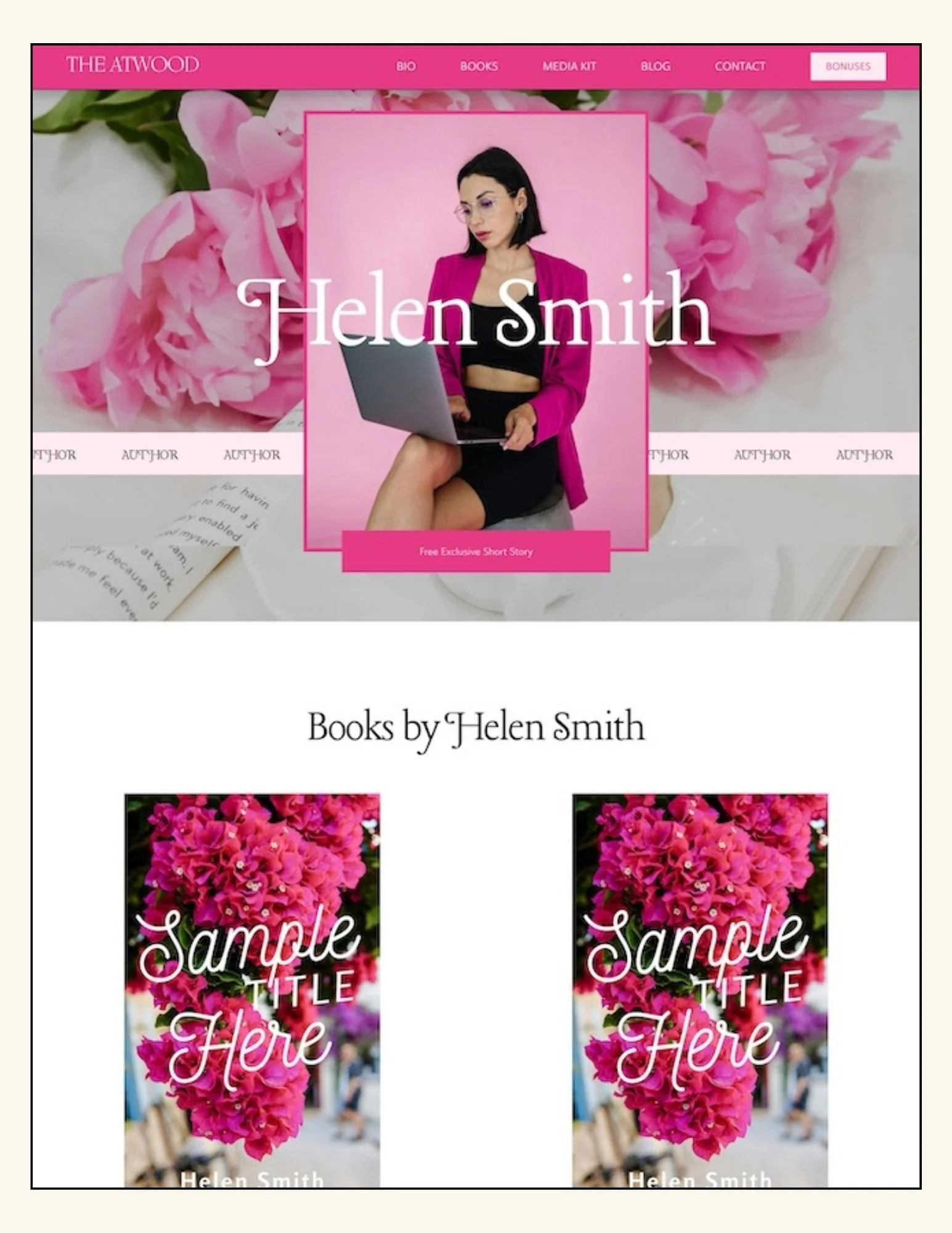
THE ATWOOD - Squarespace Author Website Template
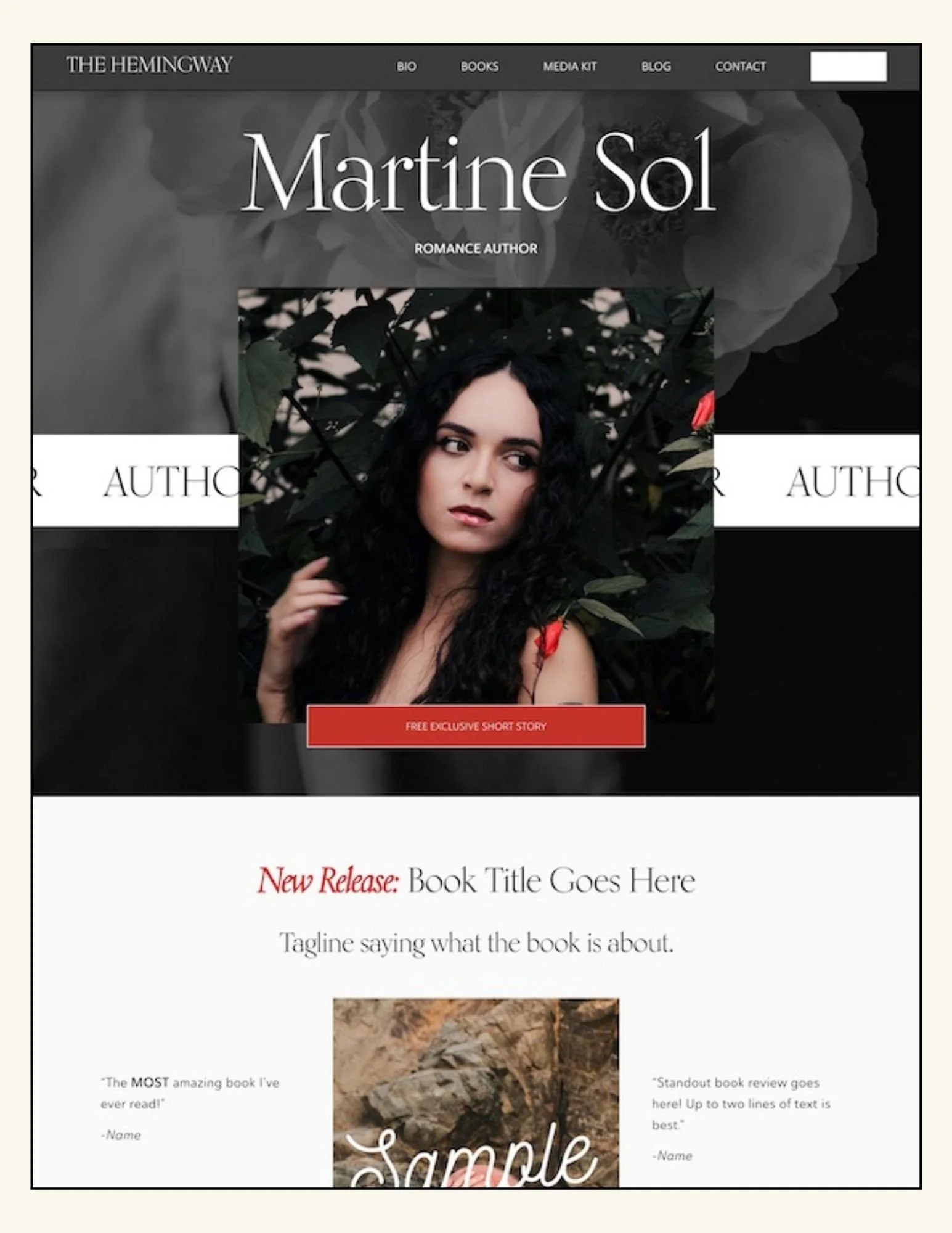
THE HEMINGWAY - Squarespace Author Website Template
THE GILBERT - Squarespace Author Website Template
Launch Your Author Website in a Day (Without the Tech Overwhlem)
*No more starting from scratch.
A simple, done-for-you Squarespace template built specifically for debut and self-published authors.